1
Editing individual
item in shopping cart
Documents Online provides you with the capability of editing the shopping cart before
checking out at individual item level.
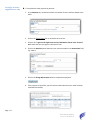
► To modify an individual document
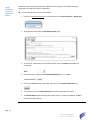
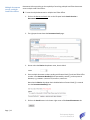
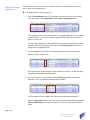
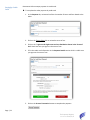
1. If you are not at the View Cart and Select Payment page, click on the View Cart link to
go to the page.
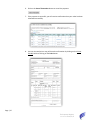
2. Click on the Edit link under the Action header for the document you wish to edit, e.g.
Document Number 1066319.
3.
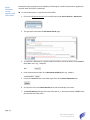
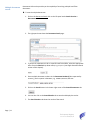
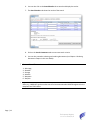
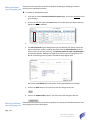
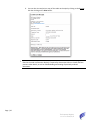
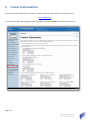
4. The Edit Item Detail page is displayed and you can edit how you wish to receive the
ordered document, similar to adding documents from the Search Results tab in the
earlier section of this User Guide, e.g. the Delivery Option for Paper Certified Copies
of Document Number 1066319 is changed from one (1) copy for Pickup/Fax at LTO
Box 41 in Winnipeg to two (2) copies to be delivered by Regular Mail.
Note that the Fee Subtotal is automatically recalculated based on the changes.
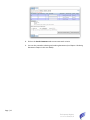
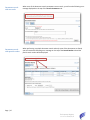
5. Click on the Back button if do not wish to save the changes to the cart.
6. Click on the Update Order button if you wish to save the changes to the cart.
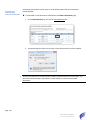
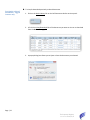
Removing individual
item in shopping cart
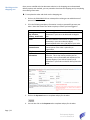
Documents Online provides you with the capability of removing an individual document from
the shopping cart before checking out.
Page | 20
The Property Registry
Current as of 2015/05/12