1
Adding document to
shopping cart
Documents Online provides you with the ability to add one or more documents from the
search results to the shopping cart.
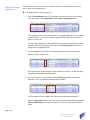
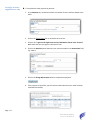
► To add documents to the shopping cart
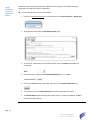
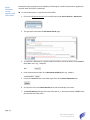
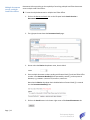
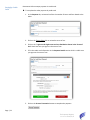
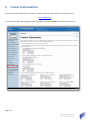
1. From the Search Results tab, for each document you want to add to the shopping
cart, check either or both Download / View or Paper Certified Copy boxes.
“n/a” indicates that the selected document is not available digitally for online viewing
or downloading. It can only be ordered as paper certified copy to be delivered by
pickup or mail, or fax.
You can order a document as both View/Download and Paper Certified Copy. Please
note that a fee will be applied for each option (see Fee per Document section for a
listing of current applicable fees).
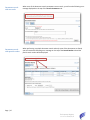
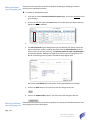
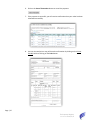
2. Check the Rush box for the optional rush processing of the selected documents
ordered as paper certified copy.
Rush option applies to processing only and excludes rush delivery. It does not apply
to documents ordered as View/Download.
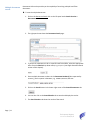
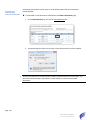
3. Enter your reference or file number into the Your File No. field for the selected
document. This is a mandatory field and must be filled in.
The file number will be included in the order receipt and account statements.
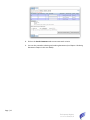
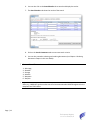
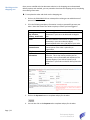
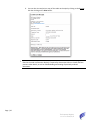
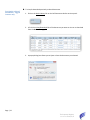
4. Select the Pickup/Fax option if you wish to pick up the selected documents marked as
Paper Certified Copy from a Land Titles Office or you wish to have the documents
faxed.
Page | 18
The Property Registry
Current as of 2015/05/12