1
LSC Website Guide 3
1.0 Log In
Although you do not need to log in to the website to search, you must log in to order. Therefore LSC
recommends you log in to the website from the onset to avoid confusion.
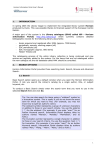
1. Click on CUSTOMER LOG IN, on the top right corner of the screen:
2. Enter your User Name
3. Enter your password
4. Click OK (do not push ‘ENTER,’ must click on ‘OK.’)
You will know when you have successfully logged in when you see your library name appear just below
the HOME button towards the top left side of the screen.