1
Using the software keyboard
109
Using the TV’s Advanced Features
Using the software keyboard
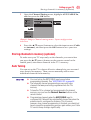
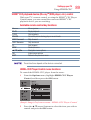
Favorable Network Connection Test results do not guarantee an Internet
Connection. Depending on the situation, some Internet features may not
be available.
To cancel Network Connection Test, press the EXIT button while
searching for the Internet connection.
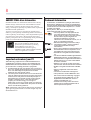
Using the software keyboard
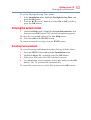
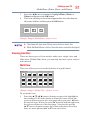
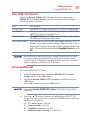
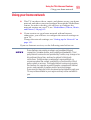
You can enter text using the Software Keyboard.
The Software Keyboard window will appear when you press the
OK on a field that accepts character input.
When using the SmartTV features, software keyboard availability depends
on the Internet service being accessed.
1
Q W E
A
2
S
R
D
Z X
T
Y
U
I
O
F G H
J
C
N M
V B
K
P
L
x
4
5
3
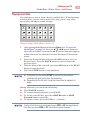
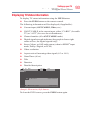
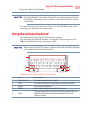
(Sample Illustration) Software keyboard
1
2
3
4
Item:
Text entry field
Shift
Return
Delete
5
Done
Description:
To show the characters you input.
To switch Small letter, Capital letter or Symbol Character.
Exits software keyboard.
Deletes one character to the left of the cursor.
Saves whatever text was entered, exits the software keyboard
and enters that text into the appropriate text field on the
previous screen.