1
Using The System
Performing Diagnostic Tests
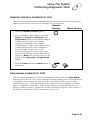
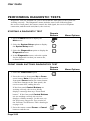
REMOTE CONTROL DIAGNOSTIC TEST
This test checks that the remote control buttons are working correctly. Do not press any
buttons on the remote or the receiver while this Test is in progress.
Remote
Buttons
Menu Options
1. Select the Remote Control option.
2. Press any remote control button, except the
Power, the Cancel, the Page Up or the
Page Down button. If the remote control is
working correctly, the receiver briefly
displays a message that says “Remote
Control Button.” If the remote control is not
working correctly, the receiver displays a
failure message. In this case, see the
Performing Diagnostic Tests section of the
Problems and Solutions Tables that begin on
page 4-10. Note: This test does not cover the
remote control Page Up and Page Down
buttons.
3. Press the Power button or Cancel button to
end the test.
DISH SIGNAL DIAGNOSTIC TEST
This test checks that the receiver has normal signal reception. Select the Dish Signal
option to begin the test. The receiver displays a message asking you to wait until the test
is completed. Do not press any buttons on the remote control or the receiver while
conducting this test. If the signal reception is normal, the receiver displays a message
that says “Signal Reception OK.” If the signal reception is not normal, the receiver
displays a failure message. In this case, see the Performing Diagnostic Tests section of
the Problems and Solutions Tables that begin on page 4-10.
Page 3-51