1
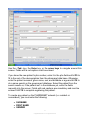
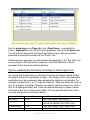
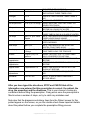
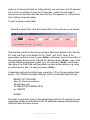
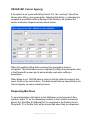
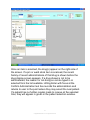
Here you will specify the quantity of medication to be dispensed at each med
time which will cause the program to calculate the correct quantity being filled at
this time or enter “Y” at the ‘Treat as PRN’ field to use the quantity you have
entered previously. You may or may not specify med times when dispensing a
PRN. The ‘Dispense for’ and ‘Repeat’ fields may be used to automatically skip
days or to dispense only on selected days. If different days require a different
quantity of medication to be dispensed, use PgUp to specify a 2nd, 3rd, etc.
parameter screen. The program will go through the parameter definitions in the
order created and use the first one that matches the start date to determine the
quantity to dispense at any given refill event.
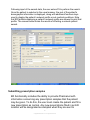
Example: To dispense 5 tablets for 3 days, 4 tablets for 2 days, and 1 tablet
thereafter.
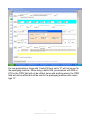
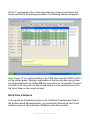
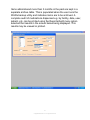
In the first definition screen, specify quantities in med times to add up to 5, put 3
in the ‘Dispense for’ field and hit PgUp. In the second definition screen, specify
quantities in med times to add up to 4, put 2 in the ‘Dispense for’ field and hit
PGUp. In the third definition screen, specify 1 in a med time field and hit F10.
51
© Applied Robotics Inc. All rights reserved.