1
The PMD660 does not turn on.
• Install fresh batteries.
• Check AC adapter connections.
There is excessive noise on the PMD660.
• Check cable connections and/or replace cable.
• Check for proper gain levels.
The PMD660 turns on then turns itself off.
• Install fresh batteries.
Playback on a PC results in poor sound.
• Check quality of PC sound card and program.
• Check frequency conversion program.*
The PMD660 seems to record, but there is no sound
on playback.
• Check input settings.
(For example, if LINE input is selected and no input is
connected to the LINE IN jack, the PMD660 will record
silence. The PMD660 will not playback.)
• Check output settings.
(For example, if the output selected is LINE, no sound
output is available in the speaker or headphones
(SP/HP) or vice versa.)
There is no audio playback through headphones or
internal speaker.
• Check HP/SPK VOL control setting.
• Check a different track or CF card.
• Check output setting.
The PMD660 will not record.
• Check that the maximum of 999 tracks have not been
recorded.
• Check that the PMD660 acknowledges the CF card.
No signal from microphone input.
• Check input selection.
• Check REC level control settings.
• Check if microphone(s) require(s) Phantom power.
56
* The PMD660 records audio files with a sampling
frequency of 48kHz. Some PC programs convert the
files to 44.1kHz (using a sample rate converter). Only
high quality sample rate converters should be used.
PC cannot read files
• Check the capability of the PC program. Some playback
and editing programs do not support MP3 or Broadcast
Wave (.wav) formats.
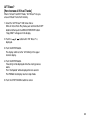
If the PMD660 exhibits erratic behavior, the
microprocessor can be reset by powering off,
disconnecting AC power and removing batteries.
Care and Maintenance
Use a soft cloth slightly moistened with mild detergent
solution.
Media cards that are heavily used should be occasionally
reformatted to avoid audio problems due to fragmentation.