1
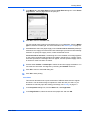
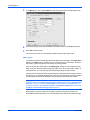
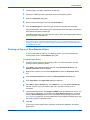
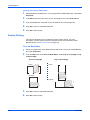
KX Driver
User Guide
Legal Notes
Unauthorized reproduction of all or part of this guide is prohibited.
The information in this guide is subject to change for improvement without notice.
We cannot be held liable for any problems arising from the use of this product, regardless of the information herein.
Regarding Trademarks
•
•
•
•
•
PCL is a registered trademark of Hewlett-Packard Company.
Microsoft Windows is a registered trademark of Microsoft Corporation in the U.S. and/or other countries.
PostScript is either a registered trademark or trademark of Adobe Systems Incorporated in the U.S. and/or other
countries.
TrueType is a registered trademark of Apple Computer Inc.
All other brand and product names herein are registered trademarks or trademarks of their respective companies.
Examples of the operations given in this guide support the Microsoft Windows XP printing environment. Essentially the same
operations are used for Microsoft Windows Vista, Windows Server 2008, and Windows 2000 environments.
Models supported by the KX printer driver
FS-C5100DN
FS-C5200DN
FS-C5300DN
User Interface screen captures shown in this guide may differ based upon your printing system.
Copyright © 2008 KYOCERA Corporation
Copyright © 2008 Revised Edition KYOCERA MITA Corporation
All rights reserved.
TC Rev. 7.7
Table of Contents
Chapter 1
Installation
Preparing to Install the Driver. . . . . . . . . . . . . . . . . . . . . . . . . . . . . . . . . . . . . . . . . . . . . . 1-1
Upgrade Driver Components on Windows Vista . . . . . . . . . . . . . . . . . . . . . . . . . . . .1-2
Express Installation . . . . . . . . . . . . . . . . . . . . . . . . . . . . . . . . . . . . . . . . . . . . . . . . . . . . . 1-2
Windows XP and Vista . . . . . . . . . . . . . . . . . . . . . . . . . . . . . . . . . . . . . . . . . . . . . . . .1-2
Custom Installation. . . . . . . . . . . . . . . . . . . . . . . . . . . . . . . . . . . . . . . . . . . . . . . . . . . . . . 1-3
Windows XP - USB . . . . . . . . . . . . . . . . . . . . . . . . . . . . . . . . . . . . . . . . . . . . . . . . . . .1-3
Windows XP - Network Connection . . . . . . . . . . . . . . . . . . . . . . . . . . . . . . . . . . . . . .1-4
Windows Vista - USB . . . . . . . . . . . . . . . . . . . . . . . . . . . . . . . . . . . . . . . . . . . . . . . . .1-5
Windows Vista - Network Connection . . . . . . . . . . . . . . . . . . . . . . . . . . . . . . . . . . . . .1-6
Installing Optional Components . . . . . . . . . . . . . . . . . . . . . . . . . . . . . . . . . . . . . . . . . . . . 1-7
Add Printer Wizard - Windows XP/2000 . . . . . . . . . . . . . . . . . . . . . . . . . . . . . . . . . . . . . 1-7
Add Printer Wizard - Windows Vista . . . . . . . . . . . . . . . . . . . . . . . . . . . . . . . . . . . . . . . . 1-8
Chapter 2
Printer Properties
Accessing Printer Properties . . . . . . . . . . . . . . . . . . . . . . . . . . . . . . . . . . . . . . . . . . . . . . 2-1
Installing Optional Devices. . . . . . . . . . . . . . . . . . . . . . . . . . . . . . . . . . . . . . . . . . . . . . . . 2-1
Auto Configure . . . . . . . . . . . . . . . . . . . . . . . . . . . . . . . . . . . . . . . . . . . . . . . . . . . . . .2-2
Device options . . . . . . . . . . . . . . . . . . . . . . . . . . . . . . . . . . . . . . . . . . . . . . . . . . . . . .2-4
RAM Disk . . . . . . . . . . . . . . . . . . . . . . . . . . . . . . . . . . . . . . . . . . . . . . . . . . . . . . . . . .2-4
Administrator Settings . . . . . . . . . . . . . . . . . . . . . . . . . . . . . . . . . . . . . . . . . . . . . . . . . . . 2-5
Job Accounting . . . . . . . . . . . . . . . . . . . . . . . . . . . . . . . . . . . . . . . . . . . . . . . . . . . . . .2-5
SNMP . . . . . . . . . . . . . . . . . . . . . . . . . . . . . . . . . . . . . . . . . . . . . . . . . . . . . . . . . . . . .2-6
Color Page Count . . . . . . . . . . . . . . . . . . . . . . . . . . . . . . . . . . . . . . . . . . . . . . . . . . . .2-7
Monochrome Mode . . . . . . . . . . . . . . . . . . . . . . . . . . . . . . . . . . . . . . . . . . . . . . . . . . .2-7
Administrator Password . . . . . . . . . . . . . . . . . . . . . . . . . . . . . . . . . . . . . . . . . . . . . . .2-7
User Settings . . . . . . . . . . . . . . . . . . . . . . . . . . . . . . . . . . . . . . . . . . . . . . . . . . . . . . . . . . 2-8
Identification . . . . . . . . . . . . . . . . . . . . . . . . . . . . . . . . . . . . . . . . . . . . . . . . . . . . . . . .2-8
Units . . . . . . . . . . . . . . . . . . . . . . . . . . . . . . . . . . . . . . . . . . . . . . . . . . . . . . . . . . . . . .2-8
Language Preference . . . . . . . . . . . . . . . . . . . . . . . . . . . . . . . . . . . . . . . . . . . . . . . . .2-8
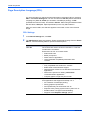
Page Description Language (PDL) . . . . . . . . . . . . . . . . . . . . . . . . . . . . . . . . . . . . . . . . . 2-9
PDL Settings . . . . . . . . . . . . . . . . . . . . . . . . . . . . . . . . . . . . . . . . . . . . . . . . . . . . . . . .2-9
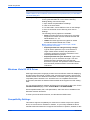
Windows Vista KX XPS Driver . . . . . . . . . . . . . . . . . . . . . . . . . . . . . . . . . . . . . . . . . . . . . 2-11
Compatibility Settings. . . . . . . . . . . . . . . . . . . . . . . . . . . . . . . . . . . . . . . . . . . . . . . . . . . . 2-11
About . . . . . . . . . . . . . . . . . . . . . . . . . . . . . . . . . . . . . . . . . . . . . . . . . . . . . . . . . . . . . . . . 2-12
Version . . . . . . . . . . . . . . . . . . . . . . . . . . . . . . . . . . . . . . . . . . . . . . . . . . . . . . . . . . . .2-12
Plug-in . . . . . . . . . . . . . . . . . . . . . . . . . . . . . . . . . . . . . . . . . . . . . . . . . . . . . . . . . . . .2-13
Status Monitor . . . . . . . . . . . . . . . . . . . . . . . . . . . . . . . . . . . . . . . . . . . . . . . . . . . . . . .2-13
Chapter 3
Printing Basics
Basic Printing Tasks. . . . . . . . . . . . . . . . . . . . . . . . . . . . . . . . . . . . . . . . . . . . . . . . . . . . . 3-1
Basic Printing . . . . . . . . . . . . . . . . . . . . . . . . . . . . . . . . . . . . . . . . . . . . . . . . . . . . . . .3-1
i
Printing on Paper of Non-Standard Sizes . . . . . . . . . . . . . . . . . . . . . . . . . . . . . . . . . . . . 3-4
Custom Paper Sizes . . . . . . . . . . . . . . . . . . . . . . . . . . . . . . . . . . . . . . . . . . . . . . . . . .3-4
Duplex Printing. . . . . . . . . . . . . . . . . . . . . . . . . . . . . . . . . . . . . . . . . . . . . . . . . . . . . . . . . 3-5
Print on Both Sides . . . . . . . . . . . . . . . . . . . . . . . . . . . . . . . . . . . . . . . . . . . . . . . . . . .3-5
Collate . . . . . . . . . . . . . . . . . . . . . . . . . . . . . . . . . . . . . . . . . . . . . . . . . . . . . . . . . . . . . . . 3-6
Chapter 4
Layout
Booklet . . . . . . . . . . . . . . . . . . . . . . . . . . . . . . . . . . . . . . . . . . . . . . . . . . . . . . . . . . . . . . . 4-1
Left Edge and Right Edge Binding . . . . . . . . . . . . . . . . . . . . . . . . . . . . . . . . . . . . . . .4-1
Booklet Printing . . . . . . . . . . . . . . . . . . . . . . . . . . . . . . . . . . . . . . . . . . . . . . . . . . . . .4-2
Multiple Pages Per Sheet. . . . . . . . . . . . . . . . . . . . . . . . . . . . . . . . . . . . . . . . . . . . . . . . . 4-2
Poster. . . . . . . . . . . . . . . . . . . . . . . . . . . . . . . . . . . . . . . . . . . . . . . . . . . . . . . . . . . . . . . . 4-3
Sheets Per Page . . . . . . . . . . . . . . . . . . . . . . . . . . . . . . . . . . . . . . . . . . . . . . . . . . . . .4-3
Available Poster Sizes . . . . . . . . . . . . . . . . . . . . . . . . . . . . . . . . . . . . . . . . . . . . . . . .4-3
Scaling . . . . . . . . . . . . . . . . . . . . . . . . . . . . . . . . . . . . . . . . . . . . . . . . . . . . . . . . . . . . . . . 4-4
Gutter . . . . . . . . . . . . . . . . . . . . . . . . . . . . . . . . . . . . . . . . . . . . . . . . . . . . . . . . . . . . .4-4
Chapter 5
Imaging
Print Quality . . . . . . . . . . . . . . . . . . . . . . . . . . . . . . . . . . . . . . . . . . . . . . . . . . . . . . . . . . . 5-1
EcoPrint . . . . . . . . . . . . . . . . . . . . . . . . . . . . . . . . . . . . . . . . . . . . . . . . . . . . . . . . . . . . . . 5-2
Gloss Mode . . . . . . . . . . . . . . . . . . . . . . . . . . . . . . . . . . . . . . . . . . . . . . . . . . . . . . . . . . . 5-2
Trapping . . . . . . . . . . . . . . . . . . . . . . . . . . . . . . . . . . . . . . . . . . . . . . . . . . . . . . . . . . . . . . 5-2
Fonts . . . . . . . . . . . . . . . . . . . . . . . . . . . . . . . . . . . . . . . . . . . . . . . . . . . . . . . . . . . . . . . . 5-3
Font Substitution . . . . . . . . . . . . . . . . . . . . . . . . . . . . . . . . . . . . . . . . . . . . . . . . . . . . .5-4
Disable Device Fonts . . . . . . . . . . . . . . . . . . . . . . . . . . . . . . . . . . . . . . . . . . . . . . . . .5-4
Graphics. . . . . . . . . . . . . . . . . . . . . . . . . . . . . . . . . . . . . . . . . . . . . . . . . . . . . . . . . . . . . . 5-4
Pattern Scaling . . . . . . . . . . . . . . . . . . . . . . . . . . . . . . . . . . . . . . . . . . . . . . . . . . . . . .5-5
Inversion Options . . . . . . . . . . . . . . . . . . . . . . . . . . . . . . . . . . . . . . . . . . . . . . . . . . . .5-5
Optimization . . . . . . . . . . . . . . . . . . . . . . . . . . . . . . . . . . . . . . . . . . . . . . . . . . . . . . . .5-5
CIE optimization . . . . . . . . . . . . . . . . . . . . . . . . . . . . . . . . . . . . . . . . . . . . . . . . . . . . .5-5
Color Mode. . . . . . . . . . . . . . . . . . . . . . . . . . . . . . . . . . . . . . . . . . . . . . . . . . . . . . . . . . . . 5-6
Printer Profile . . . . . . . . . . . . . . . . . . . . . . . . . . . . . . . . . . . . . . . . . . . . . . . . . . . . . . . . . . 5-6
Printer profile - Advanced . . . . . . . . . . . . . . . . . . . . . . . . . . . . . . . . . . . . . . . . . . . . . .5-7
Color Adjustment . . . . . . . . . . . . . . . . . . . . . . . . . . . . . . . . . . . . . . . . . . . . . . . . . . . . . . . 5-7
HSL (Hue, Saturation, Lightness) . . . . . . . . . . . . . . . . . . . . . . . . . . . . . . . . . . . . . . . .5-8
RGB . . . . . . . . . . . . . . . . . . . . . . . . . . . . . . . . . . . . . . . . . . . . . . . . . . . . . . . . . . . . . .5-9
Grayscale Adjustment . . . . . . . . . . . . . . . . . . . . . . . . . . . . . . . . . . . . . . . . . . . . . . . . . . . 5-9
Grayscale Settings . . . . . . . . . . . . . . . . . . . . . . . . . . . . . . . . . . . . . . . . . . . . . . . . . . . . . . 5-10
Chapter 6
Publishing
Printing with Covers . . . . . . . . . . . . . . . . . . . . . . . . . . . . . . . . . . . . . . . . . . . . . . . . . . . . . 6-1
Cover Printing Options . . . . . . . . . . . . . . . . . . . . . . . . . . . . . . . . . . . . . . . . . . . . . . . .6-2
Edit Cover Printing Options . . . . . . . . . . . . . . . . . . . . . . . . . . . . . . . . . . . . . . . . . . . .6-4
Page Insert. . . . . . . . . . . . . . . . . . . . . . . . . . . . . . . . . . . . . . . . . . . . . . . . . . . . . . . . . . . . 6-4
Insert Page Printing . . . . . . . . . . . . . . . . . . . . . . . . . . . . . . . . . . . . . . . . . . . . . . . . . .6-5
Combinations . . . . . . . . . . . . . . . . . . . . . . . . . . . . . . . . . . . . . . . . . . . . . . . . . . . . . . .6-6
Transparency Interleaving . . . . . . . . . . . . . . . . . . . . . . . . . . . . . . . . . . . . . . . . . . . . . . . . 6-6
Chapter 7
Job
Job Storage (e-MPS) . . . . . . . . . . . . . . . . . . . . . . . . . . . . . . . . . . . . . . . . . . . . . . . . . . . . 7-1
Quick Copy . . . . . . . . . . . . . . . . . . . . . . . . . . . . . . . . . . . . . . . . . . . . . . . . . . . . . . . . .7-2
ii
Proof and Hold . . . . . . . . . . . . . . . . . . . . . . . . . . . . . . . . . . . . . . . . . . . . . . . . . . . . . .7-3
Private Print . . . . . . . . . . . . . . . . . . . . . . . . . . . . . . . . . . . . . . . . . . . . . . . . . . . . . . . .7-4
Job Storage . . . . . . . . . . . . . . . . . . . . . . . . . . . . . . . . . . . . . . . . . . . . . . . . . . . . . . . .7-5
Job Name. . . . . . . . . . . . . . . . . . . . . . . . . . . . . . . . . . . . . . . . . . . . . . . . . . . . . . . . . . . . . 7-5
Chapter 8
Advanced
Prologue/Epilogue . . . . . . . . . . . . . . . . . . . . . . . . . . . . . . . . . . . . . . . . . . . . . . . . . . . . . . 8-1
Select Prologue/Epilogue File to Insert . . . . . . . . . . . . . . . . . . . . . . . . . . . . . . . . . . .8-2
Add . . . . . . . . . . . . . . . . . . . . . . . . . . . . . . . . . . . . . . . . . . . . . . . . . . . . . . . . . . . . . . .8-2
Edit . . . . . . . . . . . . . . . . . . . . . . . . . . . . . . . . . . . . . . . . . . . . . . . . . . . . . . . . . . . . . . .8-2
Delete . . . . . . . . . . . . . . . . . . . . . . . . . . . . . . . . . . . . . . . . . . . . . . . . . . . . . . . . . . . . .8-2
Insertion Point . . . . . . . . . . . . . . . . . . . . . . . . . . . . . . . . . . . . . . . . . . . . . . . . . . . . . . .8-3
Watermark . . . . . . . . . . . . . . . . . . . . . . . . . . . . . . . . . . . . . . . . . . . . . . . . . . . . . . . . . . . . 8-4
Select Watermark . . . . . . . . . . . . . . . . . . . . . . . . . . . . . . . . . . . . . . . . . . . . . . . . . . . .8-4
Page Selection . . . . . . . . . . . . . . . . . . . . . . . . . . . . . . . . . . . . . . . . . . . . . . . . . . . . . .8-4
Add Watermark . . . . . . . . . . . . . . . . . . . . . . . . . . . . . . . . . . . . . . . . . . . . . . . . . . . . . .8-5
Additional Text Options . . . . . . . . . . . . . . . . . . . . . . . . . . . . . . . . . . . . . . . . . . . . . . . .8-5
Selecting and Creating Custom Colors . . . . . . . . . . . . . . . . . . . . . . . . . . . . . . . . . . . .8-7
Edit Watermark . . . . . . . . . . . . . . . . . . . . . . . . . . . . . . . . . . . . . . . . . . . . . . . . . . . . . .8-7
Delete Watermark . . . . . . . . . . . . . . . . . . . . . . . . . . . . . . . . . . . . . . . . . . . . . . . . . . . .8-7
EMF Spooling. . . . . . . . . . . . . . . . . . . . . . . . . . . . . . . . . . . . . . . . . . . . . . . . . . . . . . . . . . 8-8
Chapter 9
Profile
Adding a Profile . . . . . . . . . . . . . . . . . . . . . . . . . . . . . . . . . . . . . . . . . . . . . . . . . . . . . . . .
Editing a Profile . . . . . . . . . . . . . . . . . . . . . . . . . . . . . . . . . . . . . . . . . . . . . . . . . . . . . . . .
Deleting a Profile . . . . . . . . . . . . . . . . . . . . . . . . . . . . . . . . . . . . . . . . . . . . . . . . . . . . . . .
Importing and Exporting a Profile. . . . . . . . . . . . . . . . . . . . . . . . . . . . . . . . . . . . . . . . . . .
9-1
9-2
9-3
9-3
Glossary
Index
iii
Installation
1 Installation
A printer driver is an application that sends documents to a printer and manages
communication between a printer and your computer.
These features are available in the installation process:
•
•
•
•
•
•
Preparing to Install the Driver
Express Installation
Custom Installation
Installing Optional Components
Add Printer Wizard - Windows XP/2000
Add Printer Wizard - Windows Vista
Preparing to Install the Driver
1
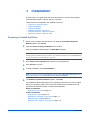
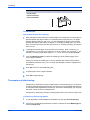
Power on the computer and the printer. The Windows Found New Hardware
Wizard appears, click Cancel.
1
2
Insert the Product Library CD-ROM into the CD drive.
2
After the installation wizard begins, the Main Menu appears.
Note: If the Product Library Software Installation Wizard fails to start after
inserting the CD-ROM into the CD drive, use Windows Explorer to locate Setup.exe
on the local driver, and double-click to open.
3
Click View License Agreement to read the License Agreement.
3
4
Click Accept to proceed.
4
5
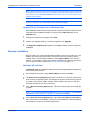
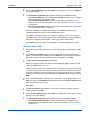
To begin installation, click Install Software.
Note: During any point in the installation process, if the Windows Security warning
dialog box appears, click Install this driver software anyway.
6
The Software Installation Wizard appears. Click Next.
5
The installation differs depending on your operating system and connection method.
Select your operating system and connection method from the following list and
proceed to the referenced page to continue the installation.
Express Installation
Windows XP and Vista on page 1-2
Custom Installation
Windows XP - USB on page 1-3
Windows XP - Network Connection on page 1-4
Windows Vista - USB on page 1-5
Windows Vista - Network Connection on page 1-6
1-1
KX Driver
Upgrade Driver Components on Windows Vista
Installation
Note: KPrint installs a client port monitor that provides Windows TCP/IP printing to
any network card connected to Kyocera printing systems. KPrint supports LPR and
IPP printing. For the KPrint Installation instructions, refer to your CD. KPrint uses
a stand-alone installer.
Note: During any point in the installation process, if the Windows Security warning
dialog box appears, click Install this driver software anyway.
Upgrade Driver Components on Windows Vista
If the installation wizard finds an existing driver component that has an earlier version
compared to the installation package, it will go from the Welcome page to the
Upgrade page.
1
Choose the component to upgrade. Click Next.
1
2
Confirm your upgrade settings. To start the upgrade, click Upgrade.
2
3
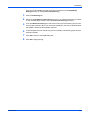
The Upgrade Completed page appears. Click Next to start a Custom or Express
installation.
3
Express Installation
Express mode is for a Universal Serial Bus (USB) or network connection only. The
installer can find the Kyocera printer if it is turned on and connected by USB or
network cable. For the default installation, select Express Mode. In the Custom
method, you are able to choose which software packages to install and specify the
port. To use the Custom method, see Custom Installation on page 1-3.
Windows XP and Vista
In Windows Vista, the installation dialog boxes have a slightly different appearance,
but the steps are the same.
1
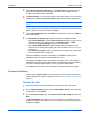
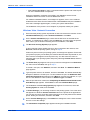
For the default connection, select Express Mode, and then click Next.
2
The Discover Printing System page opens to search for your printer. If Discovery
does not find your printing system, a message box appears. Ensure that your printer
is properly connected by USB or network cable and that it is turned on, and then
close the message box and retry Discovery.
3
On the Discover Printing System page, select the printing system you would like
to install.
2
1
Note: If the Found New Hardware Wizard appears, click Cancel. If the Hardware
Installation warning dialog box appears, click Continue Anyway.
4
User Guide
On the Discover Printing System page, select Use host name for port name to
use a host name for the Standard TCP/IP port. If the installation wizard still displays
the IP address, contact your system administrator.
3
1-2
Installation
Windows XP - USB
5
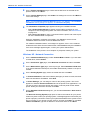
On the Discover Printing System page, click Information if you want to open a
dialog box with details about IP Address, Host Name, Printer Model, Contact,
Location, and Serial Number. Click Next.
6
In Printer Settings, you can assign a name to the printing system. This is the name
that appears in Windows Printers and Faxes and in the printer list in applications. 4
Note: If your printer is connected locally, Printer Settings does not appear, skip to
step 7.
You can also choose to share this printer with others or set this printer as the default
printer. Make your selection and then click Next.
5
7
On the Confirm Settings page, click Install if the settings are correct. Click Back to
correct the settings.
6
8
The Installation Completed page appears showing the installation details.
•
•
•
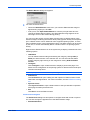
Select Device Settings to open the Device Settings tab where you can choose
installed options for your printing system. In Windows Vista or a USB
connection, the Device Settings check box is not displayed.
Select Enable Status Monitor to display system status messages on your
computer screen during printing tasks. For more information, see Status Monitor
on page 2-13.
Select Print a test page to verify a connection with the printer and create a print
out of the installed driver components.
When the installation completes successfully, click Finish to exit the Printer
Installation Wizard and return to the CD-ROM main menu.
For software installation failures, a message box appears, One or more software
installations have failed. See the details below. Click Finish and retry the installation.
If the same message appears again, contact your system administrator.
The installation of the printer is now complete. If prompted, restart your system.
Custom Installation
When using the Custom mode you can specify the printer port and choose which
software packages to install. For information, see Windows Vista KX XPS Driver on
page 2-11.
Windows XP - USB
1
Ensure that your printer and computer are connected using the USB cable.
2
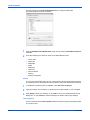
On the Installation Method page, select Custom Mode > Driver. If you also want
to install fonts, select Utilities.
2
3
On the Connection Type page, select Universal Serial Bus (USB), and then click
Next.
3
1
The Printing System page appears in certain conditions, for example, when the
installer cannot detect the USB connection. From the list, select the printing system
to install. Click Next.
4
1-3
KX Driver
Windows XP - Network Connection
Installation
4
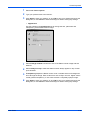
On the Custom Installation page, ensure that the KX Driver is selected as the
product and then click Next.
5
On the Confirm Settings page, click Install if the settings are correct. Click Back to
correct the settings.
6
5
Note: If the Found New Hardware Wizard appears, click Cancel. If the Hardware
Installation warning dialog box appears, click Continue Anyway.
6
The Installation Completed page appears showing the installation details.
•
•
Select Enable Status Monitor to display system status messages on your
computer screen during printing tasks. For more information, see Status Monitor
on page 2-13.
Select Print a test page to verify a connection with the printer and create a print
out of the installed driver components.
When the installation completes successfully, click Finish to exit the Printer
Installation Wizard and return to the CD-ROM main menu.
For software installation failures, a message box appears, One or more software
installations have failed. See the details below. Click Finish and retry the installation.
If the same message appears again, contact your system administrator.
The installation of the printer is now complete. If prompted, restart your system.
Windows XP - Network Connection
1
On the Installation Method page, select Custom Mode > Driver. If you also want
to install fonts, select Utilities.
1
2
On the Connection Type page, select Network connection and then click Next. 2
3
On the Network Port Type page, select a port type. Select Standard TCP/IP Port.
If you select Standard TCP/IP port, the installer automatically creates a new port if
needed.
3
4
On the Printing System page, select the model and then click Next.
5
In Custom Installation, select the software packages you want to install, and clear
those not intended for installation. Click Next.
5
6
In Printer Settings, you can assign a name for the printing system. This name
appears in Windows Printers and Faxes and in the printer list in applications. You
can also choose to share this printer with others or set this printer as the default
printer. Make your selections and then click Next.
6
7
On the Standard TCP/IP Port dialog box, you can select Discover or Host name or
IP address.
7
4
The Discover Printing System page opens to search the network for your printer.
If Discovery does not find your printing system, a message appears. Ensure that your
printer is properly connected. Contact your system administrator if the system cannot
find your printer. If your printer is found, select it, and then click Next. To use Host
name or IP address, type the IP address or host name and then click Next.
User Guide
1-4
Installation
Windows Vista - USB
8
On the Confirm Settings page, click Install if the settings are correct. Click Back to
correct the settings.
8
9
The Installation Completed page appears showing the installation details.
•
•
•
Select Device Settings to open the Device Settings tab where you can choose
installed options for your printing system.
Select Enable Status Monitor to display system status messages on your
computer screen during printing tasks. For more information, see Status Monitor
on page 2-13.
Select Print a test page to verify a connection with the printer and create a print
out of the installed driver components.
When the installation completes successfully, click Finish to exit the Printer
Installation Wizard and return to the CD-ROM main menu.
For software installation failures, a message box appears, One or more software
installations have failed. See the details below. Click Finish and retry the installation.
If the same message appears again, contact your system administrator.
The installation of the printer is now complete. If prompted, restart your system.
Windows Vista - USB
1
Ensure that your printing system is connected using a Universal Serial Bus (USB)
cable.
1
2
On the Custom Installation page, ensure that the KX Driver is selected as the
product. To install fonts or utilities, click the Utility tab, and select from the options
there. When you are finished selecting items for installation, click Next.
2
3
The Discover Printing System page appears.
3
Select your printing system from the list, which displays a Type of USB for a USB
cable. Click Next, then go to step 6.
If Discovery does not find your printing system, a message box appears. Ensure that
your printer is properly connected by the correct cable and is powered on, and then
close the message box and retry Discovery. You also have the choice to manually
select your printing system and port by selecting Custom select, and then clicking
Next.
4
On the Printer Port page, select the port connected to your printing system. For a
USB connection, the Port Name should begin with USB, and the Description should
read Virtual printer port for USB.
4
Click Next.
5
The Printing System page appears. From the list, select the printing system to
install, and then click Next.
6
On the Confirm Settings page, click Install if the settings are correct. Click the back
arrow to correct the settings.
6
7
The Installation Completed page appears showing the installation details.
•
1-5
5
Select Enable Status Monitor to display system status messages on your
computer screen during printing tasks. For more information, see Status Monitor
on page 2-13.
KX Driver
Windows Vista - Network Connection
•
Installation
Select Print a test page to verify a connection with the printer and create a print
out of the installed driver components.
When the installation completes successfully, click Finish to exit the Printer
Installation Wizard and return to the CD-ROM main menu.
For software installation failures, a message box appears, One or more software
installations have failed. See the details below. Click Finish and retry the installation.
If the same message appears again, contact your system administrator.
The installation of the printer is now complete. If prompted, restart your system.
Windows Vista - Network Connection
1
Ensure that the printing system is powered on and connected to the network. On the
Installation Method page, select Custom Installation. Click Next.
1
2
On the Custom Installation page, ensure that the KX Driver is selected as the
product. To install fonts or utilities, click the Utility tab, and select from the options
there. When you are finished selecting items for installation, click Next.
2
3
The Discover Printing System page appears.
3
To find a printing system already turned on and connected to the network, click
Discover, select the printing system, and go to step 8.
If Discovery does not find your printing system, a message box appears. Ensure that
your printer is properly connected by the network cable and that it is powered on, and
then close the message box and retry Discovery. You also have the choice to
manually select your printing system and port by selecting Custom select, and then
clicking Next.
4
The Printer Port page appears. If the port you want to use appears in the Port name
list, select it and click Next, then go to step 7.
4
To create a new port, click Add Port, and then click Next. The Add Port Wizard
page appears.
5
Type the printer name or IP address, and then click Next. The wizard automatically
attempts to detect the TCP/IP port. If it cannot detect the port, the Additional Port
Information Required page appears. Click Back to correct the IP address, or, if you
are sure the address is correct, select an Address Type. Click Next.
5
6
After the port has been created, the Completing the Add Standard TCP/IP Printer
Port Wizard page appears. Click Finish to close the Add Port Wizard page.
6
7
The installation wizard Printing System page appears. From the list, select the
Printing System to install, and click Next.
8
In Printer Settings, you can assign a name to the printing system. This is the name
that appears in Windows Printers and Faxes and in the printer list in applications.
You can also choose to share this printer with others or set this printer as the default
printer. Make your selections, and then click Next.
8
9
On the Confirm Settings page, click Install if the settings are correct. Click the back
arrow to correct the settings.
9
10
User Guide
7
The Installation Completed page appears showing the installation details.
1-6
Installation
Windows Vista - Network Connection
•
•
Select Enable Status Monitor to display system status messages on your
computer screen during printing tasks. For more information, see Status Monitor
on page 2-13.
Select Print a test page to verify a connection with the printer and create a print
out of the installed driver components.
When the installation completes successfully, click Finish to exit the Printer
Installation Wizard and return to the CD-ROM main menu.
For software installation failures, a message box appears, One or more software
installations have failed. See the details below. Click Finish and retry the installation.
If the same message appears again, contact your system administrator.
The installation of the printer is now complete. If prompted, restart your system.
Installing Optional Components
You can expand the functions of your printer driver by installing optional components
that complement the ways in which you use your printer. Available components may
include Common Profiles and Plug-ins.
1
In the CD-ROM Main Menu, select Advanced Tools.
1
2
On the Advanced Tools page, select Optional Printer Components.
2
3
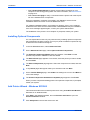
The Optional Components Wizard dialog box appears. Click Next to install
optional components or Cancel to close the wizard.
3
4
The Select Printer page appears. From the list, select the printer you want to install,
and click Next.
4
5
The Select Components page appears. Select the components to install, and click
Next.
5
6
In any Select pages that appear make your selections and click Next.
7
On the Confirm Settings page, click Install if the settings are correct. Click Back to
correct the settings.
6
8
The Printer Components Installation Completed page appears. Click Finish.
7
When you have completed installing printers and optional components, if prompted,
restart your system.
Add Printer Wizard - Windows XP/2000
This section describes how to install a printer driver using the Add Printer Wizard in
Windows XP or Windows 2000.
1-7
1
Click Start in the Windows taskbar, and click Printers and Faxes to open the
Printers and Faxes window.
1
2
Click Add printer in the window area on the left.
2
KX Driver
Windows Vista - Network Connection
Installation
Note: The Add Printer Wizard can also be started by clicking Add printer in the
File menu of the Printers and Faxes window.
3
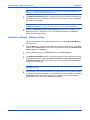
The Add Printer Wizard appears. The wizard provides you with step-by-step driver
installation instructions. Follow the instructions on each page and then click Next to
proceed to the next page.
3
Note: If the Found New Hardware Wizard page appears, click Cancel. If the
Hardware Installation warning dialog box appears, click Continue Anyway.
4
When the Completing the Add Printer Wizard page appears, installation of the
printer driver is now complete. To close the Add Printer Wizard, click Finish. If
prompted, restart your system.
4
Add Printer Wizard - Windows Vista
This section describes how to install a printer driver using the Add Printer Wizard in
Windows Vista.
1
Click the Start icon in the Windows taskbar at the bottom of the screen. In the Start
window click Control Panel. In the Control Panel window under the Hardware and
Sound category, click Printer.
1
2
In the toolbar at the top of the Printers window, click Add a printer.
3
The Add Printer Wizard appears. The wizard provides you with step-by-step driver
installation instructions. Click either Add a local printer or Add a network, wireless
or Bluetooth printer. Follow the instructions on each page and then click Next to
proceed to the next page.
3
2
Note: If the Windows Security warning dialog box appears, click Install this driver
software anyway.
4
User Guide
The last page of the wizard appears with a message that you’ve successfully added
the printer you selected. Installation of the printer driver is now complete. Click Print
a test page if you want to produce sample print output from the newly installed
printer. To close the Add Printer Wizard, click Finish.
4
1-8
Printer Properties
2 Printer Properties
The Device Settings tab lets you select installed printing system options so the
associated features can be used with the printer driver. You can also match the
memory setting in the driver with the memory installed in your printing system, which
lets the driver manage font downloads more efficiently. Administrator, user, page
description language, and compatibility settings can also be selected.
These features are available in the Device Settings tab.
•
•
•
•
•
•
•
•
Accessing Printer Properties
Installing Optional Devices
Administrator Settings
User Settings
Page Description Language (PDL)
Windows Vista KX XPS Driver
Compatibility Settings
About
Proceed with the following steps to set your preferred options as the default settings.
These default settings can be changed temporarily when printing from Windowsbased applications.
Accessing Printer Properties
1
Click Start in the Windows taskbar and click Printers and Faxes.
1
2
Right-click the printer icon in the Printers and Faxes window.
2
3
Click Properties in the list. The Properties dialog box appears.
3
Installing Optional Devices
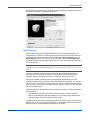
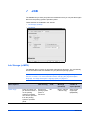
In Printer Properties, open the Device Settings tab. For each optional device
installed in your printing system, select the equivalent setting under the Device
options list.
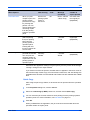
For models connected to a network, the Auto Configure button can be used to
detect all available devices. See Auto Configure for more information. You can also
2-1
KX Driver
Printer Properties
specify the memory setting, PDL (Page Description Language), settings for the user,
administrator settings for passwords and more.
Auto Configure
Auto Configure detects the installed device options on the printing system if it is
connected over a network. It detects printing system devices such as input devices,
output devices, and hard disk size. Then it updates the Device options list in the
Device Settings tab. Auto Configure keeps the printer driver’s Device Settings
consistent with the actual printing system devices. This is a manual process and can
be run at any time.
Note: Not all installed devices are detected by using Auto Configure. Before
selecting OK in the Device Settings tab, check the settings to make sure they are
correct.
The Auto Configure feature cannot communicate with a printer if the printer is
powered off or in the middle of startup. In these cases, the driver displays the
message, Please verify that the printer is powered on and ready to print.
If the driver’s model is different from the actual printer model at the port, Auto
Configure stops the device settings update and displays the message, The selected
TCP/IP port is connected to a network printer that does not match the current printer
driver. In order to use the Auto Configure feature, select a TCP/IP port that matches
the current printer driver.
Under the following conditions the Auto Configure tool cannot communicate with the
printing system:
•
The Windows XP firewall prevents the communication. It opens a Windows
Security Alert dialog box with this message: Do you want to keep blocking this
program? (Keep Blocking, Unblock, Ask me Later).
The Microsoft Windows XP Firewall settings can be changed to allow communication
between the printing system and your computer. The default setting for Windows XP
Service Pack 2 is for the Windows Firewall to be set to On.
User Guide
2-2
Printer Properties
When the Windows Security Alert dialog box appears, click Unblock to allow
communication between the printing system and your computer.
When you click Unblock, Auto Configure is added to the Windows Firewall >
Exceptions > Programs and Services list. The Windows Firewall is accessed
through the Control Panel.
4
Auto Configure currently supports only TCP/IP ports for Microsoft Windows 2000, XP
and Vista operating systems.
A TCP/IP port can be either an IP address or the printing system name (Host name).
Silent Auto Configuration
Silent Auto Configuration is an automatic detection tool that runs in the background,
periodically polling the printing system for information. Therefore the user is not
required to make a manual request for the configuration. An additional benefit is that
the driver is always up-to-date, even if devices are added or removed or the
configuration otherwise altered after the printing system and driver installation.
Note: The Silent Auto Configuration feature is only available on a Vista operating
system connected to a network.
Silent Auto Configuration is also triggered by certain events:
•
•
•
When the printing system is in the process of startup or a spooler system is
restarted.
When there is a detected configuration change in the printing system.
When changing to or using a new TCP/IP port.
Setting Auto Configuration
Configuring the physical device settings of a printer on the Device Settings >
Properties page maintains consistency between the printer driver’s Device settings
and the actual printer devices. To set Auto Configuration:
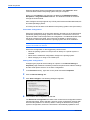
1
In the Printers directory, right-click on the printer and select Properties.
1
2
Click the Device Settings tab.
2
3
Click Auto Configure. The following dialog box appears:
3
4
Ensure Silent auto-configuration is selected.
The Silent auto-configuration checkbox is the control for auto configuration without
manual intervention. When selected, it polls for printer configuration changes after
time intervals (default is 10 minutes). When a change is detected in the printing
system’s configuration, the driver’s information is automatically updated so that
2-3
KX Driver
Printer Properties
whenever you use the driver, it contains the latest configuration detected from the
printer.
5
To request a configuration of the printing system right away, click Auto-Configure
Now. This prompts the driver to immediately retrieve printer configurations. Silent
auto-configuration only updates when it detects a change in the printer. Therefore, it
is advisable, after selecting Silent auto-configuration to also click on AutoConfigure Now. This ensures that current settings are up-to-date.
4
The printer driver updates the Device Options list according to the retrieved device
information. It updates the check box settings in the Device Options list and the
Preview image. It also updates the Memory and RAM Disk information.
6
Click OK to exit the Auto-Configure dialog box.
Device options
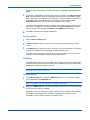
1
Click the Device Settings tab.
1
2
In Device options, select the check boxes for devices installed in your printing
system.
2
3
In the Memory box, select the memory capacity of your printing system. This setting
is required to optimize the downloading of printing system fonts.
3
If you don’t know the memory capacity of your printing system, you can use Auto
Configure so the information can be automatically selected.
4
RAM Disk
The RAM disk functions as a virtual hard disk saving print requests into the printing
system’s memory if a hard disk for printing is not installed. If you have a hard disk
installed, the RAM disk function is inactive.
Note: Because the RAM disk is volatile memory, all data sent to the printing system
is lost when the power is turned off.
RAM Disk Settings
1
In the Device options list, select the RAM disk check box. The memory capacity
can be adjusted in the RAM disk box.
Note: RAM disk is functional when it is enabled in the printer.
2
Specify the RAM disk size. The maximum RAM disk capacity may vary depending
on the amount of memory installed.
Matching the memory setting in the driver with the memory installed in the printing
system allows font downloads to be better managed by the driver.For more
information, see the printing system's Operation Guide.
User Guide
2-4
Printer Properties
Administrator Settings
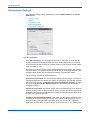
The following settings can be specified by selecting Administrator in the Device
Settings tab.
•
•
•
•
•
Job Accounting
SNMP
Color Page Count
Monochrome Mode
Administrator Password
Job Accounting
With Job accounting, you can assign account IDs to print jobs, or work with IDs
already created at the printing system. Job accounting features help you manage
and control the number of copies in a printing system. Account IDs for newer models
must be 8 digits or less.
A maximum of 100 account IDs can be assigned at the printing system and stored in
the printer driver. For complete information about the job accounting features of the
printing system, please see the Operation Guide for your particular model.
Job accounting includes the following options:
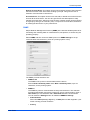
Use specific account ID: This option can be used to specify a single account ID to
manage the print jobs of a specific user. When the user prints, your jobs are sent with
the account ID. You can use Password protect administrator settings to protect
access to the Administrator Settings dialog box, so that the user cannot see or
change this setting.
Prompt for account ID: This option can be used to prompt the user for an account
ID when printing. When sending a print job, type an account ID when prompted, then
click OK to print. The account ID must be one that has been registered at the printing
system, or the job does not print.
Prompt for account ID and validate: This option can be used to prompt the user
to specify an account ID that is saved in the driver. When sending a print job, type an
account ID when prompted, then click OK to print. The account ID is validated
against the account ID list, so you must type an ID from the list, or you cannot print.
2-5
KX Driver
Printer Properties
Display account ID list: This option can be used to display the list of IDs entered in
the account ID list of the driver when sending a print job. This gives the user a
selection of account IDs to choose from.
Account ID List: This option can be use to add, edit, or delete account IDs from the
account ID list of the driver. You can also give the IDs text descriptions to help
manage and track them. After an account ID list is created, the list can be exported
as a group by saving it as a text file (.CSV). To import an account ID list, browse for
an existing list and save it in your printer driver.
SNMP
Simple Network Management Protocol (SNMP) is the Internet standard protocol for
monitoring and collecting data on network devices, like printers, to ensure they are
operating properly.
Select SNMP, and then choose a SNMP protocol in SNMP Settings to set up
communication with the device, (such as a printing system or fax.)
The SNMP protocol selections are:
•
SNMPv1/v2c
The SNMPv1/v2c protocol communicates with the device.
Enter a Read community name and a Write community name, up to 32
characters, for the printing system.
•
SNMPv3
The SNMPv3 protocol communicates securely with the device. This selection
provides authentication and privacy options for secure communication. Enter a
User name up to 32 characters and a Password between 8-32 characters.
You can select the Settings button for additional SNMPv3 Settings.
• Authentication
Select from MD5 (Message Digest 5), or SHA1(Secure Hash Algorithm 1) for
further security protocol measures.
•
User Guide
Privacy
2-6
Printer Properties
Select from DES (Data Encryption Standard), or AES (Advanced Encryption
Standard) for encryption applied to SNMP communication. Privacy is
available only appears when Authentication is selected.
•
Apply to other models
You can apply the selected SNMP option, SNMPv1/v2c or SNMPv3 to other
installed printing devices by clicking Apply to other models.
Click Select and choose from the Installed Printer or Fax Model List that
appears. Make your selection, and click OK.
Color Page Count
Color page count automatically tallies the number of color and monochrome pages
in each print job. This feature is used by billing or accounting applications to track
cost differences between pages printed with black toner only, and more expensive
color pages. Optional third party accounting software can read and process the print
information embedded in each page. Embedded information does not affect the
appearance of printed documents. Select Color page count to enable this feature.
For accounting purposes:
•
•
•
A page with any color is counted as a color page.
A page with black only is counted as a monochrome page.
A blank page is counted as a monochrome page.
Monochrome Mode
Monochrome mode disables all color settings in the driver’s Imaging tab and prints
with black toner only.
To use monochrome mode in the Device Settings tab, click Administrator >
Monochrome mode.
Administrator Password
You can set a password for the Administrator Settings dialog box. After a password
is typed in, the Administrator settings dialog box cannot be opened until the
password is typed in the Enter Password dialog box. This prevents unauthorized
personnel from changing the administrator settings.
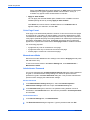
Set the Password
1
In the Administrator Settings dialog box, select the Password protect
administrator settings check box to open the Password dialog box.
2
In the Password dialog box, enter the new password using between 4 and 16
characters in the Password text box. Re-enter the password in Confirm password
and click OK.
2
1
Clear the Password
2-7
1
In the Device Settings tab, click Administrator.
1
2
The Enter Password dialog box appears. Type the password and click OK.
2
KX Driver
Printer Properties
3
The Administrator Settings dialog box appears. Clear the Password protect
administrator settings check box. A Password message appears. Click OK.
3
4
Click OK.
4
User Settings
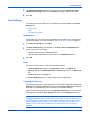
The following user information can be configured by selecting User in the Device
Settings tab.
•
•
•
Identification
Units
Language Preference
Identification
In this dialog box, type user name and department information to be used with the
Job Storage feature. For more information, see Job Storage (e-MPS) on page 7-1.
1
In the Device Settings tab, click User.
1
2
The User Settings dialog box appears. In the User name and Department text
boxes, type up to 31 characters.
2
•
•
3
Type the preferred name in User name box.
Type the user's department or group name in the Department text box.
Click OK.
Units
The unit of measurement is used for the following settings:
•
•
•
Custom Page Sizes setting in the Page Sizes section in the Basic tab
Spacing setting in the Watermark Add and Edit dialog boxes in the Advanced
tab
Poster settings in the Layout tab
In the User Settings dialog box, select either inches or millimeters.
Language Preference
The Language preference option specifies the user interface language of the Device
Settings tab of Printer Properties and all tabs of Printing Preferences. Available
languages vary depending on your locale and your computer settings.
Select the preferred language from the Language preferences list. To activate the
new language, click OK in User Settings and then in the Properties dialog box.
Note: The installation program uses location information from the Regional and
Language Options in Microsoft Windows. For example, a user whose language is
English but lives in Japan may have a language setting of English on the computer,
but the Location would be Japan. In this case, the CD Menu and Installer is in
English, but the driver will be installed for the Japanese market, according to
Location.
User Guide
2-8
Printer Properties
Page Description Language (PDL)
You have the option to change the Page Description Language (PDL) by selecting
PDL in the Device Settings tab. You can choose from PCL XL (Printer Command
Language XL), PCL 5c, KPDL (an emulation of PostScript printing), or PDF
(Portable Document Format). The default is PCL XL. When using the Windows Vista
KX XPS driver, XPS (XML Paper Specification) is the only PDL selection.
After you select a PDL, the selection appears in the lower corner of the Preview
image.
PDL Settings
1
In the Device Settings tab, click PDL.
2
The PDL Settings dialog box appears. Select the desired language from the Select
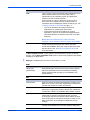
PDL list. See the following table for options and descriptions.
2
1
Option
Description
PCL XL
The most recent version of HP PCL and PCL 6. This PDL
includes PCL 5c features.
Enhanced over PCL 5c in these areas:
• Reduced file size
• Better print speed
• Faster return to application
• Lacks backward compatibility with earlier PCL
versions
2-9
PCL 5c
Specifies PCL 5c as the PDL.
• Fully compatible with earlier PCL versions
• Bidirectional communication support
• Wide selection of fonts for use with Microsoft Windows
applications
• Allows more options for utilizing PRESCRIBE
commands within applications
• Complex graphics might not print as well
KPDL
Specifies KPDL as the PDL. KPDL is used when printing
from applications that support PostScript 2 or 3.
• An emulation of PostScript printing
• Strong graphics reproduction
• Print speeds may be slower than PCL 5c
• Requires more printing system memory than PCL 5c
• Enables native TrueType font downloading
• Supports most Graphics settings options
KX Driver
Printer Properties
Option
Description
PDF
Lets you print or save documents from multiple sources to
Adobe Portable Document Format (PDF). PDF is
independent of the operating system and application
software used to create documents.
Output to PDF is a plug-in that lets you print or save
documents from multiple sources to Adobe PDF. For
information about installing the Output to PDF plug-in, see
Installing Optional Components on page 1-7.
• Use as an alternative to existing commercial
applications for creating PDF documents.
• Documents saved as PDF retain their original
appearance, and can be viewed and printed with the
free Adobe Reader on Windows, Mac OS, and UNIX
platforms.
Note: With PDF selected as the page description
language, only a limited set of driver options are available.
XPS
The XML Paper Specification (XPS), is a specification for
a page description language and a fixed-document
format. Select XPS to print jobs using the Windows Vista
KX XPS driver. See Windows Vista KX XPS Driver for
more information.
In GDI compatible mode, vector graphics are rasterized for printing as bitmap
images. Use the GDI compatible mode option to improve the graphic output quality
created by the application.
3
Settings is available when the PDL is set to KPDL, or PDF.
3
KPDL
Option
Description
Allow data
passthrough
Data passthrough reduces errors when printing complex
jobs from applications that use PostScript formatting.
(When selected, EMF spooling is not available in the
Advanced tab.)
PDF
User Guide
Options
Description
Embed fonts
Select to ensure document fonts appear accurately in the
PDF file on screen. This option significantly increases the
file size and ensures accurate reproduction.
Compress data
Select to enable Flat compression for the generated PDF
document. It significantly reduces the file size. Additional
compression options are available within Adobe Acrobat.
Security
Select 40-bit or 128-bit encryption for the print job and set
passwords for opening a document and/or access to
changing the document restrictions within Adobe Acrobat.
Save to file must be checked for security to create secure
PDF documents. Click Settings for additional security
settings.
Save to file
Select to save the document as a PDF file. Password
settings are available in the Security Settings dialog box.
2-10
Printer Properties
Options
Description
Note: If Save to file is selected, the document is not printed when you click OK in
the Print dialog box.
Security Settings
Lets you select an encryption level and create passwords
for the generated PDF file. To access the Security
Settings dialog, follow these steps:
1. Open Printer Properties/Device Settings.
2. Click on the PDL button.
3. For Select PDL, choose PDF then click on the Settings.
4. Place a checkmark next to Security, then click on
Settings.
The following security options are available:
• 40-bit: Provides low level encryption for a document.
Supported for earlier versions of Adobe Acrobat and
Adobe Reader 3.0 - 4.x.
• 128-bit: Provides high level encryption for Adobe
Acrobat and Adobe Reader 5.0 or later.
Note: Adobe Acrobat 3 and 4 cannot open 128 bit
encrypted PDF documents.
• Require password to change security settings:
Type an Owner password, up to 16 characters in
length. Within Adobe Acrobat, this password is
required to change the document restrictions in the
Files/Properties/Security section.
• Require password to open document: Type a User
password, up to 16 characters in length. The user
password must be entered at the time the PDF
document is opened. This password must be different
from the owner password used to control document
restrictions.
Windows Vista KX XPS Driver
XPS Page Description Language provides the most efficient method for displaying
and processing documents. As both a PDL and a document format, XPS requires
software written for the Windows Presentation Foundation (WPF) architecture and
compatible printer hardware. PCL and KPDL are not compatible with an XPS
environment, therefore an Windows Vista KX XPS driver supports one PDL setting XPS.
You can add the Windows Vista KX XPS driver from the Product Library CD. On the
Installation Method page, select Custom Mode > KX XPS DRIVER.
GDI Compatible Mode, PDF, CIE Optimization, and Fonts are not available in the
Windows Vista KX XPS driver.
To view a print to file XPS document, use the Microsoft XPS Viewer.
Compatibility Settings
This feature supports compatibility for media source values unique to the printer
driver, such as those for cassettes or feeders, so your newly installed KX Driver
maintains identical media source support with the driver it replaces, whether for this
2-11
KX Driver
Printer Properties
driver or one from another manufacturer. If media source macros exist for the older
driver, then the alignment of media source values maintain support without the need
to change the macros.
Use the Driver Info utility (\Utility\Driver Info\DrvInfo.exe), available on the Product
Library CD, to compare the source values for all installed drivers.
If the values for a given media source differ between the old and new printer drivers,
reassign the value in the new driver to match the value in the previous driver.
Compatibility settings can be adjusted by selecting Compatibility in the Device
Settings tab.
1
In the Device Settings tab, click Compatibility.
2
The Compatibility Settings dialog box appears. From the Media source
enumeration list, select the paper supply method. The current value is listed in the
Enumerated value box.
3
Type a new Enumerated value for the media source and click OK. You can also
restore all the parameters to the default by clicking Reset.
2
The other options in the Compatibility Settings dialog box include:
•
•
1
3
Ignore application collation
Use this option to bypass the Collate setting in the application, and give priority
to the printer driver setting.
Combine source and media type lists
This option changes the Basic tab of Printer Properties so that Media type and
Source are combined into one box, labeled Source.
About
The About dialog box gives you information about the version number of the driver,
any plug-ins that are installed, and a status monitor to provide information about the
printer condition.
Version
To view the current driver information, click Properties > Device Settings > About,
or from any Printing Preferences tab, click About. Click Version to view the
following driver information:
•
•
User Guide
File Name
Version
2-12
Printer Properties
•
•
•
•
Description
Date
Manufacturer
Comments
Plug-in
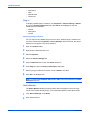
To display installed plug-in modules, click Properties > Device Settings > About,
or from any Printing Preferences tab, click About. Click Plug-in to view the
following driver information:
•
•
•
Module
Description
Version
Removing a Plug-in feature
You can remove an installed plug-in from the driver. Deleting plug-in modules can
only be accessed from Properties > Device Settings. When removed, the plug-in
features do not appear in the driver interface.
4
1
Open the Printers folder.
5
2
Right-click the desired printer icon.
6
3
Select Properties.
7
4
Select the Device Settings tab.
8
5
Click the About button to open the About dialog box.
9
6
Click Plug-in to open the Plug-in Information dialog box.
10
7
Select a plug-in module from the list, and click Delete, then Yes.
11
8
Click OK in all dialog boxes.
12
Note: To remove the Output to PDF module, PDF must not be selected in the PDL
Settings dialog box.
Status Monitor
The Status Monitor displays printing system status messages in the lower right
corner of the window during printing. To access Status Monitor, follow these steps:13
2-13
1
From Device Settings, click About.
14
2
Click Status Monitor.
15
KX Driver
Printer Properties
3
The Status Monitor dialog box appears.
16
You have several choices:
17
•
•
Check the Status Monitor check box if you want the Status Monitor image to
appear during a print job. Click OK.
At any time, click Open Status Monitor to view the print job status and not
change the Status Monitor setting. The Status Monitor image appears in the
lower right corner of the window during printing.
You can move the pointer over the Status monitor image to display balloon-style
status messages containing information about printing system activity and the printer
port. A Status monitor can be started for each supported printing system, so more
than one Status monitor can be displayed at a time. The Status monitor can be closed
by the user, or closes automatically after 5 minutes if there is no printing system
activity.
Right-click the Status Monitor icon in the system tray to display a selection list of the
following options.
18
•
•
Hide/Show
You can switch between hiding and showing the image by clicking Hide (or
Show) the status monitor in the selection list. You can also hide the Status
monitor image by right-clicking on the image then clicking Hide the Status
monitor.
Configure
Click Configure to open a Web browser to display a printer web page. This
allows remote configuration of the printing system for features that include print
resolution and sleep timer.
Note: If your printer is connected locally, Configure is unavailable.
•
•
•
Preferences
Click Preferences to open a dialog box with options for Status monitor Sound
Notification and Appearance. For more information, see the Preferences dialog
box.
Kyocera Online
Click Kyocera Online to open a Web browser to the Kyocera Mita corporation
home page at www.kyoceramita.com.
Exit
Click Exit to close the Status monitor.
Preferences dialog box
The Preferences dialog box has options to configure alerts with sound or speech.
You can also change the appearance of the Status Monitor image.
•
User Guide
Sound Notification
2-14
Printer Properties
Use the settings in the Sound Notification tab to configure alerts with
accompanying sound tones or speech.
1
Click the Enables Event Notification check box to make the Available events list
available.
2
From the following list, select an event for a Status Monitor alert.
•
•
•
•
•
•
•
•
•
19
Cover open
Paper jam
Add paper
Sleep
Add toner
Toner low
Not connected
Printing
Printing completed
Sound
You can use a sound file (.wav) of your choice with an alert by typing the file location,
or browsing for a file. Sound file and Text to speech cannot be used at the same time.
1
To make the sound file text box available, clear Use Text to speech.
2
Type the location of a sound file, or browse to find a file located on your computer.2
3
Click Apply to save your settings, or click OK to save your settings and close the
dialog box, or click Cancel to close the dialog box without saving any settings.
3
1
Text to Speech
You can use Microsoft’s Text to speech utility to read your typed text and play it back
in a spoken voice.
2-15
KX Driver
Printer Properties
1
Select Use Text to speech.
1
2
Type your preferred text in the text box.
2
3
Click Apply to save your settings, or click OK to save your settings and close the
dialog box, or click Cancel to close the dialog box without saving any settings.
3
•
Appearance
Use the settings in the Appearance tab to change the size, placement and
transparency of the Status monitor image.
User Guide
1
Select Enlarge window to double the size of the Status monitor image and text
balloons.
2
Select Always on top to make the Status monitor always appear on top of other
open windows.
2
3
Transparency adjusts the Status monitor to let a variable amount of background
show through the image. Enter a value from zero to fifty in the box. Higher values
create greater transparency. A zero value creates a completely opaque image.
3
4
Click Apply to save your settings, or click OK to save your settings and close the
dialog box, or click Cancel to close the dialog box without saving any settings.
4
1
2-16
Printing Basics
3 Printing Basics
In the Basic tab, you can specify the most commonly used printer driver settings.
These features are available in the Basic tab:
•
•
•
•
Basic Printing Tasks
Printing on Paper of Non-Standard Sizes
Duplex Printing
Collate
Basic Printing Tasks
The steps required to print a document created with an application are explained
below. You can select the printing paper size and output destination.
Basic Printing
1
Insert the proper paper size into the printing system's paper cassette or MP tray. 1
2
From the application’s File menu, select Print. The Print dialog box appears.
2
Select the desired printing system from the list of available printing systems.
3
3
Specify the number of copies to print in the Number of copies box. When printing
two or more copies, check the Collate check box for collation. For more information,
see Collate on page 3-6. Number of copies and Collate can also be specified in the
Basic tab.
4
If Ignore application collation is selected in the Compatibility Settings dialog box,
the Print Collate setting is not applied.
When using Microsoft Word, we recommend that you click Options, and for default
tray select Use printer settings.
4
3-1
Click Properties to open the Properties dialog box.
5
KX Driver
Printing Basics
5
In the Basic tab, click Page Sizes to open the Page Sizes dialog box. In the Select
page size list, select a page size for the print job.
6
6
Click OK to return to the Basic tab.
7
For best results when printing on transparencies or recycled paper, from the Media
type list, select the media type. For more information, see Media Types on page 3-3.
7
Click Source to select the paper supply source If Auto source selection (default) is
selected, then a supply source that has a size matching the print size is automatically
selected. To specify the supply source, select the desired source.
With Auto source selection, if a matching size is not available, a message appears
on the printer requesting that the paper be loaded in the MP tray. If a supply source
has been specified, the message does not appear, and the specified supply source
is used even if the size does not match.
8
Choose either Portrait or Landscape to match the document page orientation. You
can rotate the document 180 degrees by selecting the Rotated check box.
8
9
Click OK to return to the Print dialog box.
10
9
Click OK to start printing.
10
Print Sizes
This section describes how to print documents of different sizes than the original
document. The document image is adjusted to match the size you select. If you
would like to manually input the Scaling percentage, see Scaling on page 4-4.
User Guide
1
In the Properties dialog box, from the Basic tab, click Page Sizes.
1
2
In the Page Sizes list, select the document’s paper size and click OK.
2
3-2
Printing Basics
3
In the Basic tab, click the Print Size list and select the preferred output paper size.3
4
Confirm the proper paper size is loaded. Click OK to return to the Print dialog box. 4
5
Click OK to start printing.
5
The source document is automatically scaled to fit the output paper size.
Media Types
The printing system automatically selects the paper size specified in the Page Sizes
setting in the Basic tab by default when you are printing on regular paper. However,
the printing system supports a wide variety of printing media.
You can specify the media type in the Media type setting for auto media selection
when using non-standard types of printing media, such as recycled paper, labels, or
transparencies. You can also specify the finishing settings for best results.
Transparencies must be printed using the MP tray, and labels and envelopes require
the MP tray or an optional Multipurpose feeder. Ensure the paper is properly loaded
by following the instructions outlined in the printing system's Operation Guide.
Note: Source and Media type are separate items in the dialog box, but can be
combined using the Combine source and media type lists setting in Compatibility
Settings. If they are combined, Media type is not available on the Basic tab. To
change this setting, open Device settings > Compatibility Settings and clear the
Combine source and media type lists selection.
When paper is properly loaded in the paper cassette, the printing system can
automatically detect the paper size. The following steps specify the media settings.
3-3
KX Driver
Printing Basics
1
Load the paper in a paper cassette or the MP tray.
1
2
Specify the media type at the operation panel on the printing system.
2
3
Open the Properties dialog box.
3
4
Select the document paper size from the Print Size list.
4
5
From the Media type list, select the type of media for printing, then click OK.
5
After printing begins, the printing system automatically selects the paper to match the
paper size and specified media type.
If the paper loaded does not match the size, type, or both, a message appears asking
you to load paper in the MP tray.
Note: To print on envelopes, select Envelope from the Media type list. When the
job is sent to print, a message appears on the screen. Follow the instructions for
printing envelopes. After your job is finished, return the switch in the printing system
to the original position.
Printing on Paper of Non-Standard Sizes
To use custom sizes of paper in your printing system, you must first define the
custom paper sizes in the Properties dialog box.
Custom Paper Sizes
1
Load the custom paper into the printing system. For more information, see the
printing system's Operation Guide.
1
2
Click Start in the Windows taskbar and then select Printers and Faxes. The
Printers and Faxes window appears.
2
3
Right-click the printer icon and select Properties to open the Properties dialog
box.
3
4
Click Printing Preferences to open the Printing Preferences dialog box.
4
5
Click Page Sizes. The Page Sizes dialog box appears.
5
6
Click New to display Custom_01 in the Name box. You can replace Custom_01
with the name for your new custom paper size. The name can be up to 31
characters.
6
7
Type the measurements in the Height and Width boxes in millimeters or inches. The
unit (inches or millimeters) is selected in the User Settings dialog box, accessed
from the Device Settings tab. For more information about changing the unit, see
User Settings on page 2-8. For information about custom paper size dimensions, see
the printing system’s Operation Guide.
7
8
Click OK.
8
To add more custom paper sizes, repeat the steps above (Maximum 20 custom
paper sizes).
User Guide
3-4
Printing Basics
Printing with Custom Paper Sizes
1
Select Print from the File menu. From the application’s Print dialog box, open Print
Properties.
1
2
In the Basic tab, select the name of your saved paper size in the Print Size list.
2
3
From the Source list, select the source cassette for the custom page size.
3
4
Click OK to return to the Print dialog box.
4
5
Click OK to start printing.
5
Duplex Printing
This section describes how to enable the duplex printing option. For more
information, see the printing system's Operation Guide. For information about
Booklet printing, see Booklet Printing on page 4-2.
Print on Both Sides
1
Within your application, select Print from the File menu. Then, from the Print dialog
box, open Properties.
1
2
From the Basic tab, select Print on Both Sides. Select Flip on Long Edge or Flip
on Short Edge.
2
Flip on Long Edge
Portrait
Flip on Short Edge
Portrait
Landscape
Landscape
3-5
3
Click OK to return to the Print dialog box.
3
4
Click OK to start printing.
4
KX Driver
Printing Basics
Collate
Collate enables the driver to internally assemble print job pages in numerical
sequence. It increases print speed (and works in the background with a RAM disk)
to specify the printed page order of a multi-copy job.
5
•
•
With Collate selected, the driver prints the job, set by set. All the pages of the
first set are printed, followed by all pages of the next set. For example: For
printing two sets of a three page document, the default page ordering would be
1, 2, 3, 1, 2, 3. When the Collate mode is on, enabling the RAM disk increases
the print speed.
With Collate cleared, the first page is printed for all sets, followed by the next
page for all sets. For example: For printing two sets of a three page document,
the default page ordering would be 1, 1, 2, 2, 3, 3.
The driver graphics image displays the grouping of collating and non-collating.
The printer driver automatically overrides the application's collate setting and uses
the printer driver setting. To use the Basic > Collate option, clear the Device
Settings > Compatibility > Ignore application collation check box.
6
7
User Guide
3-6
Layout
4 Layout
In the Layout tab, you can arrange document data on printed pages without
changing the original document.
These features are available in the Layout tab:
•
•
•
•
Booklet
Multiple Pages Per Sheet
Poster
Scaling
Booklet
Use the Booklet option to print a two-page layout on both sides of each sheet of
paper. You can then fold and bind the booklet in the center.
Booklet printing can be used with Cover mode to add a cover to the booklet. For more
information, see Printing with Covers on page 6-1.
Left Edge and Right Edge Binding
Select left edge or right edge binding of the booklet to match the direction of your
written language:
•
4-1
Select Left edge binding for languages that read left to right.
KX Driver
Layout
•
Select Right edge binding for languages that read right to left.
Left Edge Binding
Outside
Outside
Outside
Inside
Inside
Right Edge Binding
Outside
Outside
Outside
Inside
Inside
Booklet Printing
1
In your application, select Print from the File menu and open Print Properties.
1
2
Click the Layout tab.
2
3
Select Booklet.
3
4
Choose either Left edge binding or Right edge binding.
4
5
Click OK to return to the Print dialog box.
5
6
Click OK to start printing.
6
Multiple Pages Per Sheet
You can print multiple pages of a document on a single sheet of paper. Pages can
be arranged in a variety of ways, and a border can be printed around each document
page.
User Guide
1
In your application, select Print from the File menu and open Print Properties.
1
2
Click the Layout tab.
2
3
Select Multiple pages per sheet.
3
4
In the Pages per sheet list, select the number of source pages.
4
4-2
Layout
5
From the Layout list, select the horizontal and vertical direction for the page layout.5
Examples:
•
•
6
If you select six pages per sheet and select Top to bottom and left, the pages
are arranged from the top right corner to the bottom left corner.
If Auto is selected, the pages are arranged from the top left corner to the bottom
right corner.
Select the Print borders check box to print a border around each document page.6
Poster
You can print a document in a larger size than the paper supported for the printing
system. The Poster feature allows you to increase the print size, print portions of the
document on several sheets of paper, then assemble the sheets into a large banner,
up to 25 times larger than the original document.
Sheets Per Page
In the Sheets per page list, select the size of the desired poster, in relation to the
original document size. The list shows the number of sheets to be printed and the
maximum poster size. The final size may be reduced slightly depending on
selections made in the Poster Settings dialog box. For more information, see Poster
Settings on page 4-4.
Available Poster Sizes
•
•
•
•
Select 2 x 2 to print a poster 4 times larger than the original.
Select 3 x 3 to print a poster 9 times larger than the original.
Select 4 x 4 to print a poster 16 times larger than the original.
Select 5 x 5 to print a poster 25 times larger than the original.
The dimensions shown after each option are based on the selected Page size in the
Basic tab. For more information about selecting a page size, see Basic Printing
Tasks on page 3-1.
The unit (inches or millimeters) is selected in the User Settings dialog box,
accessed from the Device Settings tab. For more information, about changing the
unit, see to User Settings on page 2-8.
Print Format
If you are new to poster printing, you may want to print a proof sheet, in addition to
the poster, to guide you in assembling the printed poster sheets. The proof sheet
shows all poster pages on one sheet with markings that show how to assemble the
sheets. Under Print format:
•
•
•
4-3
Select Poster pages to print only the sheets of the poster.
Select Proof sheet to print only a one-page proof sheet.
Select Poster pages and proof sheet to print all poster sheets and a one-page
proof sheet.
KX Driver
Layout
Poster Settings
To make it easier to create a poster, you can print visual cues on the poster sheets
that provide help in cropping and assembling the pages. In the Layout tab, click the
Poster Settings button to open the Poster Settings dialog box.
You can use any combination of the following options in the Poster Settings dialog
box.
•
•
•
Overlap edges
Select this option to duplicate the edges of document data on adjoining sheets.
Poster appearance is improved when the edges overlap slightly. Select the
check box, then type or select a value between 0.00 and 1.20 inches (0.0 and
30.4 mm). This option reduces the final poster size slightly.
Print crop marks
Select this option to print a border at the edges of each poster sheet. You can
crop each sheet on the border before assembling the sheets. This option
ensures that data on adjoining sheets matches precisely.
Print assembly marks
Select this option to print numbers at the edges of each sheet, matching
numbers on adjoining sheets. Assemble each sheet edge to the same numbered
edge on another sheet. For a large poster with many sheets, this option ensures
that the poster is assembled correctly.
Scaling
Based on the page size and print size specified in the Basic tab, you can increase
the top or left margin, before printing.
Click the Layout tab in the Properties dialog box, and type the scale percentage in
the Scaling (20-500%) box, or click the up or down arrow buttons to adjust the value.
Gutter
Based on the page size and print size specified in the Basic tab, you can increase
the top or left margin, before printing.
Click Gutter to increase the outside margins in a range from 0.20 to 1.00 inch (5.0
to 25.4 mm). The left and/or top margins can be adjusted. This is useful when you
want to add extra margin space to the page for staples. When used with duplex
printing, the enlarged gutter lines up evenly on both sides of the sheet. For more
information about duplex printing, see Duplex Printing on page 3-5.
•
User Guide
To increase outside margins on the left side of the page, enter a number into the
Long edge (left) box. This option may not be available, depending on your
Orientation and Print on both sides settings in the Basic tab.
4-4
Layout
•
To increase outside margins at the top of the page, enter a number into the
Short edge (Top) box. This option may not be available, depending on your
Orientation and Print on both sides settings in the Basic tab.
•
Since the Gutter feature shifts document data to the right or down, select the
Reduce image to fit check box if the printed data extends beyond the edge of
the paper when changing the gutter setting. The size of the printed data is
decreased slightly to fit in the printable margins of the page.
•
If the document data is small enough that it does not extend beyond the edge of
the paper when the gutter is increased, clear the Reduce image to fit check
box.
If you want to change the page size, see Print Sizes on page 3-2.
4-5
KX Driver
Imaging
5 Imaging
The Imaging tab contains options for print job Quality and Color adjustments.
These features are included in the Imaging tab:
•
•
•
•
•
•
•
•
•
•
•
Print Quality
EcoPrint
Gloss Mode
Trapping
Fonts
Graphics
Color Mode
Printer Profile
Color Adjustment
Grayscale Adjustment
Grayscale Settings
Print Quality
User Guide
1
From the Print dialog box, click Properties > Imaging.
1
2
Select a Print quality from the list.
2
Print Quality Option
Description
High quality
Fixed at a 600 dpi printing resolution.
Custom
Lets you choose a setting for EcoPrint.
5-1
Imaging
EcoPrint
EcoPrint changes toner saturation, making the entire image, text and graphics,
appear lighter in the printed job. The actual amount of toner used depends on the
printing system model, the type of data printed (text, graphics, or both), and whether
it is monochrome or color. EcoPrint does not increase print speed.
1
From the Print Quality list, select Custom and the EcoPrint dialog box becomes
available.
3
2
Select EcoPrint.
4
Note: EcoPrint is unavailable if Gloss Mode is selected.
Gloss Mode
Selecting Gloss mode simulates high-gloss copies by adding a glossy appearance
to printed text and images.
Note: Gloss mode is unavailable if EcoPrint is selected.
Trapping
In color printing, color toners are applied separately to a page. An image must be
broken down into its component colors by creating color separations of cyan,
magenta, yellow and black. These color separations must be aligned (registered)
precisely to produce a quality full-color image. If the colors are not correctly aligned
on a page, the paper may show through in gaps between adjoining colors. Color
trapping alleviates this problem by intentionally overlapping colors slightly so that
minor problems with alignment are not noticeable.
To print a document with Trapping, select one of following options:
Trapping Option
Pixel Width of Printing Overlap
Off
0
Light
0.5
Medium
1
Heavy
1.5
Very Heavy
2
Note: Trapping is not available when PDL Settings is set to PCL 5c or PDF.
5-2
KX Driver
Imaging
Fonts
The Fonts feature lets you specify how TrueType fonts are sent to the printing
system. The chosen method affects the speed and quality of the print job.
Note: The Font Settings feature for managing font handling is not available for the
Windows Vista KX XPS driver.
1
Click Fonts to open the Font Settings dialog box.
2
Select one of the methods for sending TrueType fonts, and then click OK to save
your selection:
6
5
Fonts Option
Description
Download as outlines
Best suited for large documents or print jobs using
multiple fonts and font sizes. Print speeds are faster
because of the optimization features in this setting.
The repetition of similar font data sent to the printing
system is reduced, thereby increasing the print speed.
Print speed is not increased when using Asian fonts
such as Japanese, Chinese, and Korean, because of
the large amount of font information used for these
particular fonts.
This value is the default when PDL is any value other
than KPDL.
Allow native download
Improves text quality and increases print speed by
converting TrueType fonts to Adobe Type 42 font
format. This feature is available when KPDL is
selected in the PDL Settings dialog box. For more
information about changing the page description
language, see PDL Settings on page 2-9.
Download as bitmaps
Bitmap downloading provides more detail, however it
creates large file sizes. For print jobs with very small
fonts (point size 1-4), user-defined fonts, or Asian
fonts.
Substitute with device
fonts
System fonts and device fonts are automatically
matched based on typeface name. To match a specific
device font with a system font, select Substitute with
device fonts, then click Fonts to open the Font
Substitution dialog box.
Select under these circumstances:
• To increase print speed and efficiency.
• To change a font found throughout a large
document. This selection replaces the old font with
the desired font.
This value becomes the default when PDL is KPDL.
Note: GDI compatible mode does not support Substitute with Device Fonts. For
more information, see GDI compatible mode on page 2-10.
User Guide
5-3
Imaging
Font Substitution
With Substitute with device fonts selected as the font setting, click Fonts to open
the Font Substitution dialog box.
The System fonts list shows the fonts installed on your computer. The printing
system fonts are listed in the Available device fonts list. Select the system font, and
then the available device font to be substituted. If the device font does not have
similar font characteristics to the system font, character spacing in the document
may appear incorrect.
Disable Device Fonts
In some cases, the printing system substitutes fonts even if you send the TrueType
fonts as outline fonts or bitmap images. Select Disable device fonts to prevent
substitution of device fonts for TrueType fonts.
When printing with Autodesk or Adobe applications, select Disable device fonts to
overcome device font limitations with these applications. Device fonts are normally
visible in application font lists as printer icons next to the font name, unless there are
equivalent system fonts, in which case the “TT” TrueType icon remains.
This option also improves portability of printable data. (If cleared, device fonts may
not match when sent to a different printing system.)
The Substitute with device fonts option is disabled if Disable device fonts is
selected.
Graphics
From the Imaging tab, click Graphics to open the Graphics settings dialog box.
Choose your graphics settings, and then click OK to save your selections. See below
for descriptions of graphics settings options.
Note: Some options are available only when a specific PDL is selected. For more
information about changing the page description language, see PDL Settings on
page 2-9.
5-4
KX Driver
Imaging
Pattern Scaling
Adjust the pattern scaling to improve visual compatibility between screen and print
output.
If printed patterns and fills do not match the appearance of that on the screen, use
this feature to select a different print density.
Pattern Scaling Option
Description
Auto (default setting)
In most cases, this option prints patterns and fills to
match the on-screen appearance.
Coarse
Prints patterns and fills with the fewest number of lines,
patterns, or dots. Coarse is the same as Auto when
PCL XL or PCL 5c is selected in the PDL Settings
dialog box.
Medium
Prints patterns and fills with a greater number of lines,
patterns or dots than the Coarse setting. Medium is the
same as Auto when KPDL is selected in the PDL
Settings dialog box.
Fine
Prints patterns and fills with the greatest number of
lines, patterns, or dots. Printed patterns and fills may
appear more dense than the on-screen appearance.
Inversion Options
Inversion options are available when KPDL or XPS are selected in the PDL Settings
dialog box.
Inversion Option
Description
Reverse image
Prints images like a photo negative, reversing black
and white areas of the image.
Mirror print
Prints the page content backwards, as it would appear
in a mirror image.
Optimization
Optimization selections are available when KPDL or XPS is selected in the PDL
Settings dialog box.
Optimization Option
Description
Fast printing
Delivers images in binary format. Fast printing
decreases spool size and increases print speed. Use it
for most everyday printing needs.
Document portability
Creates a PostScript file in ASCII text encoding. Unlike
the binary format created in Fast printing, the ASCII
text created with this selection can be edited.
CIE optimization
CIE optimization is available when KPDL is selected in Device Settings > PDL >
Select PDL.
User Guide
5-5
Imaging
CIE refers to the Commission Internationale d'Eclairage, or in English the
International Commission on Illumination. The CIE standards organization has
developed device-independent color spaces that are supposed to be a true
representation of color as seen by the human eye. CIE color spaces are useful for
color space conversions. Abode's Lab Color space is based on CIE L*a*b*.
CIE optimization bypasses the normal procedure of processing every aspect of the
CIE color space used in applications such as Adobe Acrobat and Photoshop. This
feature will increase print speed for documents printed from these applications by
optimizing CIE data. It has no effect on print jobs that do not use CIE data. CIE
optimization should be selected for speed not accuracy, so printed output may be
different from appearance on the screen.
Color Mode
The options in Color mode let you choose full-color printing or printing with black
toner only.
Color Mode Option
Description
Color (CMYK)
Prints full four-color text and graphics.
Monochrome
Prints as black only, constraining all color settings. Click
Adjustment to change the Adjustment settings. (For more
information, see Grayscale Adjustment on page 5-9.)
Printer Profile
The options in Printer Profile let you optimize the color rendering of photos and
graphics. Printer Profile is available when Color (CMYK) is selected as the color
mode.
1
5-6
Select a profile from the Printer Profile list.
7
Printer Profile Option
Description
Printer settings
This mode uses the printer settings only.
Text and Graphics
Mode suited for graphics, such as graphs. Select
this mode for printing documents that contain many
graphics.
Text and Photos
Mode suited for printing photographs.
Select this mode for printing documents with many
photographic images.
Vivid colors
Mode to make graphics, pictures, etc. more vivid.
Select this mode to increase the color saturation of
graphics and photos.
Publications
Mode suited for a mix of graphics and/or photos.
Select this mode to print close to the color shade of
the screen.
Line art
Mode suited for printing figures or graphics drawn
with lines. Select this mode to print colored lines
with pure simple color.
KX Driver
Imaging
Printer Profile Option
Description
Advanced
Select this mode to achieve greater consistency in
color reproduction among various devices. It
compensates for the different color spaces of color
printing systems. Selecting and applying a set of
profiles is called a color profile.
Printer profile - Advanced
1
From Printer profile, select Advanced. A Color Correction dialog box appears with
the following options:
1
•
None (application corrected)
Processes the color data without applying the adjustments contained in the
printing system's internal color look-up tables. Ink simulation will not be
executed. This is useful if the application provides its own color correction.
•
ICM (system corrected)
Specifies color rendering in the print job to make it as close to the original as
possible. ICM technology relies upon associating an output device like a printing
system with a Color Profile. An ICM Profile for a printing system contains
information about rendering accurate color information for that device. The
settings for ICM must be set in the Color Management tab in the printing system
Properties.
Note: In Windows 2000, XP, and Vista, additional ICM rendering intent options
are available under ICM Settings.
If you select the None (application corrected) option, click OK to close the Color
Correction dialog box.
If you select the ICM (system corrected) option, click ICM Settings, and proceed
to step 2.
2
3
In the ICM Settings dialog box, select a Rendering intent option, then click OK to
save the selection.
2
ICM Settings Option
Description
Optimize for exact color
(Colormetric)
Select when colors must match precisely in all print
jobs, such as colors in a corporate logo.
Optimize for color
contrast (best for
images)
Select for images or scanned photographs
containing many colors or shades of color.
Optimizes for color contrast by adjusting contrast to
preserve detail throughout the tonal range.
Optimize for color
saturation (best for
graphs)
Select for graphs or charts containing solid colors.
Optimizes for color saturation by adjusting hue to
preserve the vividness of pure colors.
Click OK again to close the Color Correction dialog box.
3
Color Adjustment
To specify custom color settings:
User Guide
5-7
Imaging
1
Ensure Color (CMYK) is selected in Color mode.
2
In the Adjustment list, select Custom 1, Custom 2, or Custom 3, if you have
already defined color settings. If you have not defined color settings, select Edit to
open the Adjustment Settings dialog box.
2
3
From the Custom Color Adjustment list, select Custom 1, Custom 2, or
Custom 3.
3
4
Open the Custom Color Adjustment dialog box, click Settings.
4
5
Select HSL (hue, saturation, lightness) or RGB (red, green, blue) to work with as
the color space.
5
6
Click the arrow buttons beneath the photograph to select one of three different
images. Different colors are emphasized in each of the photographs to aid in the
color adjustment process.
6
1
HSL (Hue, Saturation, Lightness)
1
Under Select color space, select HSL (hue, saturation, lightness). HSL lets you
adjust the full spectrum, brightness, contrast, and vividness of the color.
1
2
Adjust the distribution and balance of hues.
2
For coordinated hue adjustment, select Master from the Modify list. Drag the Hue
slider to the right or left to increase or decrease the value between -180 and +180.
For specific hue adjustment, select Red, Yellow, Green, Cyan, Blue, or Magenta
from the Modify list. Drag the Hue slider to the right or left to increase or decrease
the value between -10 and +10.
The upper color bar indicates the adjustment made when the slider is dragged, or a
value is typed in the box. The horizontal bracket above the upper color bar shows the
part of the color bar affected by the adjustment.
The lower color bar provides a reference point to the color bar above it for Hue
Adjustment.
5-8
KX Driver
Imaging
3
Drag each slider to adjust the Saturation, Lightness and Contrast between -10 and
+10. You can also type values in the boxes.
3
4
If you want to return all HSL settings to zero, click Reset.
4
5
Click OK to save the new HSL settings.
5
RGB
1
Under Select color space, select RGB. RGB adjusts only the relative values of the
colors red, green, and blue.
1
2
Under each bar, drag the slider to adjust the relative values of Red, Green, and Blue
between -10 and +10. You can also type values in the boxes.
2
3
If you want to return all RGB settings to zero, click Reset.
3
4
Click OK to save the new RGB settings.
4
Grayscale Adjustment
The Adjustment settings let you change the Brightness and Contrast of graphics.
These settings are useful if graphic images are printing too light, too gray, or too dark.
Text remains unaffected.
User Guide
1
Ensure Monochrome is selected in Color mode.
1
2
From Adjustment, select Custom.
2
5-9
Imaging
A preview image in the Adjustment settings dialog box illustrates any brightness
and contrast changes.
3
3
Drag the Brightness slider right to lighten, or left to darken the graphic images of the
print job.
4
You can also change brightness by entering a numeric value in the text box at the
right. The brightest setting is +100; the darkest is -100. Zero is the default mid-level
setting. Adjusting brightness is useful when graphic images are printing too dark or
too light. Text remains unaffected.
4
Drag the Contrast slider right or left to increase or decrease proportion of light to
dark in the graphic images of the print job.
5
A high contrast setting decreases the grayscale spectrum, making light grays lighter
and dark grays darker. A low contrast setting increases the grayscale spectrum,
making light grays darker and dark grays lighter.
You can also change contrast by entering a numeric value in the text box at the right.
The highest contrast setting is +100; the lowest is -100. Zero is the default mid-level
setting. Adjusting contrast is useful if graphic images are printing too gray, or too
black and white. Text remains unaffected.
Grayscale Settings
The Settings options are:
5-10
Settings Option
Description
Print text as black
Available with all of the Color mode options. Prints all
color text as black. This is useful when you want to
reduce the amount of data sent to the printer for color
print jobs, which can provide faster printing. It is also
useful for increasing the detail for light colored text
printed by monochrome printers. White text and image
colors are unaffected.
Continuous tone
This option is unavailable in this printer model.
KX Driver
Publishing
6 Publishing
The Publishing tab chapter describes the Cover mode, Page insert, and
Transparency interleaving features of the printer driver.
These features are available in the Publishing tab:
•
•
•
Printing with Covers
Page Insert
Transparency Interleaving
Note: The Publishing tab is unavailable for the Windows Vista KX XPS driver.
Printing with Covers
For your document's front cover or front and back covers, you can insert and print on
paper that is a different weight or color than the paper for the body of the document.
You can also specify cover printing when completing booklet printing settings. The
paper used for printing the document body is specified in the Source settings in the
Basic tab of the Properties dialog box. The source of the cover paper is specified
by adjusting the Media for cover settings in the Publishing dialog box. You can also
print on the covers.
To print using the Front inside or Back outside options, you must select the Basic
> Print on both sides options.
Although Cover mode and Page insert may be used simultaneously, they cannot
be used with Transparency interleaving (described in Transparency Interleaving on
page 6-6).
For more information about printing with covers in the booklet printing settings, see
Booklet Printing on page 4-2.
User Guide
6-1
Publishing
1
In your application, select Print from the File menu, and open Print Properties. 1
2
In the Properties dialog box, click the Publishing tab.
3
Select the Cover mode check box. Select from the page arrangements described in
the table below.
3
2
Cover Printing Options
Check Box Selection
Cover Insertion Type
Front
Inserts a blank front cover.
Front
cover
Front
Prints on the outside surface of the front cover.
5Front outside
Front
cover
Front
Prints on the inside surface of the front cover.
5Front inside
Front
cover
Front
5Front outside
Prints on the outside and inside surfaces of the front
cover.
5Front inside
Front
cover
6-2
KX Driver
Publishing
Check Box Selection
Cover Insertion Type
Front and back
Inserts blank front and back covers.
Back
cover
Front
cover
Front and back
5Front outside
Prints on the outside surface of the front cover and inserts
a blank back cover.
Back
cover
Front
cover
Front and back
5Front inside
Prints on the inside surface of the front cover and inserts
a blank back cover.
Back
cover
Front
cover
Front and back
5Front outside
Prints on both sides of the front cover and inserts a blank
back cover.
Back
cover
5Front inside
Front
cover
Front and back
5Back inside
Prints on the inside surface of the back cover and
inserts a blank front cover.
Back
cover
Front
cover
User Guide
6-3
Publishing
Check Box Selection
Cover Insertion Type
Front and back
Prints on the outside surface of the back cover and
inserts a blank front cover.
5Back outside
Back
cover
Front
cover
Front and back
5Back inside
Prints on both sides of the back cover and inserts a
blank front cover.
Back
cover
5Back outside
Front
cover
Front and back
Prints on both sides of the front and back covers.
5Front outside
Back
cover
5Front inside
5Back inside
5Back outside
Front
cover
Edit Cover Printing Options
1
From the Media for cover list, select the media type or source cassette for the front
and back covers. When you choose the media type, a source cassette matching that
media is automatically selected.
1
Note: Heavy, thin, or other special papers must be supplied from the MP tray.
2
Load the paper for the front and back cover in the paper cassette selected in step 1. 2
3
Click OK to return to the Print dialog box
3
4
Click OK to start printing.
4
Page Insert
You can insert a preprinted page or a page of a different paper type before a
designated page. You can also print on the inserted paper. Using the standard duplex
unit, you can also print on the back of the inserted paper.
6-4
KX Driver
Publishing
Although the Page insert and Cover mode may be used simultaneously, they
cannot be combined with Transparency interleaving (described in Transparency
Interleaving on page 6-6).
Insert Page Printing
1
In your application, select Print from the File menu and open Print Properties.
1
2
In the Properties dialog box, click the Publishing tab.
2
3
Select the Page insert check box. Select the option corresponding to your desired
page arrangement as shown in the following table. To print on both the front and back
of the inserted page, enable the Print onto front and Print onto back check
boxes.
3
Check Box Options
Page Insertion Types
5Page insert
Inserts a blank page before the second page.
Inserted
page
5Page insert
Prints on the front surface of the inserted page.
5Print onto front
Inserted
page
5Page insert
Prints on the inside surface of the inserted page.
5Print onto back
Inserted
page
User Guide
6-5
Publishing
Check Box Options
Page Insertion Types
5Page insert
Prints on both sides of the inserted page.
5Print onto front
5Print onto back
Inserted
page
Combinations
Adjust Media Combination Settings
1
Enter the page number where the inserted paper is to be placed. An insert paper is
placed between the page number you entered and the page before it. For duplex
printing without printing on the cover, you can designate for pages to be inserted
starting with page 2 and ending on page 511. For duplex printing and if you check
print cover front and back, then the range is 3 to 511. If simplex printing, the range is
from 2 to 511.
2
To designate several pages in the document for insertion, enter a comma (,) to
separate them. For a series of insertions in a range of pages, use a hyphen (-). For
example, to insert a page before pages 5, 11, 12, 13, and 18, enter [5,11-13,18]. 4
3
From the Media for page list, select the media type of the inserted page or the
source paper cassette.
5
When you choose the media type, a source cassette that matches that media is
automatically selected. Heavy, thin, or other special papers must be supplied from
the MP tray.
6
4
Click OK to return to the Print dialog box.
7
5
Load the paper into the paper cassette.
8
6
Click OK to begin printing.
9
Transparency Interleaving
Transparency interleaving inserts a page between each transparency in a print job
to prevent damaging the transparencies. This function is only available when printing
on transparencies supplied from the MP tray. On these inserted pages you can print
the same content as for the transparencies.
Transparency interleaving cannot be used together with Cover mode or Page insert.
Transparency Interleaving Method
6-6
1
In your application, select Print from the File menu and open Print Properties.
2
If the Source and Media type lists have not been combined, from the Media type list,
select Transparency.
2
1
KX Driver
Publishing
User Guide
If the Source and Media type lists have been combined in the Compatibility
Settings dialog box, select Auto (Transparency).
3
3
Click the Publishing tab.
4
4
Select the Transparency interleaving check box. To print the transparency content
on the inserted pages as well, select the Print onto backing check box.
5
5
From the Media for backing list, select the media type of the backing sheet or the
source paper cassette. When you choose the media type, the source cassette where
that media is loaded is automatically selected.
6
6
Load transparencies into the MP tray and if necessary, load backing paper into the
selected cassette.
7
7
Click OK to return to the Print dialog box.
8
8
Click OK to begin printing.
9
6-7
Job
7 Job
The Job tab lets you store print jobs in the Hard disk so that you can print them again
later from the printing system's operation panel.
These features are available in the Job tab:
•
Job Storage (e-MPS)
•
Job Name
Job Storage (e-MPS)
The Job tab offers a variety of document management functions. The Job tab only
shows the features that are available for your particular printing system.
Note: The e-MPS functions require a Page Description Language setting of KPDL,
PCL XL or PCL5c. For more information about changing the page description
language, see Page Description Language (PDL) on page 2-9.
Printer Driver
Menu Options
Function
Job Deletion
after Printing
Access
Code
Panel
Message
(Location)
Default
number of
copies printed
Quick Copy
Prints all copies of a
job and then saves it
on the printing
system’s hard disk
so it can be reprinted
from the printing
system’s operation
panel.
Saved until
printing system
power is
turned off
No
Menu> Job Box
> Quick Copy
Same as the
original job
(adjustable)
7-1
KX Driver
Job
Printer Driver
Menu Options
Function
Job Deletion
after Printing
Access
Code
Panel
Message
(Location)
Default
number of
copies printed
Proof and Hold
When you print
multiple copies, the
printing system
produces one copy
for proofing and
pauses. You can
resume printing the
remaining copies
from the printing
system’s operation
panel.
Saved until
printing system
power is
turned off
No
Menu> Job Box
>Quick Copy
One fewer than
the original job
(adjustable)
Private Print
Saves print jobs
(without printing
them) for printing
later using the
printing system’s
operation panel.
Printing with this
function requires an
access code.
Deleted after
printing
Yes
Menu> Job Box
> Private/
Stored
Same as the
original job
(adjustable)
Job Storage
Saves print jobs to
print later as needed.
You can print the
required number of
copies later from the
printing system’s
operation panel.
Saved until
manually
deleted
Optional
Menu> Job Box
> Private/
Stored
1
(adjustable)
Sometimes the application settings are given priority over the printer driver settings,
causing a change in the output method.
If you select one of the Job options, the hard disk icon appears in the lower corner of
the Preview image. Quick Copy, Proof and Hold, Private Print, and Job Storage are
available with a hard disk. Proof and Hold and Private Print are available with a RAM
disk.
Quick Copy
After using the quick copy feature, a document can be reprinted from the operation
panel.
User Guide
1
In the Properties dialog box, click the Job tab.
1
2
Select the Job storage (e-MPS) check box, and then select Quick copy.
2
3
You can name the job for later reference when printing from the printing system’s
operation panel. For more information, see Job Name on page 7-5.
3
4
Click OK.
4
When you Print from the application, the job is saved to the hard disk while the
specified number of copies prints.
5
7-2
Job
Print Additional Copies of Quick Copy Jobs
1
On the printing system's operation panel, press the Menu button.
1
2
Press the S or T key repeatedly until Job Box appears.
2
3
Press the X key to open the submenu.
3
4
Press the S or T key repeatedly until Quick Copy appears.
4
5
Press the ENTER key. A blinking question mark appears by the user name. To set a
user name, follow the instructions in Identification on page 2-8.
5
6
If the user name is correct, press the ENTER key. Otherwise, press the S or T key
until the correct name appears.
6
7
Press the ENTER key.
7
8
The job name appears with a blinking question mark.
If this is the correct job for printing, press the ENTER key.
8
9
Otherwise, press the T or S key until the correct name appears. Then, press the
ENTER key.
9
10
Press theT or S key to specify the number of copies.
11
Press the ENTER key. The Quick Copy job is reprinted in the specified number of
copies.
11
10
Delete Quick Copy Jobs
1
Refer to steps in 1 through 8 in Print Additional Copies of Quick Copy Jobs on
page 7-3.
1
2
If this is the correct job for deletion, press the ENTER key.
2
3
Otherwise, press the T or S key until the correct name appears.
3
4
After the menu for specifying the number of print copies appears, press the T key
once. Delete appears.
4
5
Press ENTER to delete the job.
5
Proof and Hold
7-3
1
Open the Job tab as indicated in the instructions for Quick Copy on page 7-2. Select
Proof and hold.
1
2
Name the job for future reference when printing from the printing system’s operation
panel. For more information, see Job Name on page 7-5.
2
3
Click OK.
3
KX Driver
Job
When printing a Proof and hold job of multiple copies, only the first copy is printed
and the remaining copies are saved. Follow the steps below after proofing the first
copy.
Print the Remaining Copies of Proof and Hold Jobs
You can print the remaining copies of Proof and hold jobs following the same steps
as for Print Additional Copies of Quick Copy Jobs on page 7-3. Use the keys at the
printing system’s operation panel to proceed. When using the Proof and hold
option, the number of copies shown is one less than the total due to the existing proof
copy. The printed jobs remain saved on the hard disk, or RAM disk until the printing
system is turned off. To delete jobs manually, use the same key sequences as
explained in Delete Quick Copy Jobs on page 7-3.
Private Print
Private print jobs are saved to the hard disk for printing until a four-digit access code
is entered. The saved jobs are deleted as soon as they are printed.
Save a Private Print Job
1
In the Job tab, select the Job storage (e-MPS) check box.
1
2
Select Private print.
1
3
Type a four-digit number for the Access code.
2
4
You can name the job for later reference when printing from the printing system’s
operation panel. For more information, see Job Name on page 7-5.
3
5
Click OK.
4
Print Private Print Jobs
User Guide
1
On the printing system's operation panel, press the Menu button.
1
2
Press the S or T key repeatedly until Job Box > appears.
2
3
Press the X key to open the submenu.
3
4
Press the S or T key repeatedly until >Private/Stored appears.
4
5
Press the ENTER key, the user name appears with a blinking question mark.
5
6
If the user name is correct, press the ENTER key. Otherwise, press the S or T key
until the correct name appears.
6
7
The job name appears with a blinking question mark. Press the ENTER key.
7
8
The user name shown is specified following the instructions in Identification on
page 2-8. If this is the correct job for printing, press the ENTER key.
8
9
Otherwise, press the S or T key until the correct job name appears, then press the
ENTER key.
9
7-4
Job
10
Enter the four-digit access code created in Private Print on page 7-4.
10
11
Press the S or T key to increase or decrease the number.
11
12
Press the W or X key to move the cursor right and left.
12
13
Press the ENTER key. Use the S or T key to specify the number of copies for
printing.
13
14
Press the ENTER key to start printing.
15
After printing, the job will be automatically deleted from the hard disk. To delete the
job without printing it, follow the same procedure as in Delete Quick Copy Jobs on
page 7-3.
15
14
Job Storage
The Job storage feature saves jobs on the hard disk for future printing, even if the
printing system is switched off. You can also use access codes to restrict the printing
of forms.
1
In the Job tab, click Job storage (e-MPS) and then select Job storage.
2
Select the Access code check box and type in the desired four-digit access code.
When you want to print the saved jobs, type in the access code on the printing
system’s operation panel.
2
3
You can name the job for future reference when printing from the printing system’s
operation panel. For more information, see Job Name on page 7-5.
3
4
Click OK. When you select print, the job is saved to the hard disk without printing. 4
1
Print Jobs Saved Using Job Storage
To print forms and other documents saved using Job storage, follow the same steps
as for Print Private Print Jobs on page 7-4.
The stored jobs remain saved even after the printing system is switched off. To delete
them manually, follow the same steps as for Delete Quick Copy Jobs on page 7-3.
When deleting jobs, you must type in the same access code as saved in the Job
storage procedure.
Job Name
Select a name for your print job to use with Job storage features. This can help
manage documents when multiple users are using the device at the same time.
You have the following options with the Job Name feature:
7-5
•
Select Application defined to allow the application to define the Job name or
select Custom and type your own Job name, to a maximum of 79 characters.
•
With Application defined selected, select the Don’t use application name
check box to remove the application name from the job name in the operation
panel message and in job storage features. The job name is easier to find in a
KX Driver
Job
job list. This feature is applicable only when printing from Microsoft Word or
PowerPoint.
•
Overwrite job name applies to Job names with either Application defined or
Custom selected. Select Replace existing file to let the current print job
replace an existing job in printing system memory, if a job with the same User
name and Job name exists. Or select the Use job name + date and time
(default setting) to add date and time to the end of the Job name, in the format
“mmddyy hhmmss.”
Note: Because the operation panel display of job names is limited to 16 characters,
the 13-character date and time display replaces most of the job name.
User Guide
7-6
Advanced
8 Advanced
The Advanced tab contains special features that extend the capabilities of the
printing system. Click the button at the left of the feature name to open a dialog box
containing options for that feature.
These features are available in the Advanced tab:
•
•
•
Prologue/Epilogue
Watermark
EMF Spooling
Note: Watermark is the only feature available using the Windows Vista KX XPS
driver. For more information, see Watermark on page 8-4.
Prologue/Epilogue
Prologue/Epilogue lets an experienced PRESCRIBE user insert one or more printing
system language command files into specific locations of a print job. For example, a
command file may contain a macro (series of commands called to accomplish a
8-1
KX Driver
Advanced
specific task), settings for printing system emulation, an electronic form, or a graphic
object such as a logo or signature.
You can add or delete command file names in the list, or select a file to edit.
•
•
To insert a command file into the print job and enable the features in the
Prologue/Epilogue dialog box, select a file name from the list.
To disable Prologue/Epilogue features and clear selection of all command files,
select [None] at the top of the file list. (To disable a particular command file,
select the file, then select Unassigned.)
Select Prologue/Epilogue File to Insert
From the list, select the name of a command file to insert into the print job. (If no file
names are visible in the list, you must click Add to browse for files on your computer
or network to add to the list.) Selecting a file enables the insertion point options for
that file in the dialog box.
Add
Click Add to browse your computer or network for command files. The files are plain
text format and typically have a file name extension of either .txt or .log.
Edit
Select a file name in the list, then click Edit. Microsoft Notepad opens for editing the
file text. To return to the Prologue/Epilogue dialog box, save any changes to the file
and exit Notepad.
Note: Editing a file changes the original file in the computer or network directory.
Delete
Select a Prologue/Epilogue file name, then click Delete. In the message box, click
Yes to confirm the deletion. To refuse the deletion, click No.
Note: The file name only is removed from the Prologue/Epilogue list. The original
file itself is not deleted; it remains in the computer or network directory.
User Guide
8-2
Advanced
Insertion Point
Each file in the list can be assigned only one insertion point. Choose one of the
following insertion point options:
Unassigned
The selected command file is not inserted into the print job. This is useful if the list
contains several command files, and you want to print some but not others. Select
Unassigned for the files you do not want to print.
Note: To disable all command files (thereby disabling the entire Prologue/Epilogue
feature), select [None] at the top of the file list.
Beginning of the print job
The command file is inserted as the first page of the print job. The document starts
printing on the second page.
End of the print job
The command file is inserted as the last page of the print job, which prints after the
last page of the document.
Note: The following Start of the page and End of the page insertion point options
are available only when PCL 5c is selected as the PDL (Page Description
Language). For more information about changing the page description language,
see Page Description Language (PDL) on page 2-9.
Start of the page
The command file is inserted at the top of each page of the print job.
End of the page
The command file is inserted at the bottom of each page of the print job.
With Start of the page or End of the page selected, choose one of the following
page options:
•
•
•
Only on odd pages
The command file is inserted into all odd-numbered pages.
Only on even pages
The command file is inserted into all even-numbered pages.
Pages
To insert the command file into specific pages, type individual page numbers
separated by commas in the text box, or a page range separated by a hyphen.
For example, if you type 2 in the text box, the command file is inserted only into
page 2. If you type 1, 3, 5-12 the command file is inserted into page 1, page 3,
and pages 5 through 12.
If the Pages option is selected and you click OK without entering any numbers,
you are prompted to specify page numbers.
8-3
KX Driver
Advanced
Watermark
Use the Watermark feature to create, arrange, and print semitransparent text in the
background of a document. You can choose one of the standard watermarks or
create your own text. The preview area at the left of the dialog box shows how the
watermark appears on a page. This is useful for viewing any adjustments you make
to the appearance and location of the text.
Select Watermark
Select a watermark from the Select watermark list. The selection list contains these
standard watermarks: Confidential 1, Confidential 2, Sample and Copy. For more
information on creating your own watermarks, see Add Watermark on page 8-5.
Page Selection
Page selection options are enabled after a watermark is selected from the list.
Choose one of the following:
•
•
•
•
All pages
The watermark prints on every page of the document.
First page only
The watermark prints only on the first page of the document.
All pages except first page
The watermark prints on all pages of the document except the first page.
Only on specified pages
To print the watermark only on specific pages, type individual page numbers
separated by commas in the text box, or a page range separated by a hyphen.
For example, if you type 2 in the text box, the watermark prints only on page 2. If
you type 1, 3, 5-12 the watermark prints on page 1, page 3, and pages 5 through
12.
If the Only on specified pages option is selected and you click OK without
entering any numbers, you are prompted to specify page numbers.
User Guide
8-4
Advanced
•
Print onto front outside cover
Select Print onto front outside cover to print the watermark on a separate front
cover page before the document prints. This option is enabled when Cover
mode is selected in the Publishing tab.
If Cover mode and Front outside are selected in the Publishing tab, the Print
onto front outside cover option in the Watermark dialog box shows as
selected, but is disabled. This is because cover printing is already enabled by
the two Publishing tab selections.
In the Publishing tab, you can also select different media for the cover than that
used for the rest of the print job. For more information, see Printing with Covers
on page 6-1.
Add Watermark
You can create your own custom watermarks with different fonts, styles, colors,
sizes, positions, and angles. You can also set Count to have the watermark appear
multiple times on the page.
1
Click Add to open the Add Watermark dialog box.
2
Type a descriptive name for your watermark in the Watermark name text box. The
name can be different from the actual watermark text. After the new watermark is
added, the name appears in the Select watermark list.
6
3
Type the text you want to print as a watermark in the Watermark text box. Your text
appears in the preview area at the left of the dialog box.
7
4
To add the new custom watermark, click OK. To exit the dialog box without saving
the watermark, click Cancel.
8
5
Additional Text Options
Fonts
Select a font for the new watermark from the Font list, and select a font style, color,
and size.
In the Count box, type in the number of watermarks to appear on a page, from 1 to
20. Selecting a number greater than 1 in Count enables the Spacing option. Type a
number for the distance between multiple watermarks, in tenths of an inch or
millimeters. The unit (inches or millimeters) is selected in the User Settings dialog
box, accessed from the Device Settings tab. For more information about changing
the unit, see User Settings on page 2-8.
8-5
KX Driver
Advanced
Use the preview area and the Position or Angle features to adjust where the
watermark prints on the page.
9
Position
Click the position button to change the position of the watermark without changing
the angle. Position the cursor anywhere in the preview area. Click and hold as you
move the mouse, adjusting the watermark image as you want it to appear on the
printed page.
10
The following options provide additional means for positioning watermark text:
11
Centered [default]: Places the center of the watermark text in the center of the
page.
12
User defined: Select, and then use the x and y boxes to move the text from the
center of the page:
13
•
•
•
•
A positive x value moves the watermark text to the right.
A negative x value moves the watermark text to the left.
A positive y value moves the watermark text down.
A negative y value moves the watermark text up.
Angle
Click the angle button to change the angle of the watermark. Position the cursor
anywhere in the preview area. Click and hold as you move the mouse, rotating the
watermark image to as you want it to appear on the printed page.
The method of rotation is determined by selecting or clearing the Rotate around
center check box at the far right of the dialog box. Select the check box to rotate text
around its center; clear the check box to rotate text around its left end. You must
select User defined in both Angle and Position to enable the Rotate around
center option.
The following options provide additional means for positioning watermark text:
Diagonal [default]: Places the watermark at the default angle.
User Guide
8-6
Advanced
User defined: Select to change the angle from the default value. Type the number
for the angle you want. An angle is measured in degrees, ranging from 0 to 360.
Selecting and Creating Custom Colors
1
To use a predefined color for the watermark text, select one from the Color list.
2
For more colors, select Custom at the bottom of the list. Click the button to open the
Color dialog box.
2
3
Click one of the Basic colors and click OK, or click Define Custom Colors to open
the color spectrum panel.
3
4
In the color spectrum, click and drag the pointer to different areas of the spectrum to
adjust the hue and saturation levels. The corresponding numeric values appear in
the Hue, Sat, and RGB (Red, Green, Blue) text boxes. Click and drag the slider at
the right side of the color spectrum to adjust the luminosity (relative lightness or
darkness) of a color. The corresponding numeric value appears in the Lum and RGB
text boxes.
4
5
You can also create a specific color by typing numbers in the Hue, Sat, Lum or RGB
text boxes.
5
6
Click Add to Custom Colors to save the new color to the Custom colors at the
bottom left of the Color dialog box.
6
7
Click OK to save any new custom colors and close the Color dialog box. To close
the dialog box without saving any new colors, click Cancel.
7
1
Edit Watermark
The Edit Watermark feature lets you select an existing watermark and make
changes to its appearance and properties. For standard watermarks, the Watermark
name and Watermark text cannot be changed.
1
From the Select watermark list, select a watermark to edit.
8
2
Click Edit to open the Edit Watermark dialog box.
9
3
Make any adjustments you want to the watermark. For more information about
changing watermark properties, see Add Watermark on page 8-5.
10
4
When you are finished editing, click OK to save any changes you made to the
watermark. To exit the dialog box without saving the changes, click Cancel.
11
Delete Watermark
The Delete feature lets you delete custom watermarks that were added. The
standard watermarks cannot be deleted.
8-7
1
From the Select watermark list, select a watermark to delete.
12
2
Click Delete.
13
3
In the message box, click Yes to confirm the deletion. To refuse the deletion, click
No.
14
KX Driver
Advanced
EMF Spooling
When printing large documents, it can be beneficial to select EMF spooling. This
delays spooling and returns the user to their application more quickly.
Note: EMF spooling is not available when KPDL is selected in the PDL Settings
dialog box and Allow data passthrough is selected in the KPDL Settings dialog box.
See Page Description Language (PDL) on page 2-9.
User Guide
8-8
Profile
9 Profile
Profile is accessed from Printing Preferences. Profile lets you save printer driver
settings as a profile. You can select multiple options in Printing Preferences, save
them to a profile, and use all of them at once when you apply the profile. Profiles
include user defined profiles and predefined profiles that can be installed as optional
components. For information on installing optional components, see Installing
Optional Components on page 1-7.
A maximum of 26 profiles can be established in one driver, including the Factory
Default profile. Device Settings cannot be saved to a profile.
These features are available in the Profile dialog box:
•
•
•
•
Adding a Profile
Editing a Profile
Deleting a Profile
Importing and Exporting a Profile
A set of common profiles can be installed as optional components from the Printer
Installation Wizard.
Note: The Device Settings tab options cannot be saved to a profile.
Adding a Profile
Follow these steps to create a new profile.
9-1
1
Select the options you want in each of the Printing Preferences tab.
1
2
Click Profile.
1
3
Click Add to open the Add Profile dialog box.
2
KX Driver
Profile
4
Type a Name for the profile, select an Icon, and type an optional Description. The
name can be up to 31 characters, the description can be up to 255 characters.
3
5
Click OK to save the profile.
4
6
Click Apply to activate the selected profile to the current print job.
5
Note: To reset the printer driver to default settings, select the Factory Default
profile and click Apply. This clears the settings of a selected profile.
Editing a Profile
Follow these steps to edit a profile.
User Guide
1
Click Profile in the Printing Preferences dialog box.
1
2
Select a profile and click Edit.
2
3
The Edit Profile dialog box appears. You can edit the Name, Icon, or Description.3
4
Click OK to save the profile.
4
9-2
Profile
Deleting a Profile
1
Click Profile in the Printing Preferences dialog box.
1
2
Select profiles and click Delete.
2
3
Click Yes to delete the profiles.
3
Importing and Exporting a Profile
You can export and save a profile on your computer and transfer it to other
computers, then use it with other printing systems. Multiple profiles can be exported
at a time. Use the import feature to import a profile.
Import
1
Click Import in the Printing Preferences dialog box. The Profile dialog box
appears.
1
2
In the Profile dialog box, click Import. The Import Profile dialog box appears.
2
3
Select a profile and click Open.
3
4
The profile appears in the Select profile list.
4
Export
9-3
1
Click Profile in the Printing Preferences dialog box.
1
2
Select a profile and click Export.
2
3
The Export Profile dialog box appears. Name and save the profile.
3
KX Driver
Glossary
A
Access code A four-digit code you must enter at the printing system’s operation panel to
print a Private print job. An access code can also be used with the Job storage feature.
Auto Configure Device settings feature that queries a printing system through the
network and automatically retrieves settings for optional devices, and memory. Driver
settings are updated with information received from the physical printing system. Installed
devices display in the Preview image.
B
Booklet Layout mode that prints a multi-page document in a booklet format by using a
duplex unit. Two pages are printed on each side of a sheet to create a document that can be
read like a book.
C
Cassette Input paper tray.
D
dpi Dots per inch.
Duplex unit A device for printing two-sided documents.
E
EcoPrint Printing mode that changes toner saturation, making the entire image, text and
graphics, appear lighter in the printed job. The actual amount of toner used depends on the
printing system mode and the type of data printed (text, graphics, or both). EcoPrint does not
increase print speed.
F
Fast printing Printing mode that decreases spool size and increases print speed.
G
GDI compatible mode A page description language option that accurately reproduces
what is viewed on the screen using the Microsoft Graphical Device Interface (GDI)
component to render the document. It generates data in a raster printing format, creating a
larger printable file.
Gutter Blank space on the left side or top of a printed page that can be increased by scaling
down text and graphics. This supports stapling. When used with Duplex printing, the enlarged
blank space lines up evenly on both sides of the sheet. The larger blank space is created by
shifting the printable area to the right or down as much as one inch (25.4 mm).
J
Job accounting An accounting system that records and controls the number of pages
printed by each account ID. Account IDs can be assigned at the printing system and stored
in the driver. After account IDs are assigned, use Job accounting to print in the Copy
Management mode.
Job Box Job storage that lets you store print jobs in the Hard disk option so that you can
access and print the job again later from the printing system’s operation panel.
User Guide
Glossary - 1
M
Monochrome Imaging mode that uses black toner only.
MP tray Source tray used for labels, transparencies, envelopes, and custom printing
media.
P
PDL Page Description Language. This is the language used by your computer to tell the
printing system how to print a document. Availability of some printing options depends on the
selected PDL. Available page description languages are PCL XL, PCL 5c, KPDL, and XPS.
Poster Layout feature for printing a document in a larger size than the maximum supported
by the printer so the cumulative sheets can be assembled as a poster. Use this feature to
print a document in a large, eye-catching poster format, up to 25 times larger than the original
document size.
PRESCRIBE A scripting language that you can use to embed commands into specified
locations in a print job. See also Prologue/Epilogue.
Private print Job feature that sends secure print jobs to the printing system with a fourdigit Access code and stores them on the Hard disk. The job is printed out at the operation
panel by using the Access code.
Profile A set of user defined driver settings that you save as a group. After saved, you can
select a profile by name and apply its settings to a print job without selecting each feature
individually.
Prologue/Epilogue Advanced feature that allows you to insert a macro into specific
locations in the print job. An advanced user may choose to use this feature to embed a
PRESCRIBE command that calls a macro to overlay PRESCRIBE form data or a graphic
object, such as a logo or a signature, at a specific point in the print job.
Proof and hold Job feature that prints one copy of a multiple copy job and then stores the
remaining copies on Hard disk. After the first copy has been reviewed, the remaining copies
can be printed or deleted at the printing system’s operation panel. Proof and hold jobs are
stored temporarily and are deleted when the printing system is reset or powered off.
Q
Quick copy Job feature that prints all copies of a job, then saves the job on the printing
R
RAM disk A feature that lets you set up an area within the printing system memory as a
virtual hard disk for faster printing. RAM disk is not an attached device, but an allocation of
existing printing system memory. RAM disk is temporary. All data sent to RAM disk memory
will be lost when the printing system is reset or the power is turned off.
system’s optional Hard disk temporarily for later access. The stored Quick copy jobs can be
accessed from the printing system's operation panel.
Resolution The number of dots printed in one inch. Higher resolution improves the quality
of detailed printed images.
T
Transparency Clear sheet used as printing media.
Transparency interleaving A Publishing feature that inserts a backing sheet between
printed transparencies. The backing sheet, also known as an interleaf, helps keep
transparencies clean and prevents the transparencies from clinging together.
Glossary - 2
KX Driver
W
User Guide
Watermark Advanced feature that lets you add semitransparent text to a document.
Glossary - 3
Index
A
Cover
printing 6-2
printing options 6-2, 6-4
printing with 6-1
Crop marks 4-4
Custom Color 5-7
in Watermarks 8-7
About
Plug-in 2-13
StatusMonitor 2-13
Version 2-12
About (dialog box) 2-12
Accessing Printer Properties 2-1
Add Printer Wizard 1-7 – 1-8
Administrator Settings 2-5
job accounting 2-5
password 2-7
Adustment
Custom Color 5-7
Assembly marks 4-4
Auto Configure 2-2
Available device fonts 5-4
Data Passthrough 2-10
Device fonts 5-3
disabling 5-4
Device Options 2-4
Document image, sizing 3-2
Document portability 5-5
Duplex Printing 3-5
B
E
Basic Printing Tasks 3-1
Binding 4-1
Bitmaps 5-3
Brightness 5-10
EcoPrint 5-3
C
CIE option 5-5
CMYK 5-6
Collating Modes 3-6
Color 5-6
continuous tone 5-10
hue 5-8
in Watermark text 8-7
lightness 5-8
PrinterProfile 5-6
Color correction 5-7
Color Page Count 2-7
Compatibility settings 2-11
Components, installing 1-7
Continuous Tone 5-10
Contrast 5-10
Index - 1
D
F
Fast printing 5-5
Firewall 2-3
Font Substitution 5-4
Fonts 5-3
native download 5-3
G
GDI compatible mode 2-10
Gloss mode 5-2
Graphic Settings 5-4
Grayscale 5-9
Gutter 4-4 – 4-5
H
HSL 5-8
Hue 5-8
KX Driver
I
ICM Settings 5-7
Imaging 5-1
Inserting a page 6-4
Installation 1-1
Installing Components 1-7
Installing Optional Devices 2-1
Inversion Options 5-5
J
Job Accounting 2-5
password protect administrator settings 2-5, 2-7
Job Storage 7-2, 7-5
Jobs 7-1
job storage 7-5
private print 7-4
proof and hold 7-3
quick copy 7-2
K
KPDL 2-9, 5-5
settings 2-9 – 2-10
L
Language Preference 2-8
Layout 4-1
Left edge binding 4-1
License Agreement 1-1
Lightness 5-8
M
Margins 4-4
Measurement 2-8
Media type 3-3
combinations 6-6
combined with Source 2-12
Memory 2-4
Mirror print 5-5
Monochrome 5-6
Multiple pages per sheet 4-2
O
Optimization 5-5
Optional devices, installing 2-1
User Guide
Optional Printer Components
installing 1-7
P
Page Description Language (PDL) Settings 2-9
Page Insert 6-4
Page Size 3-2
Paper Size matching 3-3
Password protect administrator settings 2-5, 2-7
Passwords, Security Settings(PDF) 2-11
Pattern Scaling 5-5
PCL 2-9
PCL 5c 2-9
settings 2-9
PCL XL 2-9
PDF 2-9 – 2-10
Security Settings, passwords 2-11
settings 2-10
PDL 2-9
PDL settings 2-2, 2-9, 5-5
Plug-in 2-13
Poster 4-3 – 4-4
assembly marks 4-4
crop marks 4-4
settings 4-4
Sheets Per Page 4-3
Sizes 4-3
PostScript 5-5
Print borders 4-3
Print Quality 5-1
Printer default settings 2-1
Printer Profile 5-6
Color Correction 5-7
Printer Properties
accessing 2-1
Printing
basic tasks 3-1
covers 6-2
duplex 3-5
on paper of non-standard sizes 3-4
remaining copies of proof and hold jobs 7-4
with Custom Paper Sizes 3-5
Private Print 7-2, 7-4
Product Library CD 1-7
Profile 9-1
Prologue/Epilogue 8-1
Proof and Hold 7-2 – 7-3
protect 2-7
Index - 2
Q
Quick Copy 7-1 – 7-2
additional copies 7-3
deleting 7-3
System fonts 5-4
T
Transparency 3-2, 6-6
Transparency Interleaving 6-6
R
RAM Disk Settings 2-4
Recycled paper 3-2
Resolution 5-2
Reverse image 5-5
RGB 5-9
Right edge binding 4-2
U
Unit of Measurement 2-8
USB 1-2
User Settings 2-8
Identification 2-8
language preference 2-8
measurement 2-8
S
Saturation 5-8
Scaling 4-4
Settings
administrator 2-5
Administrator password 2-7
compatibility 2-11
PDL 2-2, 2-9
RAM Disk 2-4
user 2-8
Status Monitor 2-13
Substitute with device fonts 5-3
Index - 3
V
Version 2-12
Vista 1-2, 1-6
W
Watermark
custom colors 8-7
Windows Vista 1-2, 1-6
Windows XP 1-2 – 1-3
KX Driver
Addresses
KYOCERA MITA AMERICA, INC.
Headquarters:
225 Sand Road
Fairfield, New Jersey 07004-0008
Telephone: (973) 808-8444
Fax: (973) 882-6000
Southeastern Region:
1500 Oakbrook Drive
Norcross, Georgia 30093
Telephone: (770) 729-9786
Fax: (770) 729-9873
New York Branch:
1410 Broadway, 23rd Floor
New York, NY 10018
Telephone: (917) 286-5400
Fax: (917) 286-5402
Southwestern Region:
2825 West Story Road
Irving, Texas 75038-5299
Telephone: (972) 550-8987
Fax: (972) 252-9786
Northeastern Region:
225 Sand Road
Fairfield, New Jersey 07004-0008
Telephone: (973) 808-8444
Fax: (973) 882-4401
National Operation Center &
National Training Center:
2825 West Story Road
Irving, Texas 75038-5299
Telephone: (972) 659-0055
Fax: (972) 570-5816
Midwestern Region:
201 Hansen Court, Ste 119
Wood Dale, Illinois 60191
Telephone: (630) 238-9982
Fax: (630) 238-9487
Latin America Region:
8240 NW 52nd Ter Ste 108
Doral, Florida 33166-7766
Telephone: (305) 421-6640
Fax: (305) 421-6666
Western Region:
14101 Alton Parkway
Irvine, CA 92618-7006
Telephone: (949) 457-9000
Fax: (949) 457-9119
KYOCERA MITA CANADA, LTD.
6120 Kestrel Road, Mississauga,
Ontario L5T 1S8, Canada
Telephone: (905) 670-4425
Fax: (905) 670-8116
KYOCERA MITA AMERICA MEXICO, S.A. DE C.V.
Av. 16 de Septiembre #407
Col. Santa Ines
Azcapotzalco México,
D.F. 02130, México
Telephone: (55) 5383-2741
Fax: (55) 5383-7804
KYOCERA MITA EUROPE B.V.
Hacksteen 40, 2132 MS Hoofddorp
The Netherlands
Telephone: +31.20.654.0000
Home page: http://www.kyoceramita-europe.com
Email: [email protected]
Kyocera Mita (Schweiz)
Hohlstrasse 614, 8048 Zurich
Switzerland
Telephone: +41.1.908.4949
Kyocera Mita Nederland B.V.
Beechavenue 25, 1119RA Schiphol-Rijk
The Netherlands
Telephone: +31.20.58.77.200
Kyocera Mita Deutschland GMBH
Otto-Hahn-Str 12, D-40670 Meerbusch,
Germany
Telephone: +49.2159.918.0
Kyocera Mita (UK) LTD
8 Beacontree Plaza
Gillette Way Reading Berks RG2 0BS
U.K.
Telephone: +44.1189.311.500
Kyocera Mita GMBH Austria
Eduard-Kittenberger-Gasse 95,
1230 Wein
Austria
Telephone: +43.1.86338.210
Kyocera Mita Italia S.p.A.
Via G. Verdi, 89/91, 20063 Cernusco s/N
Milano, Italy
Telephone: +39.02.92179.1
Kyocera Mita Svenska AB
Esbogatan 16B 164 75 Kista
Sweden
Telephone: +46.8.546.55000
S.A. Kyocera Mita Belgium N.V.
Sint-Martinusweg 199-201, 1930 Zaventem
Belgium
Telephone: +32.2.720.9270
Kyocera Mita Norge
Postboks 150 Oppsal, NO 0619 Oslo
Olaf Helsetsvei 6, NO 0694 Oslo,
Norway
Telephone: +47.22.62.73.00
Kyocera Mita France S.A.
Parc Les Algorithmes Saint Aubin
91194 GIF-SUR-YVETTE
France
Telephone: +33.1.6985.2600
Kyocera Mita Danmark A/S
Ejby Industrivej 1, DK-2600 Glostrup
Denmark
Telephone: +45.5687.1100
Kyocera Mita España, S.A.
Edificio Kyocera, Avda de Manacor No. 2
28290 Las Matas (Madrid)
Spain
Telephone: +34.91.631.8392
Kyocera Mita Portugal, IDA.
Rua do Centro Cultural, 41 (Alvalade) 1700-106
Lisbon,
Portugal
Telephone: +351.21.842.9100
Kyocera Mita Finland OY
Kirvesmiehenkatu 4, 00880 Helsinki
Finland
Telephone: +358.9.4780.5200
Kyocera Mita South Africa (PTY) LTD.
527 Kyalami Boulevard
Kyalami Business Park Midrand
South Africa
Telephone: +27.(0) 11.540.2600
KYOCERA MITA AMERICA, INC.
Headquarters:
225 Sand Road
Fairfield, New Jersey 07004-0008
Telephone: (973) 808.8444
Fax: (973) 882.6000
Kyocera Mita Australia Pty, LTD.
Level 3, 6-10 Talavera Road, North Ryde,
N.S.W. 2113 Australia
Telephone: (02) 9888.9999
Kyocera Mita Singapore PTE, LTD.
121 Genting Lane, 3rd Level
Singapore 349572
Telephone: 67418733
Kyocera Mita New Zealand LTD.
1-3 Parkhead Place, Albany
P.O. BOX 302 125 NHPC
Auckland, New Zealand
Telephone: (09) 415.4517
Kyocera Mita Hong Kong, LTD.
11/F., Mita Centre
552-566, Castle Peak Road
Tsuen Wan, New Territories,
Hong Kong
Telephone: 24297422
Kyocera Mita (Thailand) Corp., LTD.
9/209 Ratchada-Prachachem Road
Bang Sue, Bangkok 10800, Thailand
Telephone: (02) 586.0320
Kyocera Mita Taiwan Corporation
7F-1~2, No. 41, Lane 221, Gangchi Rd.
Neihu District, Taipei, Taiwan, 114, R.O.C.
Telephone: (02) 87511560
KYOCERA MITA Corporation
2-28, 1-chome, Tamatsukuri, Chuo-ku
Osaka 540-8585, Japan
Telephone: (06) 6764-3555
http://www.kyoceramita.com
Version 7.7_2008.08.26