1
Silicon Optix, Inc
imageRestore User Manual
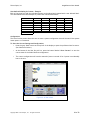
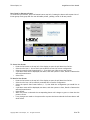
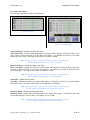
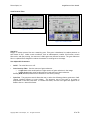
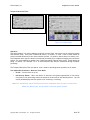
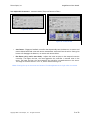
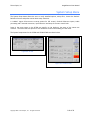
User Adjustable Parameters - Automatic Mode (Temporal Recursive Filter)
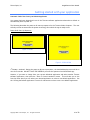
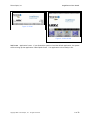
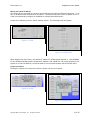
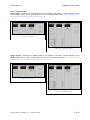
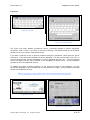
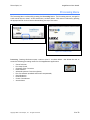
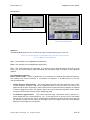
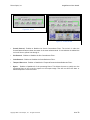
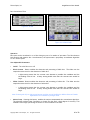
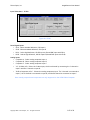
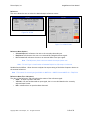
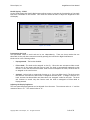
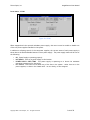
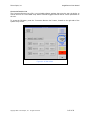
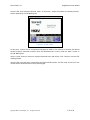
Figure 58: VC200
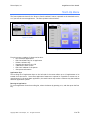
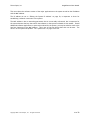
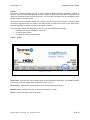
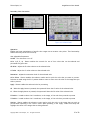
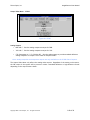
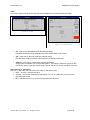
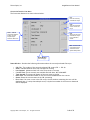
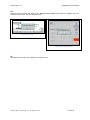
Figure 59: VC300/VC600
•
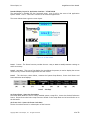
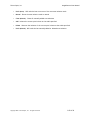
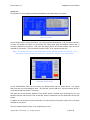
Auto Button – Engages a feedback controller that dynamically sets the distance, no motion and
motion sliders based and noise and motion measurement extracted from the scene. Setting this
button will disengage the distance, no motion and motion sliders.
•
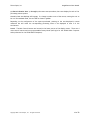
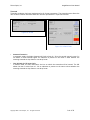
Bias Button (Only used in Auto Mode) – Adjusts the noise set point in the temporal recursive
controller. The higher the bias, the more aggressive the controller is towards noise in the
scene. The lower the bias, the more sensitive the controller is towards motion in the scene.
The range of the bias control is -6 to +6, with a nominal setting of 0.
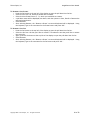
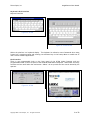
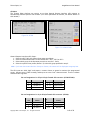
Note: Pressing the top or bottom arrow button will make adjustments in single value increments
Copyright 2007 – Silicon Optix, Inc. – All rights reserved.
51 of 78