1
Silicon Optix, Inc
imageRestore User Manual
Save, Recall or Rename a Preset
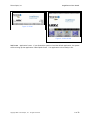
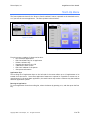
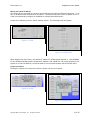
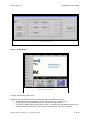
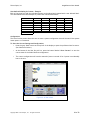
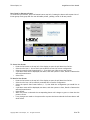
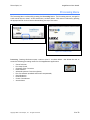
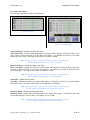
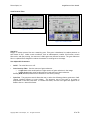
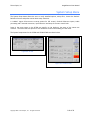
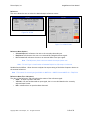
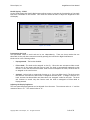
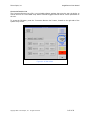
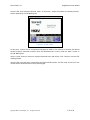
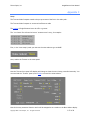
To access the User Presets, press the Presets button (top left). Pressing the button will expose a list of
8 User groups. Each group has five user definable presets, yielding a total of 40 user presets.
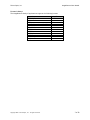
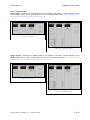
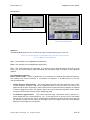
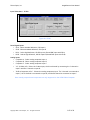
Figure 31: VC300/VC600
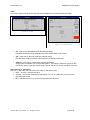
To Save a User Preset:
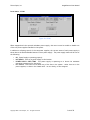
• Press the Set button at the top left of the display to open the pull down User Set list.
• Select the Set from 1 - 8 into which you would like to save the current configuration
• Select the specific User Preset button (1 - 5) to which you’d like to save the current.
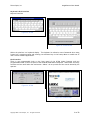
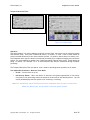
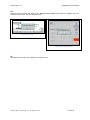
• A pull down menu will be displayed (see above) with the options to Store, Recall or Rename the
selected preset button.
• Select Save.
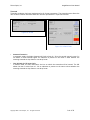
To Recall a User Preset:
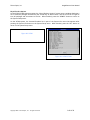
• Press the Set button at the top left of the display to open the pull down User Set list.
• Select the Set from 1-8 from which you would like to recall a configuration.
• Select the specific User Preset button (1 - 5) that holds the configuration you would like to
recall.
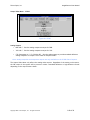
• A pull down menu will be displayed (see above) with the options to Store, Recall or Rename the
selected preset button.
• Select Recall.
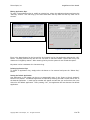
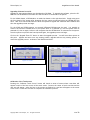
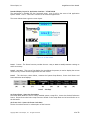
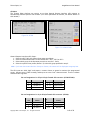
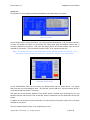
• When the preset is selected the corresponding button will change to green to show that the
preset is active.
• If any changes are made to the system after a preset has been selected the Preset button will
show Yellow.
Copyright 2007 – Silicon Optix, Inc. – All rights reserved.
29 of 78