1
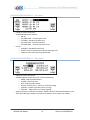
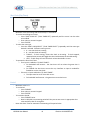
Shots on Goal (SOG)
-
-
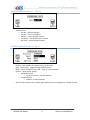
Maximum value is: 99.
To set a team’s SOG:
o Press either “HOME SHOTS” or “GUEST SHOTS”.
o Enter value on numeric keypad.
o Press “ENTER”.
To increment a team’s SOG:
o Press either “HOME SHOTS” or “GUEST SHOTS” twice.
OR
o Press either “HOME SHOTS +1” or “GUEST SHOTS +1”.
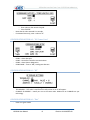
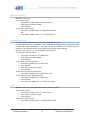
Time Outs Left (TOL)
‐
‐
‐
‐
‐
‐
‐
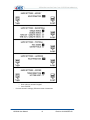
All sports that have TOL have one value except basketball, it has two.
For STANDARD protocol, an indicator on the scoreboard will illuminate for the time set in game
settings under Sport Configuration. For PRO protocol, the indicators are displayed per the
program in the scoreboard and not controlled by the time set in game settings.
Maximum value of first TOL: 9; For basketball’s second TOL: 3.
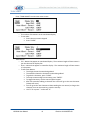
To set a team’s first TOL value:
o Press either “HOME TOL” or “GUEST TOL”.
o Enter value on numeric keypad.
o Press “ENTER”.
To set a team’s second TOL value:
o Press either “HOME TOL” or “GUEST TOL”.
o Press “ENTER”.
o Enter value on numeric keypad.
o Press “ENTER”.
To decrement a team’s first TOL value:
o Press either “HOME TOL” or “GUEST TOL” twice.
To decrement a team’s second TOL value:
o Press either “HOME TOL” or “GUEST TOL”.
o Press “ENTER”.
o Press the same “HOME TOL” or “GUEST TOL” again.
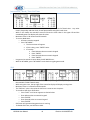
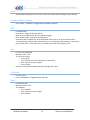
Fouls
‐
‐
‐
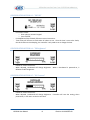
Maximum value is: Per the Double Bonus setting in Game Settings.
To set a team’s Fouls:
o Press either “HOME FOULS” or “GUEST FOULS”.
o Enter value on numeric keypad.
o Press “ENTER”.
To increment a team’s Fouls:
o Press either “HOME FOULS” or “GUEST FOULS” twice.
ISC9000 User Manual
21
Revision A4.0 09-SEP-09