1
19
Deleting a Client
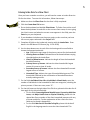
You may on occasion wish to delete a client file. Only client files that are not
associated with an intake and service file can be deleted. If you wish to delete
the intake as well as the client, you will need to first delete any intake associated
with the client file. To delete a client entry, follow these steps:
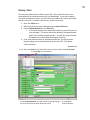
1. Open the Client form.
2. Select the client you wish to delete using the Go to Client box.
3. Choose Delete Record from the Edit menu.
• If the client does have an associated intake file, you will receive an
error message: “The record cannot be deleted or changed because
table ‘Case’ includes related records.” You will first need to locate
and delete the intake before deleting the client file.
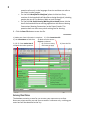
4. If the client does not have an associated intake file, you will receive a
prompt asking you to confirm deletion of the client file. Click Yes to
confirm deletion.
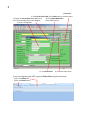
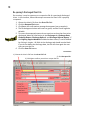
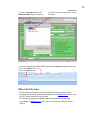
Screenshot 13
1 & 2). Open the Client form & select the client you wish to delete from Go to Client.
3). Select Edit on the menu bar
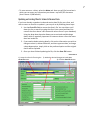
3). Select Delete Record. You will receive a message asking if
you to confirm that you wish delete the record.
4). Click Yes to
confirm deletion.