1
3.4 Reset:
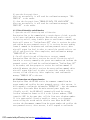
3.5 special statement 1. terminal only respond to the instructions send
by the users’restored phone number. so the first step operation, the
user must be stored telephone number. 2, the terminal can operate in SMS
and GPRS modes, in this two modes, respectively have their own
instruction set, SMS mode, the terminal only to respond to SMS mode
instruction set; GPRS mode, the terminal only to respond to GPS mode
instruction set. During operation, please note that the current mode of
the terminal to send instructions and pre-match.
4 Functions & Operation
4.1 Position service based on SMS operation
In this mode, MC-602 can be stored three preset telephone numbers (1, 2,
and 3) and a 4-digit user password. The related configuration content
that users set by SMS order is non-volatile. After the success, the
state has not affect by switching power, until once again receives the
relevant instructions or reset operation to change.
4.1.1 Power on
Put on the batteries, connect with the power, product will automatically
open.
4.1.2 Switch the mode instruction
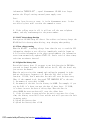
Explanation:When MC-602 tracker receives the SMS and confirms the user
password correctly, it switches to the SMS application mode. After the
success, it will send the confirmation messages (SET MODE OK, CURRENT
MODE: SMS P2P) to the sender.
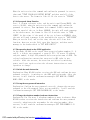
4.1.3 Set up the user password instruction
Explanation: When MC-602 tracker receives the SMS and confirm the user
password correctly; changes the new user password to the old password.
After set successfully, it will send the confirmation messages (SET USER
PASSWORD OK) to the sender.
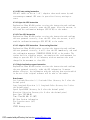
4.1.4 Change the telephone number in advance instructions
Explanation: You can store 3 telephone numbers at most in advance。When
MC-602 tracker receives the instruction and confirms the user password
correctly, substitutes the new number for the existing number. After
success, it will send the confirmation messages (SET USER NUMBER (1-3)
OK) to the sender.
PDF created with pdfFactory trial version www.pdffactory.com