1
■
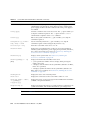
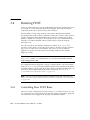
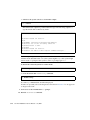
Example showing a fault that was detected by POST. These kinds of faults are
identified by the message deemed faulty and disabled and by a FRU name.
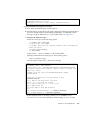
sc> showfaults -v
ID Time
1 OCT 13 12:47:27
faulty and disabled
■
FRU
Fault
MB/CMP0/CH0/R0/D0 MB/CMP0/CH0/R0/D0 deemed
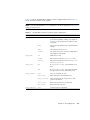
Example showing a fault that was detected by the PSH technology. These kinds of
faults are identified by the text Host detected fault and by a UUID.
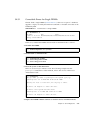
sc> showfaults -v
ID Time
FRU
Fault
0 SEP 09 11:09:26
MB/CMP0/CH0/R0/D0 Host detected fault, MSGID:
SUN4U-8000-2S UUID: 7ee0e46b-ea64-6565-e684-e996963f7b86
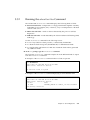
3.3.3
Running the showenvironment Command
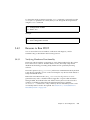
The showenvironment command displays a snapshot of the server’s
environmental status. This command displays system temperatures, hard drive
status, power supply and fan status, front panel LED status, voltage and current
sensors. The output uses a format similar to the Solaris OS command prtdiag (1m).
● At the sc> prompt, type the showenvironment command.
The output differs according to your system’s model and configuration.
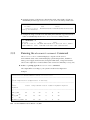
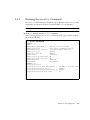
Example:
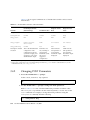
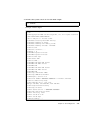
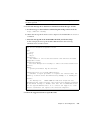
sc> showenvironment
=============== Environmental Status ===============
------------------------------------------------------------------------------System Temperatures (Temperatures in Celsius):
------------------------------------------------------------------------------Sensor
Status Temp LowHard LowSoft LowWarn HighWarn HighSoft
HighHard
------------------------------------------------------------------------------PDB/T_AMB
OK
23
-10
-5
0
45
50
55
MB/T_AMB
OK
26
-10
-5
0
50
55
60
MB/CMP0/T_TCORE OK
44
-10
-5
0
85
3-22
Sun Fire T2000 Server Service Manual • July 2007