1
Ref: OI - 001
Operating Instructions
INSTRUCTIONS ON THE INSTALLATION OF BLOWN FIBRE
(Point to Point Blowing Only)
Description
Equipment Required
Equipment Required:
•
•
This document details the user instructions for the
installation of MK2 Blown Fibre Units using the Sirocco
Blowing head. This document details the operation of
Point-to-Point blowing only.
When installing 2 or 4 fibre EPFU the same fibre guides
within the blowing head can be used. When installing an 8
or 12 fibre unit it is necessary to change the fibre guides.
•
All operators must comply with any local statutory
Health & Safety regulations.
•
Working with Compressed Air is potentially
dangerous and any operator following these
procedures must have successfully completed a
Prysmian Cables & Systems UK Ltd approved training
course.
Part No.
Sirocco Compressor (Petrol) or
XBFSC00002
220/240v DC (Electric)
XBFSC00013
Air Hose
XBFSC00005
Air Pressure Indicator/Valve
XBFSC00004
Sirocco Blowing Head
XBFSC00010
Fibre Unit Dispenser Pan
XBFSC00028
Fibre Unit Pan Guide
XBFSC00007
Fibre Unit Blowing Bead
XBFSC00001
Air Flow Meter (part of kit 820/5)
XBFSC00011
Air Stone (part of kit 820/5)
XBFSC00011
Tube Cutter (part of kit 820/5)
XBFSC00011
Tube End Stop
XBFSC00076
5 -5 mm Tube Connector
XBFSC00075
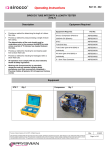
Sirocco Tube Integrity & Length Tester
XBFSC00030
(STILT)
Equipment
Compressor
Qty 1
Air Pressure Indicator/Valve
Qty 1
Prysmian Cables & Systems UK Ltd 2007. All Rights Reserved.
Rev: 01/2007
The information contained within this document must not be copied, reprinted or reproduced in any form, either wholly or in part, without the written consent of Prysmian
Cables & Systems UK Ltd. The information is believed correct at the time of issue. Prysmian Cables & Systems UK Ltd reserves the right to amend this specification
without notice. This specification is not contractually valid unless specifically authorised by Prysmian Cables & Systems UK Ltd.
Page 1 of 13
RSu
Ref: OI - 001
Operating Instructions
Equipment (contd)
Sirocco Blowing Head
Qty 1
Fibre Unit Dispenser Pan
Qty 1
Fibre Pan Guide
Qty 1
Fibre Blowing Beads
Qty 1
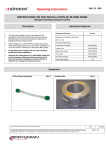
Air Hose
Qty 1
STILT
Qty 1
Prysmian Cables & Systems UK Ltd 2007. All Rights Reserved.
Rev: 01/2007
The information contained within this document must not be copied, reprinted or reproduced in any form, either wholly or in part, without the written consent of Prysmian
Cables & Systems UK Ltd. The information is believed correct at the time of issue. Prysmian Cables & Systems UK Ltd reserves the right to amend this specification
without notice. This specification is not contractually valid unless specifically authorised by Prysmian Cables & Systems UK Ltd.
Page 2 of 13
RSu
Ref: OI - 001
Operating Instructions
Ancillary Equipment
Air Flow Meter
Qty 1
Tube End Stop
Air Stone
Qty 1
Tube Cutter
5 – 5 mm Tube Connector
Qty 1
Qty 1
Qty 1
Prysmian Cables & Systems UK Ltd 2007. All Rights Reserved.
Rev: 01/2007
The information contained within this document must not be copied, reprinted or reproduced in any form, either wholly or in part, without the written consent of Prysmian
Cables & Systems UK Ltd. The information is believed correct at the time of issue. Prysmian Cables & Systems UK Ltd reserves the right to amend this specification
without notice. This specification is not contractually valid unless specifically authorised by Prysmian Cables & Systems UK Ltd.
Page 3 of 13
RSu
Ref: OI - 001
Operating Instructions
Blowing Head Preparation
Step 1
Step 2
Step 3
•
•
•
Ensure that the large knurled knob at the
top of the blowing head is fully wound out.
Using the Allen key adjust the position of
the idle roller so that it just starts to rotate
when the drive wheel is spun.
Ensure that the correct fibre guides are
located within both halves of the
blowing head.
Step 4
Step 5
Step 6
•
•
•
2 & 4 fibre unit guide.
8 & 12 fibre unit guide
8 & 12 fibre unit guide showing correct
orientation of fibre unit seal.
Step 7
Step 8
Step 9
•
•
•
Using the electrical leads connect the
blowing head to the speed control and the
speed control to the power socket on the
compressor.
Set the clutch control to zero.
Set the speed control to zero.
Prysmian Cables & Systems UK Ltd 2007. All Rights Reserved.
Rev: 01/2007
The information contained within this document must not be copied, reprinted or reproduced in any form, either wholly or in part, without the written consent of Prysmian
Cables & Systems UK Ltd. The information is believed correct at the time of issue. Prysmian Cables & Systems UK Ltd reserves the right to amend this specification
without notice. This specification is not contractually valid unless specifically authorised by Prysmian Cables & Systems UK Ltd.
Page 4 of 13
RSu
Ref: OI - 001
Operating Instructions
Step 10
Step 11
Step 12
•
•
•
Start the compressor. Do not switch on
the air supply.
Set direction of motor and increase the
speed control to maximum.
Hold in the drive wheel stop.
Step 13
Step 14
Step 15
•
•
•
Increase the clutch setting to maximum
and then back to minimum.
Repeat this operation twice more.
Change the direction of the motor and
repeat steps 13 & 14
Step 16
•
Switch off the compressor.
Prysmian Cables & Systems UK Ltd 2007. All Rights Reserved.
Rev: 01/2007
The information contained within this document must not be copied, reprinted or reproduced in any form, either wholly or in part, without the written consent of Prysmian
Cables & Systems UK Ltd. The information is believed correct at the time of issue. Prysmian Cables & Systems UK Ltd reserves the right to amend this specification
without notice. This specification is not contractually valid unless specifically authorised by Prysmian Cables & Systems UK Ltd.
Page 5 of 13
RSu
Ref: OI - 001
Operating Instructions
Fibre Unit Preparation
Step 17
Step 18
Step 19
•
•
•
Remove the lid and the retaining ring
from the fibre unit Storage Pan.
Locate the top end of the fibre unit and
remove from the pan. Ensure that the unit
is unwinding freely from the pan.
Pass the fibre unit through the centre
of the Pan Guide. Locate the Pan
Guide over the Storage Pan.
Clutch Setting
Step 20
Step 21
Step 22
•
•
•
Place a split ‘O’ ring over a 5 mts length
of blown fibre tubing.
Fit a tube end stop over the other end of
the blown fibre tube.
Position the blown fibre tube into the
blowing head. Ensure that the split in
the ‘O’ ring is in the bottom of the
groove.
Step 23
Step 24
Step 25
•
•
•
Close the blowing head and tighten nuts
holding the blowing head together.
With the motor running slowly thread the
fibre unit into the blowing head.
Set the clutch setting to 2.5.
Prysmian Cables & Systems UK Ltd 2007. All Rights Reserved.
Rev: 01/2007
The information contained within this document must not be copied, reprinted or reproduced in any form, either wholly or in part, without the written consent of Prysmian
Cables & Systems UK Ltd. The information is believed correct at the time of issue. Prysmian Cables & Systems UK Ltd reserves the right to amend this specification
without notice. This specification is not contractually valid unless specifically authorised by Prysmian Cables & Systems UK Ltd.
Page 6 of 13
RSu
Ref: OI - 001
Operating Instructions
Step 26
Step 27
Step 28
•
•
•
Increase the speed control to the
maximum installation speed of the fibre
unit.
When the fibre unit reaches the tubesealing cap the clutch will operate thus
ensuring that no damage occurs to the
fibre unit.
Reverse the direction of the motor and
recover the fibre unit for 4 mts.
Step 29
Step 30
Step 31
•
•
•
Increase the clutch setting and repeat
steps 25 to 27 until the operation of the
clutch fails to prevent the fibre unit from
being damaged. Note: the figure in the
photo is for demonstration purposes only.
A clutch setting 0.25 below the figure
determined in step 26 is the maximum
setting that can be used. Note: the
figure in the photo is for demonstration
purposes only.
Set the clutch setting to a figure
(typically 0.25) below that determined
in step 26. Note: the figure in the
photo is for demonstration purposes
only.
Step 32
•
Lock the clutch setting figure using the
grub screw.
Prysmian Cables & Systems UK Ltd 2007. All Rights Reserved.
Rev: 01/2007
The information contained within this document must not be copied, reprinted or reproduced in any form, either wholly or in part, without the written consent of Prysmian
Cables & Systems UK Ltd. The information is believed correct at the time of issue. Prysmian Cables & Systems UK Ltd reserves the right to amend this specification
without notice. This specification is not contractually valid unless specifically authorised by Prysmian Cables & Systems UK Ltd.
Page 7 of 13
RSu
Ref: OI - 001
Operating Instructions
Testing the Route
Step 33
Step 34
Step 35
•
•
•
Determine the length and the integrity of
the route using the STILT. Refer to
operating instruction OI-002 for the
detailed method.
Having proved the integrity of the route it
is necessary to determine the airflow
through the route.
Connect the airflow gauge onto the
correct tube at the far end of the route.
Step 36
Step 37
Step 38
•
•
•
Connect the air hose from the air
pressure indicator/valve direct onto the
tube into which the fibre unit is to be
installed.
Connect the airflow gauge onto the
correct tube at the far end of the route.
Start on the compressor and open the
air valve.
Prysmian Cables & Systems UK Ltd 2007. All Rights Reserved.
Rev: 01/2007
The information contained within this document must not be copied, reprinted or reproduced in any form, either wholly or in part, without the written consent of Prysmian
Cables & Systems UK Ltd. The information is believed correct at the time of issue. Prysmian Cables & Systems UK Ltd reserves the right to amend this specification
without notice. This specification is not contractually valid unless specifically authorised by Prysmian Cables & Systems UK Ltd.
Page 8 of 13
RSu
Ref: OI - 001
Operating Instructions
Step 39
Step 40
•
•
Open the air valve on the air pressure
indicator/valve.
Ensure that the air pressure is at a
minimum value of 9.5 bars.
Step 41
•
After 5 minutes record the airflow. The
reading should be above 18l/min.
If the airflow is above this value then the
fibre unit can be installed.
Step 42
Step 43
Step 44
•
•
•
If the airflow is below 18l/min then the
installation route should be inspected for
air leaks.
Turn off the air supply and switch off the
compressor.
When the airflow drops to 0 remove
the air flow meter from the end of the
tube and replace it with the air stone.
Prysmian Cables & Systems UK Ltd 2007. All Rights Reserved.
Rev: 01/2007
The information contained within this document must not be copied, reprinted or reproduced in any form, either wholly or in part, without the written consent of Prysmian
Cables & Systems UK Ltd. The information is believed correct at the time of issue. Prysmian Cables & Systems UK Ltd reserves the right to amend this specification
without notice. This specification is not contractually valid unless specifically authorised by Prysmian Cables & Systems UK Ltd.
Page 9 of 13
RSu
Ref: OI - 001
Operating Instructions
Installing The Unit
Step 45
Step 46
Step 47
•
•
•
Using the motor in the reverse direction
remove the blown fibre unit from the
blowing head.
Cut the blown fibre tube approx. 100mm
from the blowing head and fit a tube
connector.
With the motor running slowly thread
the fibre unit into the blowing head.
Step 48
Step 49
Step 50
•
•
•
When the fibre unit emerges from the
connector stop the motor and using a pair
of pliers crimp a Blown Fibre Bead onto
the end of the fibre unit.
Gently shake the fibre unit to ensure that
the Blown Fibre bead is fixed to the fibre
unit. If it falls off fit a new Blown Fibre
Bead.
Connect the tube into which the fibre
unit is to be blown to the connector.
Step 51
Step 52
Step 53
•
•
•
Position the Blowing head assembly in
line with the Blown Fibre Cable. The route
between the Blowing Head and the cable
should be as straight as possible.
Connect the air hose from the pressure
regulator to the blowing head
Connect the air hose from the
compressor to the pressure regulator.
Prysmian Cables & Systems UK Ltd 2007. All Rights Reserved.
Rev: 01/2007
The information contained within this document must not be copied, reprinted or reproduced in any form, either wholly or in part, without the written consent of Prysmian
Cables & Systems UK Ltd. The information is believed correct at the time of issue. Prysmian Cables & Systems UK Ltd reserves the right to amend this specification
without notice. This specification is not contractually valid unless specifically authorised by Prysmian Cables & Systems UK Ltd.
Page 10 of 13
RSu
Ref: OI - 001
Operating Instructions
Step 54
Step 55
Step 56
•
•
•
Zero the length counter on the blowing
head. This is achieved by pressing the
reset button down for 5 seconds.
Start the compressor and open the air
valve on the compressor.
Open the air valve on the air pressure
indicator/valve. Check that the
pressure gauge indicates approx. 10
bar
Step 57
Step 58
Step 59
•
•
•
Increase the speed control to
approximately 10 m/min. Check to see if
the fibre unit is being installed correctly. If
not, stop and rectify any problems.
Step 60
After approx. 20 mts of fibre unit has been
installed turn on the air supply to the
blowing head. Regulate the air pressure
to 4 bar using the valve on the blowing
head.
Increase the installation speed to
approx. 15 m/min.
Step 62
Step 61
X
•
After approx. 75 mts of fibre unit has
been installed increase the air pressure to
maximum and increase the installation
speed to between 25 - 30 m/min.
•
Continue to monitor the installation
process. If in any doubt about the process
STOP THE INSTALLATION AND
INVESTIGATE
•
When the fibre reaches the end of the
route reduce the installation speed to
0 and turn off the air at the
compressor valve.
Prysmian Cables & Systems UK Ltd 2007. All Rights Reserved.
Rev: 01/2007
The information contained within this document must not be copied, reprinted or reproduced in any form, either wholly or in part, without the written consent of Prysmian
Cables & Systems UK Ltd. The information is believed correct at the time of issue. Prysmian Cables & Systems UK Ltd reserves the right to amend this specification
without notice. This specification is not contractually valid unless specifically authorised by Prysmian Cables & Systems UK Ltd.
Page 11 of 13
RSu
Ref: OI - 001
Operating Instructions
Step 63
Step 64
Step 65
•
•
•
Switch off the compressor.
Allow 5 minutes for the air pressure within
the route to reduce to 0.
Disconnect the air hose from the
blowing head.
Step 66
Step 67
Step 68
•
•
•
Disconnect the tube connector just in
front of the blowing head.
Using the blowing head drive out the
required quantity of fibre unit required for
joint/rack configuration
Cut the fibre unit and coil this length of
fibre unit and store safely.
Step 69
•
Remove the air stone from the tube.
Prysmian Cables & Systems UK Ltd 2007. All Rights Reserved.
Rev: 01/2007
The information contained within this document must not be copied, reprinted or reproduced in any form, either wholly or in part, without the written consent of Prysmian
Cables & Systems UK Ltd. The information is believed correct at the time of issue. Prysmian Cables & Systems UK Ltd reserves the right to amend this specification
without notice. This specification is not contractually valid unless specifically authorised by Prysmian Cables & Systems UK Ltd.
Page 12 of 13
RSu
Ref: OI - 001
Operating Instructions
Replacement Part Numbers
Item
Prysmian Part No.
Plumettaz Part No.
Tube Clamp
XBFSC00032
N273.112
2 & 4 Fibre Guide
XBFSC00056
N.273.120
8 & 12 Fibre Guide
XBFSC00057
N.273.057
8 & 12 Fibre Seal
XBFSC00050
N273.132
8 Fibre Brass Guide
XBFSC00174
N273.147
5mm Duct Insert
XBFSC00058
N273.084
5mm Duct ‘O’ Ring
XBFSC00097
N273.066
Drive Wheel
XBFSC00059
P273.230
Idle Wheel
XBFSC00060
N273.123
Blowing Head Control Unit
XBFSC00109
TBD
Air Stone
XBFSC00052
n/a
Prysmian Cables & Systems UK Ltd 2007. All Rights Reserved.
Rev: 01/2007
The information contained within this document must not be copied, reprinted or reproduced in any form, either wholly or in part, without the written consent of Prysmian
Cables & Systems UK Ltd. The information is believed correct at the time of issue. Prysmian Cables & Systems UK Ltd reserves the right to amend this specification
without notice. This specification is not contractually valid unless specifically authorised by Prysmian Cables & Systems UK Ltd.
Page 13 of 13
RSu