1
Installation Rules
The module is designed to be installed in vertical position on a DIN 46277 rail. In
order to ensure optimum performance and the longest working life, the module(s)
must be supplied adequate ventilation and no raceways or other objects that obstruct
the ventilation slots. Never install modules above sources of heat; we recommend
installation in the lower part of the control panel.
Inserting on the DIN rail
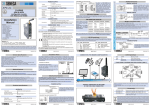
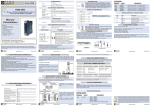
As it is illustrated in the next figure:
1) Insert the rear IDC10 connector on a DIN rail
free slot (the inserting is univocal since the
connectors are polarized).
2) Tighten the two locks placed at the sides of
the rear IDC10 connector to fix the module.
Electrical Connections
POWER SUPPLY AND CAN INTERFACE
Power Supply and CAN interface are available by using the bus for the Seneca DIN rail,
by the rear IDC10 connector or by Z-PC-DINAL-B accessory (see Accessories).
Rear Connector (IDC10)
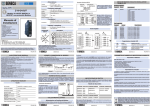
In the figure the meaning of the IDC10
connector pins is showed, in the case
the user decides to provide the signals
directly through it.
Z-PC-DINAL-B Accessory Use
In case of Z-PC-DINAL-B accessory
use, the signals may be provided by
terminal blocks. The figure shows the
meaning of the terminals and the
position of the DIP-switch (present on
each DIN rail supports listed on
Accessories) for CAN network
termination.
GNDSHLD: Shield to protect the
connection cables (it is always
recommended).
MI001510-I/E
ENGLISH - 4/8