1
Introduction
4
Notice ........................................................................................................................................ 4
Warnings and Cautions.............................................................................................................. 4
National Approvals.................................................................................................................... 4
Description
5
PC Requirements ....................................................................................................................... 5
Operation
6
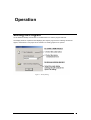
Starting the Program.................................................................................................................. 6
Opening a File / Creating a New File ........................................................................................ 7
New File ...................................................................................................................... 7
Opening a File ............................................................................................................. 7
File History.................................................................................................................. 7
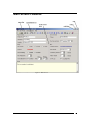
Main Screen Features ................................................................................................................ 8
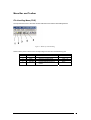
Menu Bar and Toolbar ................................................................................................ 9
Main Screen Views ................................................................................................... 12
Loop Configuration ................................................................................................................. 20
A Quick Tour of the Loop Editor .............................................................................. 20
Inserting a Device...................................................................................................... 21
Deleting a Device ...................................................................................................... 21
Changing Device Settings ......................................................................................... 21
Cut, Copy & Paste ..................................................................................................... 22
Editing Inputs .......................................................................................................................... 23
The Inputs Editor....................................................................................................... 23
Panel Inputs ............................................................................................................... 23
Loop Device Inputs ................................................................................................... 24
Editing Input Settings................................................................................................ 24
Editing Outputs........................................................................................................................ 25
The Outputs Editor .................................................................................................... 25
Panel Outputs ............................................................................................................ 25
Loop Device Outputs................................................................................................. 25
Editing Output Settings ............................................................................................. 26
Editing Zone Text.................................................................................................................... 27
Ringing Patterns ...................................................................................................................... 28
The Ringing Patterns Editor ...................................................................................... 28
Selecting a Pattern for Editing................................................................................... 28
Editing Pattern Settings ............................................................................................. 29
Seven-Day Timers ................................................................................................................... 30
Timers and Detection Modes..................................................................................... 30
The Timers Editor ..................................................................................................... 30
Editing Timer Settings............................................................................................... 31
Setting the Timer Detection Mode ............................................................................ 32
Setting the Delayed and Verification Mode Times ................................................... 32
Access Codes........................................................................................................................... 33
Levels of Access Privilege ........................................................................................ 33
The Access Codes Editor .......................................................................................... 33
Editing and Testing User Access Codes.................................................................... 34
General Project Settings .......................................................................................................... 35
The General Settings Editor ...................................................................................... 35
Site Details and Notes ............................................................................................... 35
Device Loop Details.................................................................................................. 36
Miscellaneous Settings .............................................................................................. 36
Saving a File ............................................................................................................................ 38
Panel Communications ............................................................................................................ 39
Setting up Communications ...................................................................................... 39
2