1
l
l
Correct the name using the
letters to delete the name.
Press
key, or erase all of the
l
Pick up the handset or press
l
Press the direct-access memory key
If the phone is connected behind a private switch (PABX)
l
To dial out, off-hook the handset or press
l
If "CAN’T BE DIALED" appears, the number cannot be
.
,
or
telephone network.
.
call is initiated automatically.
6.2 Compatibility with Proximus voicemail
service* (PHONEMAIL)
Pick up the handset or press
l
Press
l
Use the p or q keys to scroll through the Phonebook to
find the name you want.
.
to open the Phonebook.
l
or
l
Press the corresponding memory location (0 to 9).
l
Then press
to initiate the call.
When a new voicemail message is received, the icon
is shown on the display.
l
.
6.3 Other network service functions*
l
Press
followed by the memory location key (0 to 9
,
or
).
or the direct access keys
l
Press
l
Enter the correspondent’s name, using the keypad.
l
Save by pressing
once to save the number.
7. TROUBLESHOOTING
Problem
.
You have
difficulty
reading the
display
6. NETWORK SERVICE FUNCTIONS*
(subject to subscription)
6.1 Identifying callers
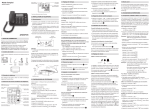
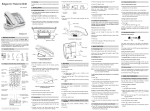
The Maestro 2032 enables you to use the caller name/
number identification service* to identify callers before
answering, or if a call comes in while you are already on the
line with somebody else.
The last 75 incoming calls (whether you answered them or
not) are listed in the Call Log.
Call Log
The display shows: "X NEW CALL(S)" for missed calls that
you haven’t consulted, or "X CALL(S)" for missed calls you
have consulted and calls you have answered.
Consulting the Call Log:
Use the p or q keys to scroll through the Call Log.
u
The display shows the message "START/END" at the
beginning and end of the list.
Deleting a number from the Call Log:
.
To delete the displayed number, press
Deleting all the numbers in the Call Log:
You can delete all the numbers from the Call Log list while
consulting it, or when the display shows the number of (new)
calls. To do so:
l
l
Press and hold down the
shows: "ERASE ALL?".
Press
key until the display
to confirm.
Saving a number from the Call Log in the Phonebook:
l
To save the displayed number, press
.
Calling someone back from the Call Log:
l
While consulting the Call Log, you can call the displayed
:
numbers by pressing
u
"PICKUP PHONE" appears.
Solution
Adjust the contrast (see
§3.2 "Setting the display
The contrast is too contrast").
weak
Tip: the "contrast setting"
function is the 3rd item in
the menu
The display is at
the wrong angle
Move the display by hand
into the optimal position.
The display
The power supply Check the power
and hands-free
is not connected connections (see §2.1
feature are not
properly
"Connections").
working
The telephone
Check the line cord
jack is not properly connections (see §2.1
"Connections").
There is no dial plugged in
tone
If the caller number matches a number in the Phonebook, the
name associated with the number is displayed*.
The display also shows the time and date of the call and the
is shown the first time
order in which calls are received.
you consult a missed call.
Cause
The telephone
doesn’t ring
The equipment that you bought has required the
extraction and use of natural resources for its
production. It may contain hazardous substances
for the health and the environment.
In order to avoid the dissemination of those substances in
our environment and to diminish the pressure on the natural
resources, we encourage you to use the appropriate takeback systems. Those systems will reuse or recycle most of
the materials of your end life equipment in a sound way.
The crossed-bin symbol invites you to use those systems.
If you need more information on the collection, reuse and
recycling systems, please contact your local or regional waste
administration.
10. GUARANTEE TERMS
Contact Proximus for more information.
display shows "PICKUP PHONE".
9. ENVIRONMENT
You can also contact us for more information on the
environmental performances of our products.
Contact Proximus for more information.
In conversation, R key allows access to other Proximus
services (2nd call, toggle between 2 correspondents, 3-way
conference).
5.3 Saving the last dialled number
l
.
called back because it was not disclosed by the fixed
l
u The
l
on keypad (to delete , press #).
Indirect memories (I0 to I9):
Press
.
and a prefix is required to dial out, press the selected digit
Direct-access memories (M1, M2, M3):
l
To dial out, off-hook the handset or press
again to save.
5.2 Calling a Phonebook number
u The
l
The earpiece
volume is too low
Increase the volume
setting (see §4.5"
Adjusting the volume").
The ringer is off
Adjust the ringer volume
(see §4.5 "Adjusting the
volume").
The line cord is
disconnected
Check the line cord
connections (see §2.1
"Connections").
Secrecy mode
Turn off secrecy mode
Your
(Mute) is active:
correspondent
(Mute) by pressing
.
key LED is
The LED turns off.
can't hear you the
on
8. SAFETY
In the event of danger, the mains adapter acts as 230V power
isolating device.
It should therefore, as a precaution, be installed close to the
appliance and be easily accessible. To disconnect the device
from the primary power source, the mains adapter must be
removed from the 230 V AC / 50 Hz socket.
The Equipment you have bought has been carefully selected
by Proximus and is covered by a two-year warranty on spare
parts and labor in the event of any material or manufacturing
defect, unless otherwise specified. The warranty shall be
valid from the date on which the equipment is collected or
delivered.
If you have any problems with the equipment, you should
take it to Proximus Center or to one of our authorized agents,
in its entirety and in its original packaging, or in packaging
providing the same degree of protection, together with the
original receipt.
Your equipment will be repaired or replaced free of charge,
on presentation of the receipt, in the event of any material or
manufacturing defect.
Proximus alone shall determine what repairs and/or
replacements are necessary. The warranty on the
repaired or replaced equipment shall end on the date on
which the original warranty on the purchased equipment
expires, but shall not be less than 3 months.
The warranty shall not cover:
- damage of any kind that does not predate the sale;
- any damage, faults or defects attributable to the Customer
or to causes unrelated to the Equipment: lightning, power
surges, humidity, accidental damage, improper use or poor
maintenance, failure to comply with the instructions in the
user manual, and force majeure;
- the repair or replacement of movable parts (cords, wires,
plugs, aerials,etc.), consumables (cells, batteries, paper,
ink, etc.) needing regular replacement and the supply of
cleaning products.
The warranty shall not apply:
- to any changes or repairs to the Equipment undertaken
by the Customer himself/herself or through the services of
persons not designated by Proximus;
- if the Customer removes or tampers with the
manufacturer’s serial numbers and/or brand names on the
Equipment;
Proximus shall not be liable for any indirect or immaterial loss
sustained by the Customer as a result of the malfunctioning
of the terminal Equipment, such as any loss of production,
revenue or contracts.
! The General Terms and Conditions for the Sale of
Equipment can be obtained on request from any Proximus
service available to the public or at www.proximus.be.
If the mains adapter fails, it must be replaced by an identical
model.
!Do not use your telephone to notify a gas leak when
standing in the vicinity of the leak.
R.P. Ariane Marchant,
Proximus PLC under Belgian Public Law,
Bd du Roi Albert II 27,
B-1030 Bruxelles