1
Scenes
What are Scenes?
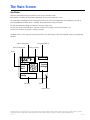
Scenes are stored combinations of equipment states. For example if you want to have Pump 1 at high speed and Pump 2 at
low speed and the Light ON, you could store that in a Scene and recall this combination at any time.
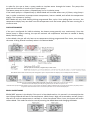
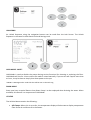
Storing a Scene
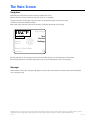
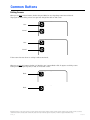
Press a Scene number and hold until “Scene stored“ appears at the bottom of the screen to save the current equipment
combination.
Scenes
Scene 1
Back
Scene 2
Scene 3
Scene 4
Scene stored
This appears once the
Scene has been stored
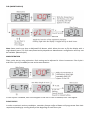
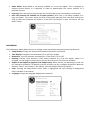
Recalling a Scene
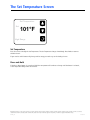
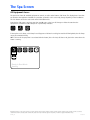
To recall a Scene simply press a Scene number.
Pressing any Scene line which has not yet been stored will simply turn off all spa devices.
Scenes
Scene 1
Back
Scene 2
Scene 3
Scene 4
Scene stored
Manufactured under one or more of these patents. U.S. Patents: 5332944, 5361215, 5550753, 5559720, 5,883,459, 6253227, 6282370, 6590188, 6976052, 6965815, 7030343, 7,417,834 b2,
Canadian Patent: 2342614, Australian patent: 2373248 other patents both foreign and domestic applied for and pending. All material copyright of Balboa Water Group.
42256_A
01-09-14