1
Table of Contents
About this User's Guide .......................................................................................................................v
What you will learn from this user's guide .........................................................................................................v
Conventions in this user's guide .........................................................................................................................v
Where to find more information .........................................................................................................................v
Chapter 1
Introducing the USB-1024HLS......................................................................................................... 1-1
USB-1024HLS block diagram........................................................................................................................ 1-2
Software features ............................................................................................................................................ 1-2
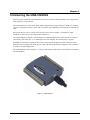
Connecting a USB-1024HLS to your computer is easy ................................................................................. 1-3
Chapter 2
Installing the USB-1024HLS ............................................................................................................. 2-1
What comes with your USB-1024HLS shipment? ......................................................................................... 2-1
Hardware ....................................................................................................................................................................... 2-1
Additional documentation.............................................................................................................................................. 2-1
Unpacking the USB-1024HLS ....................................................................................................................... 2-1
Installing the software .................................................................................................................................... 2-2
Installing the hardware ................................................................................................................................... 2-2
Chapter 3
Functional Details ............................................................................................................................. 3-1
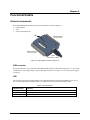
External components ...................................................................................................................................... 3-1
USB connector............................................................................................................................................................... 3-1
LED ............................................................................................................................................................................... 3-1
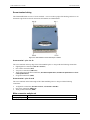
Screw terminal wiring.................................................................................................................................................... 3-2
Main connector and pin out ........................................................................................................................................... 3-2
Digital I/O terminals (Port A0 to A7, Port B0 to B7, Port C0 to C7)............................................................................. 3-3
Power terminals ............................................................................................................................................................. 3-4
Ground terminals ........................................................................................................................................................... 3-5
Counter terminal ............................................................................................................................................................ 3-5
Pull-up/pull-down terminals .......................................................................................................................................... 3-5
Chapter 4
Specifications.................................................................................................................................... 4-1
Digital input/output......................................................................................................................................... 4-1
Counter section ............................................................................................................................................... 4-2
Power.............................................................................................................................................................. 4-2
General ........................................................................................................................................................... 4-3
Environmental ................................................................................................................................................ 4-3
Mechanical ..................................................................................................................................................... 4-3
Main connector and pin out ............................................................................................................................ 4-3
iv