1
5
Troubleshooting
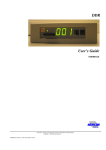
5.1 The DDR Unit (NDDD 001 and NDDD 002)
This section describes some possible error situations and guidelines how to solve the
problem.
The Status LED on the DDR unit NDDD 002 is Off?
Check the power cables, see section 3.6
The Status LED on the DDR unit NDDD 001 is Off?
Check if the circuit board is correctly inserted in the 19-inch rack. Correct slot and
that the X2 contact is connected to the disk drive controller board, DSMC 112, see
section 3.5.
When connecting the signal cable to the DDR unit NDDD 002 the Busy LED is
On (Yellow)?
The signal cable is incorrectly connected! Turn the contact to the other direction!
When inserting the DDR unit NDDD 001 in the 19-inch rack the Busy LED is
On (Yellow)?
Check that the X2 contact is connected to the disk drive controller board, DSMC
112, see section 3.5.
The CPU board in the automation system (DSPC 171) indicates an error code on
the display rather than next floppy disk number at LOAD or DUMP operation?
Check that the DDR unit is ready to send/receive information from the
automation system; the Busy LED is Off when the operation starts! Repeat the
LOAD or DUMP operation.
5.2 The SDBackup Software Product
This section describes some possible error situations and guidelines how to solve the
problem.
We reserve all rights in this document and in the information contained therein.
Copyright
2009 Newcon Data AB