1
Contents
Before Use
Care of the camera ...................................................................................................... 6
Standard Accessories................................................................................................. 7
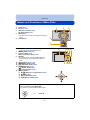
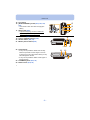
Names and Functions of Main Parts.......................................................................... 8
Preparation
Charging the Battery..................................................................................................11
• Inserting the Battery............................................................................................ 12
• Charging ............................................................................................................. 13
• Approximate operating time and number of recordable pictures ........................ 16
Inserting and Removing the Card (optional) .......................................................... 18
About the Built-in Memory/the Card ........................................................................ 19
• Approximate number of recordable pictures and available recording time......... 21
Setting Date/Time (Clock Set) .................................................................................. 22
• Changing the Clock Setting ................................................................................ 23
Tips for taking good pictures ................................................................................... 24
• Fit the strap and hold the camera carefully......................................................... 24
• Preventing jitter (camera shake)......................................................................... 24
Basic
Selecting the Recording Mode................................................................................. 25
Taking pictures using the automatic function (Intelligent Auto Mode) ................ 26
• Changing the settings ......................................................................................... 29
Taking pictures with your favourite settings (Normal Picture Mode)................... 30
Focusing .................................................................................................................... 31
Recording Motion Pictures....................................................................................... 33
Playing Back .............................................................................................................. 35
• Displaying Multiple Screens (Multi Playback) ..................................................... 36
• Using the Playback Zoom................................................................................... 36
Deleting Pictures ....................................................................................................... 37
• To delete a single picture .................................................................................... 37
• To delete multiple pictures (up to 50) or all the pictures ..................................... 37
Setting the Menu ....................................................................................................... 38
• Setting menu items ............................................................................................. 38
• Using the Quick Menu ........................................................................................ 40
About the Setup Menu .............................................................................................. 41
Recording
Taking Pictures of Yourself ([Self Shot]) ................................................................. 46
About the Monitor ..................................................................................................... 52
Using the Zoom ......................................................................................................... 53
• Optical Zoom ...................................................................................................... 53
• Extra Optical Zoom (EZ) ..................................................................................... 54
• Intelligent Zoom .................................................................................................. 54
-2-