1
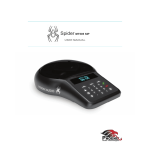
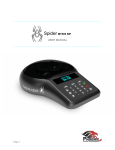
USING THE DIAL PAD
DIALING:
1 Dial the desired number
2 Press
OR
to get a dial tone
1 Press
2 The screen will display the last dialed number
3 Either select to redial by pressing
OR dial new number then
PICKING UP A CALL:
1 Press
when the LCD screen light turns on, displays “Incoming Call”, and you hear a ringtone
HANGING UP A CALL:
1 Press
at any point to end a call
REDIAL:
1 You can redial the last number by pressing
twice
SPEED DIAL:
1 Press and hold any number on the keypad for 2 seconds
MENU SCREEN:
Press
to enter the Menu Screen. Use
to navigate down and
to navigate
up the menu, or select a number to directly access a new item and Press
to select the
item. Press
to return to previous screen or press
to return to home screen.
Menu Options
1.Dialed Calls - Last 1000 dialed numbers
2.Received Calls - 1000 most recently received calls
3.Missed Calls - 1000 last missed calls
4.Speed Dial (Set up must be done through portal)
Displays your preset speed dial assignments
5.Directory (Set up must be done through portal)
Lists your preset contacts
CALL TRANSFER / CONFERENCE CALL:
1 Received Call (for incoming calls)
2 Press
3 Dial the phone number
Press
to make the transfer
OR Press
to return back to caller
Initiated Call (for outgoing calls)
1 Press
2 Dial the phone number
3 Press
to start a conference call
OR Press
to return back to caller
6. Set Ringtone - Choose ringtone style
7. IP Address (This address may change)
Your device’s current IP address
8. Set Auto IP (See Administrative User Manual)
9. Firmware Version - Your device’s current
Firmware Version
10.Ringer Volume - Set volume of ringtone
11.Tone Volume - Set volume of keypad