1
WIRING SLOT
Plastic arch is installed
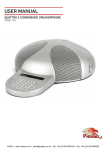
The Quattro3 was designed to conceal any cable connection below the unit. When connecting
the Q3, you can choose to run its cables discretely through an opening in your table or more
traditionally, on the table itself.
The Q3 arrives from the factory with its wiring slot sealed by a plastic cover. This should be
used for running the wires discretely under the table.
To run the wires on top of the table, unsnap the plastic cover and install the plastic arch
that is included with the unit. Make sure you slide the arch from below the hole and push its
sides in until you feel a click.
EXTERNAL MIC/SPEAKER
MICROPHONE ONLY:
Connect the external microphone to the 3.5mm connector. Select MIC ONLY in the Audio
Setup Utility. (Microphone goes to tip.)
SPEAKERS ONLY:
Connect the external speakers to the 3.5mm connector. Select SPEAKERS ONLY in the Audio
Setup Utility. (Speakers go to ring.)
MICROPHONE AND SPEAKERS:
Connect the microphone to tip. Split two speakers to ring. Select both MIC and SPEAKERS in
the Audio Setup Utility.