1
&KDSWHU
+DUGZDUH'HVFULSWLRQV
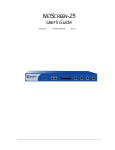
This chapter details the Juniper Networks NetScreen-Hardware Security Client chassis.
3257$1'32:(5&211(&7256
The rear panel of the NetScreen-Hardware Security Client contains port and power
connectors.
•
Use the DC power receptacle to connect the device to a power source
•
Use the Reset pinhole to reset the device and restore its factory default settings.
The NetScreen-Hardware Security Client includes the following ports:
3RUW
'HVFULSWLRQ
&RQQHFWRU
6SHHG3URWRFRO
8QWUXVWHG
(QDEOHVDQ,QWHUQHWFRQQHFWLRQWKURXJKDQ
H[WHUQDOURXWHU'6/PRGHPRUFDEOHPRGHP
5-
0ESV
(WKHUQHW
3RUWV
(QDEOHVGLUHFWFRQQHFWLRQVWRZRUNVWDWLRQVRUD
5-
/$1FRQQHFWLRQWKURXJKDVZLWFKRUKXE8VHWKLV
FRQQHFWLRQWRPDQDJHWKHGHYLFHWKURXJKD
7HOQHWVHVVLRQRUWKH:HE8,PDQDJHPHQW
DSSOLFDWLRQ
0ESV
(WKHUQHW
67$786/('6
The front panel of the NetScreen-Hardware Security Client device has power and status
LEDs for the device, and port status LEDs for the interfaces:
3RZHU/('
1HW6FUHHQ+DUGZDUH6HFXULW\&OLHQW
6WDWXV/('
3RUW6WDWXV/('V