1
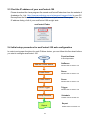
2.3 Find the IP address of your avaControl-100
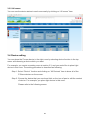
Please download the Java program file named avaControlFinderJava from the website of
Avadesign Co., Ltd. http://www.avadesign.com.tw/support/support.html to your PC.
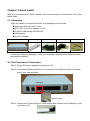
Decompress the file and click it twice by left button of your mouse. Then you will see the
IP address listing of all of your avaControl-100 as right side.
avaControl Finder
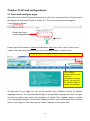
2.4 Initial setup procedure for avaControl-100 web configuration
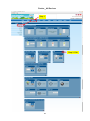
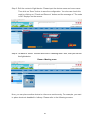
In order to set proper functions for each Z-Wave device, you can follow this flow chart before
you start to configure avaControl-100.
START
Add the Z-wave device
Function Name
in the top menu
SetZwave
Please refer to section 3.2
Create Room
Room
Please refer to section 3.3
Create Scene
Scene
Please refer to section 3.5
Create Trigger
Trigger
Please refer to section 3.6
Setup Schedule
Schedule
Please refer to section 3.7
Report
10
Report
Please refer to section 3.8