1
Introduction
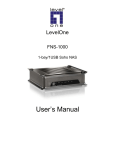
The FNS-1000 NAS Server
Congratulations on the purchase of LevelOne FNS-1000, Soho NAS Server. The NAS inserts Gigabytes of
storage space into your network without the cost, space, and maintenance hassles of a full-fl edged file
server. The NAS provides solid data transfer performance for multiple client connections. And you can add
as many NAS Servers to your network as you like. Compared to using a standard PC as a File Server, the
NAS offers lower cost, easier management, and increased reliability.
Windows utility software is provided for the NAS Administrator. Also, the Web-based Administration
interface offers a wide array of management options.
Web-based file system
WEB-based file sharing allows access and downloading of files from any PC on the network, including
non-Windows PCs.
Windows users can also use Microsoft networking features to make NAS folders appear as drive letters on
their PC.
FNS-1000 Features
•
Provides Gigabytes of external hard disk space.
•
Supports standard USB 2.0 port that can connect to Hard Disk Drives or USB flash Drive (USB key).
•
Support NTFS and FAT file format for USB HDD.
•
Provided with a Windows utility program for speedy configuration.
•
WEB-based configuration and diagnostic interface is accessible from any PC on the network.
•
Can act as a stand-alone DHCP server.
•
The LAN Administrator can limit the amount of available disk space available to individual users.
•
High performance file system automatically maintains itself to provide file system integrity.
•
Additional NAS Servers can be added to the network at any time.
Package Contents
The following items should be included in the NAS packaging.
If any of these items are damaged or missing, please contact your dealer for replacements.
• FNS-1000
•
Quick Installation Guide
•
Setup CD
•
Ethernet Cable
•
Power Adapter
System Requirements
•
Windows 98SE, Windows NT 4.0, XP, 2000 and ME.
•
Ethernet Network employing 10BaseT or 100BaseTX.
•
TCP/IP protocol.
Disclaimer
We highly recommend that you regularly backup the files on your NAS.
Page 2