1
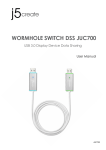
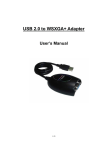
USB DISPLAY ADAPTER USER MANUAL INTRODUCTION Thank you for purchased the USB DISPLAY ADAPTER. The USB DISPLAY ADAPTER enables you to connect the display devices (CRT/LCD monitor, projector) to your desktop or notebook PC. The connected display can act as mirrored or extended desktop of the main display on your PC. The flexibility of the common USB 2.0 technology saves the need to open the computer or struggling with compatibility issues related to the VGA card. FEATURES USB 2.0 compliant Support display resolution up to VGA : 1600 x 1200 / DVI: 1680 x 1050 Plug-and-Play USB connectivity Support Multi-Display extension of one computer system Friendly software targeted to ease your daily USB Display experience Identify Monitors Multi-Display Control Panel Shortcut to access Windows Display Setting dialog SYSTEM REQUIREMENTS Available USB 2.0 port Minimum Requirement to use one (1) USB Display Adapter: CPU: Intel/AMD Single Core 1.2 GHz or higher processor RAM: 512MB memory or higher 2~3 Displays: (additional USB display adapters) CPU: Intel/AMD Single Core 2.2 GHz or higher processor RAM: 1GB memory or higher 4~6 Displays: (additional USB display adapters) CPU: Intel/AMD Dual Core 1.8 GHz or higher processor RAM: 1GB memory or higher Windows XP / Vista / 7 / 8 / 8.1 (32-bit or 64-bit) PACKAGE CONTENTS USB DISPLAY ADAPTER * 1 Driver / Manual CD * 1 Quick Installation Guide * 1 3