1
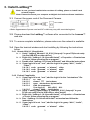
7. Remove the LadibugTM program 1. Open the Command bar window. 2. Type the following command. sudo dpkg – r ladibug 3. Enter your password. 8. Troubleshooting 8.1 Q: Black screen is displayed in live image after Ladibug™ was re-installed. Solution: 1. Remove the Ladibug™ then restart the computer. 2. Re-install the Ladibug™ . 8.2 Q: Ladibug™ cannot be activated. Solution: In case of incomplete installation, Ladibug™ may not be activated. Please follow these steps to check and perform a re-installation. 1. Open a terminal window and type “ladibug” to check (the components not installed). 2. Activate the “Synaptic package manager” and install the components as shown in step 1; or search and download required components from the Internet for installation. 12