1
5.6 INTEGRATED PERIPHERALS
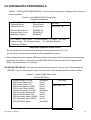
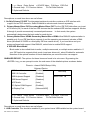
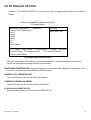
Choose〝INTEGRATED PERIPHERALS〞from the main setup menu, a display will be shown on
screen as below:
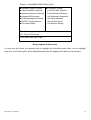
Phoenix - AwardBIOS CMOS Setup Utility
Integrated Peripherals
X OnChip IDE Device
X Onboard Device
X SuperIO Device
[Press Enter]
[Press Enter]
[Press Enter]
Onboard Serial Port 3
Onboard Serial Port 4
WatchDog Support
Item Help
Menu Level
►
[3E8/IRQ10]
[2E8/IRQ11]
[Disabled]
↑↓→←: Move Enter: Select +/-/PU/PD:Value F10:Save ESC:Exit
F1:General Help F5: Previous Values
F6: Fail-Safe Defaults
F7:Optimized Defaults
Integrated Peripherals Setup Screen
By moving the cursor to the desired selection and by pressing the <F1> key,
the all options for the desired selection will be displayed for choice.
If bios setup menu item supports USB device boot, it will cause Win9x detects the same storages
twice when the system is rebooted, and USB HDD will fail. Note: this cause just happen under
Win9x, the phenomenon is a limitation.
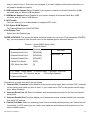
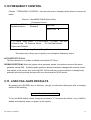
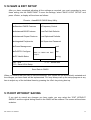
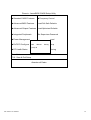
VIA ONCHIP IDE DEVICE: The options for these items are found in its sub menu. By pressing the
<ENTER> key, you are prompt to enter the sub menu of the detailed options as shown below:
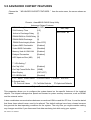
Phoenix – Award CMOS Setup Utility
OnChip IDE Device
OnChip Primary PCI IDE
IDE Primary Master PIO
IDE Primary Slave PIO
IDE Primary Master UDMA
IDE Primary Slave UDMA
OnChip Secondary PCI IDE
IDE Secondary Master PIO
IDE Secondary Slave PIO
IDE Secondary Master UDMA
IDE Secondary Slave UDMA
[Enabled]
[Auto]
[Auto]
[Auto]
[Auto]
[Enabled]
[Auto]
[Auto]
[Auto]
[Auto]
IDE HDD Block Mode
[Enabled]
EX-96085 User Manual
Item Help
Menu Level
►
66