1
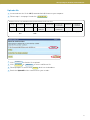
Cattle moved from my current holdings
Cattle moved from my current holdings
TIPS
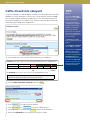
After saleyards transfer cattle onto an agent’s PIC, the agent must move the
cattle off their Agent PIC and onto the correct destination PIC within 7 days.
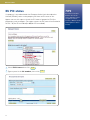
If cattle on your Agent PIC die, type ‘DECEASED’ in the destination PIC field to
transfer those cattle off your current holdings.
If you need to move more
than 300 cattle off your
agent PIC, use the cattle
moved off my property
(upload a file) option
instead.
1
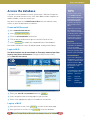
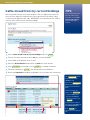
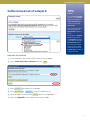
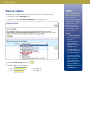
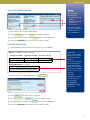
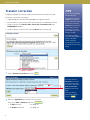
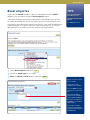
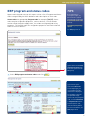
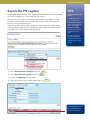
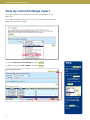
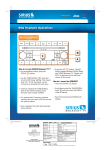
Select Cattle moved from my current holdings and click 4Go
2
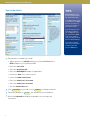
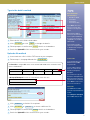
Tick all the cattle you want to move off your current holdings.
3
Scroll down to the bottom of the screen.
4
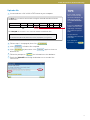
Enter the destination PIC and choose the date the cattle moved.
5
Click 4Continue to proceed or click 3Back
6
Follow the prompts to 4Send
7
Retain the Upload ID notified by the database as a record of the transaction.
to change the details.
the information to the database.
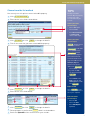
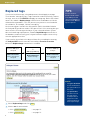
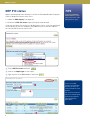
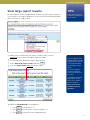
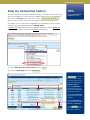
The 4Select all button
ticks all items on the
current screen.
If you see a 4Next page
button, there are more
pages to view and select
from.
4
To search for specific
items, click 4Filter by
• Select a field to filter
by, enter the text you
want to find, then click
4Apply
To view all your cattle on
one screen, select All from
the Items per page box.
Click 4Help for
information on sorting the
list.
6