1
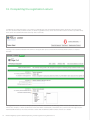
12. Metrics included in the registration return
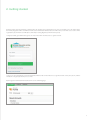
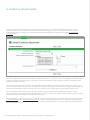
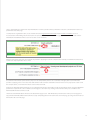
Once data has been entered and the save button is pressed the system will calculate metrics at the bottom of certain performance
outcomes. The help icons next to each metric indicate how these metrics are calculated, and traffic lights will appear if data is outside
the thresholds.
Note: A red traffic light does not mean the provider has ‘failed’ a performance requirement or outcome – instead, it indicates that
the data does not meet the threshold and the provider has the option to provide an explanation in the comments field for each
outcome’s metrics.
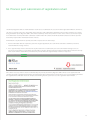
13. Attaching files to the application for registration return
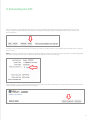
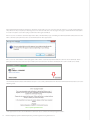
After clicking the ‘Start Return’ button, evidence including the Financial Performance Report and the Community Housing Asset
Performance Report can be attached at any time before submission by clicking on the ‘Add Attachment’ button as was done
for the ETF.
16 l National Regulatory System for Community Housing - Provider registration user guide Version 1.0