1
RDS WIZARD MONITORING SYSTEM
Contents
1
2
Overview
This manual
Application
Calibration
2
2
3
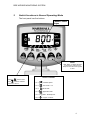
Switch Functions in Normal Operating Mode
4
5
5
5
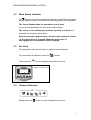
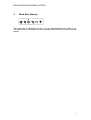
2.1 Work Status indicator
2.2 Set Units
2.3 Channel Selection
3
Forward Speed Display
6
6
6
7
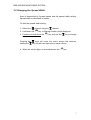
3.1 Changing The Forward Speed Factor
Notes
3.2 Changing The Spread Width
4
Area Display
8
8
8
4.1 Select Area Total
4.2 Reset Area Total
5
Work Rate Display
6
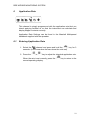
Application Rate
9
10
10
6.1 Entering Application Rate
7
RPM Display
11
11
7.1 RPM Alarm
8
Hopper Contents Display
12
12
12
12
13
13
14
14
14
8.1 Low Level Alarm (using optional hopper sensor)
8.2 Weight displayed (Qty Left in Hopper/Qty Dispensed)
8.3 The “Quantity in Hopper Display”
8.3.1 Set Alarm Quantity
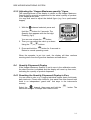
8.3.2 Resetting the “Hopper Maximum Quantity” figure
8.3.3 Adjusting the “Hopper Maximum Quantity” figure
8.4 Quantity Dispensed Display
8.4.1 Resetting the Quantity Dispensed Display to Zero
Notes
15
1