1
P. 6
Answering an Incoming Call
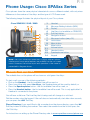
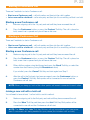
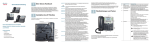
An incoming call will appear on the phone as a fast-flashing red Line Key. The Message
Waiting Indicator will also flash.
To pick up the incoming call, use one of the following methods:
• Pick up the Handset, or
• Press the ringing Line Key - the Speakerphone will be used by default, or
• Press the Speakerphone button, or
• Press the Headset button - this is only applicable if a Headset is connected to the phone.
Once the call is answered, the corresponding Line Key will appear solid-red.
Ending a Call
To end an active call, use one of the following methods:
• If you are using the Handset, simply hang it up, or
• If you are using the Speakerphone, press the Speaker button, or
• If you are using the Headset, press the Headset button
Placing Calls on Hold & Retrieving Calls from Hold
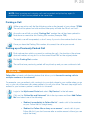
While on an active call, press the Hold button.
The call will now be on hold, and the other party will be hearing the ‘Music on Hold’. The Line
Key that is being used for the call will change to a slow-flashing red to indicate this.
Retrieving a Call: To retrieve a call that has been placed on Hold, press the slow-flashing red
Line Key. If you are using the SPA502G phone model, press the ‘resume’ Soft Key to retrieve
the call.
Missed Calls
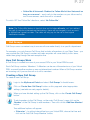
To view the missed calls on your phone, press the Menu button, select ‘Call History’ using
the Navigation button arrows, then press the ‘Select’ Soft Key.
Do Not Disturb
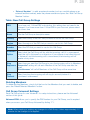
To stop your phone from receiving incoming calls, press the ‘DND’ Soft Key. You will still be
able to make outgoing calls while ‘Do Not Disturb’ is activated.
The phone screen will show ‘Do Not Disturb’. The phone will behave the same way as when
the line is ‘busy’: callers dialling the phone’s direct line will hear a ‘busy’ tone, or the ‘Follow
Me’ call forwarding will activate if it is setup (see p.26 for details), callers dialling the Call Group
number will be redirected to other phone within the Call Group. To switch off ‘Do not Disturb’,
press the ‘Clr DND’ Soft Key.