1
How do I open/edit an existing form?
1. Open Appraisal or Listing
2. Click on green REI Forms Live button
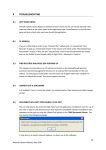
3. ACTION: Select View Existing Form(s) from the Action dropdown
4. FORM: Select the saved form you would like to open
5. OPTION:
a. EDIT FORM – Opens previously saved form in REI Forms Live so you can
make additional edits
b. DOWNLOAD FORM PDF – Download a copy of the previously created form
direct to PDF (edits cannot be made)
c. RE-MERGE AND EDIT FORM (OVERWRITE) – Will completely overwrite
existing form and will re-merge all property and related contact information into
REI Forms Live for you to make additional edits. Note: this will not overwrite
any fields which doesn’t have an equivalent field in Agentbox
d. RE-MERGE AND DOWNLOAD FORM PDF (OVERWRITE) – Will completely
overwrite existing form fields and will re-merge all property and related contact
information and download direct to a PDF (edits cannot be made). Note: this
will not overwrite any fields which doesn’t have an equivalent field in Agentbox
Note: If your form has already been ‘finalised’, you will be unable to ‘edit’ the form. Instead, you will
be provided with an option to ‘clone’ the finalised form and make your required changes.
Agentbox Pty Ltd | Forms Live User Guide 2014
4