1
2
iDMSS
Downloading the App
1) Download the remote viewing app from the App Store. Simply search ‘iDMSS’
Configuring a Site
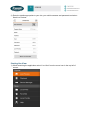
1) Open the app and navigate to the Device Manager by selecting the menu item in the top
left of screen.
2) From the Device Manager select add a device in the top right of screen.