1
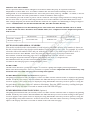
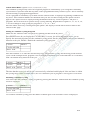
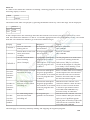
SET CURRENT TIME & DAY
Make sure the VALVES OFF is displayed by pushing START STOP key twice.
Press and hold down on 0 key for five seconds or until flashing cursor appears.
Using the number keys and RIGHT arrow key, the correct time of day can be entered.
When you have set the time press START STOP key twice.
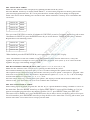
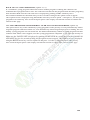
SET TODAY (Option 8)
Make sure the VALVES OFF is displayed by pushing START STOP key twice.
Press and hold MANUAL ADVANCE key for five seconds waiting for the option screen to appear.
Once option screen is displayed using the RIGHT arrow key scroll to option 8 and using the key pad select
current day of week (1 = Monday, 2 = Tuesday etc).
Press the LEFT arrow key scrolling back past option 1 the display will take 10 seconds to return to the
VALVES OFF page.
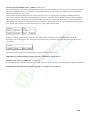
SET EXTRA OPTIONS ACCESS (Option 15)
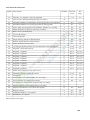
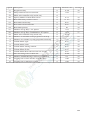
Heron controller has 81 options you need to access these to allow certain programming.
Make sure the VALVES OFF is displayed by pushing START STOP key twice.
Press and hold MANUAL ADVANCE key for five seconds waiting for the option screen to appear.
Once option screen is displayed, using the RIGHT arrow key scroll to option 15 press 1.
Press the LEFT arrow key scrolling back past option 1 the display will take 10 seconds to return to the
VALVES OFF page.
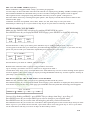
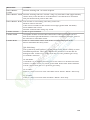
SET NUMBER OF VALVES (Option 1)
Make sure the VALVES OFF is displayed by pushing START STOP key twice.
Press and hold MANUAL ADVANCE key for five seconds waiting for the option screen to appear.
Once option screen is displayed, using the RIGHT arrow key scroll to option 1, the default valve number is
32, using the key pad change to your required number of valves. A maximum of 150 valves can be set.
Press the LEFT arrow key scrolling back past option 1 the display will take 10 seconds to return to the
VALVES OFF page.
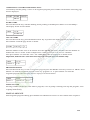
SET REQUIRED NUMBER OF PROGRAMS (Option 4)
Make sure the VALVES OFF is displayed by pushing START STOP key twice.
Press and hold MANUAL ADVANCE key for five seconds waiting for the option screen to appear.
Once option screen is displayed, using the RIGHT arrow key scroll to option 4 and now key in your desired
number of programs between 1 and 15. Press the LEFT arrow key scrolling back past option 1 the display
will take 10 seconds to return to the VALVES OFF page.
MAXIMUM NUMBER STARTED PROGRAMS TO RUN TOGETHER (Option 19)
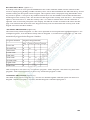
This specifies the maximum number of automatically started irrigation programs that can run at the same
time. If this option is set to ‘0’, only one irrigation program can run at any time. Setting this option to 2 will
allow 2 irrigation programs to run at the same time. Make sure the VALVES OFF is displayed by pushing
START STOP key twice. Press and hold MANUAL ADVANCE key for five seconds waiting for the option
screen to appear. Once option screen is displayed, using the RIGHT arrow key scroll to option 19 and now
key in your desired number of programs between 1 and 4. Press the LEFT arrow key scrolling back past
option 1 the display will take 10 seconds to return to the VALVES OFF page.Note: A maximum of 4
irrigation programs can run at any time. This includes automatically started AND continually cycling
programs. See Option 20
8