1
FLeaTS User Manual
_____________________________________________________________________
FLeaTS
4
Installing FLeaTS
4
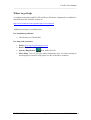
Where to get help
5
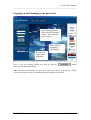
Logging on and changing your password
6
Creating a new client
8
Creating a new record for a returning client
9
Your client list
10
Opening, editing and updating a client record
10
Creating a split lead
11
Editing Client contact details
11
Adding additional contacts to a client’s record
12
Receiving a company generated lead
The Lead Sheet
13
14
Lead statuses
Lead status usage
15
15
Create a custom view
16
Sending an email from FLeaTS
Sending an email to a single client
Sending an email to a group of clients
Creating standard email templates
Sending a standard email
Sending an appointment email
18
18
19
20
21
23
Reassigning a lead
24
Deactivating a lead
24
Reactivating a lead
25
Searching for policy, forms and lender information
BloomSEARCH
26
Invoicing and financial
28
Claiming your commissions
Draft Invoice
Final Invoice
Income forecast
Past invoices
Claiming exceptions
28
29
29
29
29
30
Creating and maintaining lender accreditations
Adding an accreditation
Editing and deleting lender accreditations
Loan Comparison Software and
31
31
31
Product Information
Product matrix
V02022011DH
26
32
33
Page 2
© Firstfolio Limited