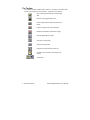
1
The Menu bar
When the software starts, there are five items on the menu bar. They are:
• File
Allows opening, saving, closing and printing of files.
• Logger
Allows access to a logger, when it is placed on the interface
and when the interface is connected to the PC.
• ChartReader
Allows access to a ChartReader, when it is connected to the
PC with the appropriate cable.
• View
Allows the toolbar and/or status bar of the software to be
removed or displayed on the screen.
• Options
Allows the software options to be configured.
• Help
Provides access to help system.
After a set of readings has been retrieved from a logger, ChartReader or file, four
new items are included in the menu, which are:
• Edit
Copying from the selected window to the clipboard, for
"Pasting" into another application.
• List
For setting the display options of windows, which show
readings as listed reports. This menu will only appear when
viewing a listed report.
• Graph
For setting the display options of windows, which show
readings as graphs. This menu will only appear when
viewing a graph.
• Window
For controlling the position and size of windows. Also
provides a way to switch between viewing listed reports and
graphs.
© TECH INNOVATORS LTD. 1996-2000
Escort User Manual 3