1
Blue Box
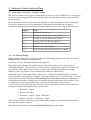
2.5 The Action Panel
Pol A / B
Sel & Average
Messages and feedback
•
Error and confirmation messages.
•
Tsys and Integration Time for the current scan.
Toggles between Polarisation A and B
Aligns and averages the selected scans in the current
polarisation.
Saves the result and remembers the scans selected.
Av A & B
Averages the results from “Sel & Average” on Pol A and
Pol B (Only available if Pol A and Pol B have been
averaged)
Fit Baseline
Displays the Fit Baseline Dialog
•
Zero Channels
Displays the Zero Channels Dialog
•
Shift Vel
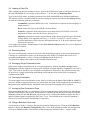
2.6 The Save Panel
Dir
Fit a polynomial to the baseline (order 1-5).
Zero a selected range of channels.
Displays the Shift Velocity Dialog
•
Calculates a velocity shift based on a difference in
zero velocity frequency and a user specified frequency.
•
Velocity shift can be specified manually.
Directory to write out to.
File
File name prefix
File Type
Choose format of output file (.sdf, .fits, .ps)
Save
Save a the currently displayed scan using a the options
specified above.
Quit
End the program and save the settings last used.