1
ENGLISH
Arming your system in Monitoring Mode
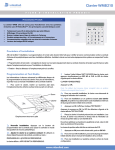
1. From the keypad integrated in the panel
 Put your hand on the keypad for activation, the back
light turns on.
ESPAÑOL
FRANÇAIS
ENGLISH
DEUTSCH
 Enter your access code and confirm with
NEDERLANDS ITALIANO
 After the confirmation bip, the panel emits two
bips to validate the command and start the delay
sequence.
Notice: In case of typing error, use
2. From the badge reader
integrated in the panel
Arming your system in Partial Arming Mode
From the keypad integrated in the panel
POLSKI
PORTUGUÊS
SVENSK
 Present the badge in front of the panel and match the
badge logo with the panel logo. Wait for the two bips
confirming the badge has been red and the start of
the delay sequence.
 Put your hand on the keypad for activation, the back
light turns on.
NORSK
 Enter your access code and confirm with
 After the confirmation bip, the panel emits two
bips to validate the command and start the delay
sequence.
РУССКИЙ
TURKISH
DANSK
or
Notice: In case of typing error, use
Notice: If a door contact has been left open during the arming sequence,
the panel will emit two short bips every two seconds.
The
and the
blink red and the display
indicates the Nº of the device in question.
2