1
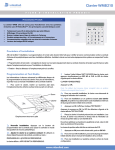
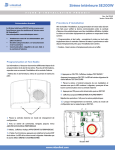
 Enter your access code and confirm with or . The red padlock stops blinking. Your system is turned off. Notice: In case of typing error, use 2. From the badge reader integrated in the panel From the keypad integrated in the panel  Put your hand on the keypad for activation, the back light turns on.  Maintain your finger on for 2 seconds. After three short bips, the panel emits a loud bip and the 3 panic POLSKI Panic Alert PORTUGUÊS SVENSK  Present the badge in front of the panel and match the badge logo with the panel logo. Wait for the two bips confirming the badge has been red. The red padlock stops blinking. Your system is turned off. FRANÇAIS ENGLISH  Put your hand on the keypad for activation, the back light turns on. ESPAÑOL 1. From the keypad integrated in the panel DEUTSCH Disarming your system NEDERLANDS ITALIANO ENGLISH NORSK buttons are illuminated. 3 Panic Buttons : Request Fire Department dispatch. wait for 15 seconds or touch  Touch the button corresponding to the emergency type. All sirens will immediately start sounding.  To stop the sirens, enter your access code and validate with 3 TURKISH To exit the panic menu, : Request Ambulance dispatch. РУССКИЙ Notice: DANSK : Request Police dispatch.