1
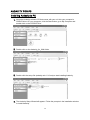
RECORDING TO COMPUTER WITH AUDACITY Audacity is a 3rd party open source programme that is not affiliated with TEAC. For Audacity help and support, operating instructions, software download and details on computer specification requirements, please visit the Audacity website at http://audacity.sourceforge.net. You can record music that is playing on the unit in PHONO, TUNER, USB or CARD to your computer with a sound editing programme such as Audacity. To do so, you must have: Audacity installed and working on your computer The unit connected to your computer via a USB cable and set to your desired recording source The correct Input/Output and Audacity settings on your computer You can find additional information regarding Audacity features and applications at the Audacity website, and the complete user manual in the website’s Help section: http://audacity.sourceforge.net/ The provided CD contains folders and files for installing Audacity: 1. Audacity_for_MAC a. Mac OS 9 i. audacity-mac-1.0.0.sit ii. LameLib-Carbon-3.91.sit b. PPC i. audacity-macosx-ppc-1.2.6a.dmg ii. Lame_Library_v3.98.2_for_Audacity_on_OSX.dmg c. Intel i. audacity-macosx-ub-1.3.7.dmg ii. Lame_Library_v3.98.2_for_Audacity_on_OSX.dmg 2. Audacity_for_WIN a. audacity-win-1.2.6.exe b. lame_enc.dll 3. Audacity-src-1.2.6 (source files for advanced programmers) 4. AUTORUN.INF 5. The GNU General Public License.html NOTE: Audacity 1.2.6 is compatible with Windows 98, 2000, ME, XP and Macintosh. Audacity 1.2.6 does not support the latest update of MAC OS 9, but still supports the original version of MAC OS 9.0 Try using Audacity Beta if Audacity 1.2.6 does not work well on your computer system. Audacity Beta (available on the Audacity website) is recommended for everyone on Windows 7, Windows Vista and Mac OS X 10.6/10.7. Audacity Beta is a work in progress, but has the most updated features and fixes that suit the most recent computer operating systems. The provided LAME encoder files enable Audacity to export recorded audio as MP3 files. When you export an audio recording as an MP3 file, you can use the corresponding LAME encoder file from the same folder as your setup file if Audacity prompts you for it. 18