1
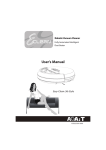
EClean EC03 User’s Manual
Note:
Video Control and Quality Settings
Only “Admin” has the access rights to configure the settings in
EClean Web Management.
The Video and Image page allows you to configure how you want
the video to appear on the live view screen.
3. On Date and Time setting, set the correct date and time. Click the
pull-down menu icon( ) to select one of available field options.
1. Click Setting tab, and select Video and Image.
4. After all settings are complete, click Save.
2. On Video Control, set the desired video source, picture quality,
and video frame rate.
3. On Video Quality, set the desired brightness, contrast, saturation,
sharpness, and hue settings.
EN-17