1
14
Configuration
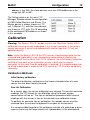
Contaminated air will result in an incorrect calibration or a failure to
calibrate. Wind should also be avoided as it can affect the free air
calibration.
Reference Gas Calibration
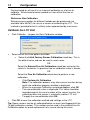
Reference gas samples for different lambda can be purchased (not
available from MoTeC) for use as a means of calibrating the LTC. This
method is provided for but is unlikely to be implemented by most users.
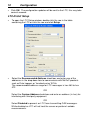
Calibrate the LTC Unit
•
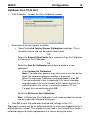
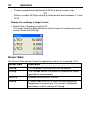
Click Calibrate… to open the Gain Calibration window
•
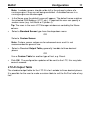
Select one of the three options available.
o Select the Initial Factory Sensor Calibration check box. This is
the default value and can be used in most cases.
OR
Select the Entered Free Air Calibration check box and enter the
values in the boxes if a previous free air calibration value is known,
OR
Select the Free Air Calibration check box to perform a new
calibration.
−
−
−
−
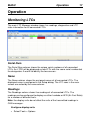
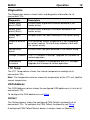
Click Perform Air Calibration
Note: The calibration process may take several minutes during
which the calibration progress window is displayed.
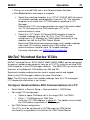
When the message Calibration completed appears click OK
The new calibration value is displayed. This value should be
recorded against the serial number of the sensor to enter this
calibration when the sensor is used with another LTC unit.
To apply the new calibration click OK.
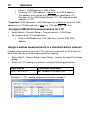
• Click OK to save the calibration method and settings to the LTC.
Tip: Spare sensors can be air calibrated before an event and tagged with the
14 digit calibration number. This number can be used in the entered Free Air
Calibration option for quick replacement of a sensor during the event.