1
Reference: Configuration options
Note
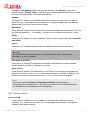
The action mode for the Realtime Protection is set under the following heading:
Settings > Realtime Protection > Action on detection
No warning
When this option is activated, there is no acoustic alert when a virus is detected by the
Realtime Protection.
Use PC speakers (only in interactive mode)
When this option is activated, there is an acoustic alert with the default signal when a
virus is detected by the Realtime Protection. The acoustic alert is sounded on the PC’s
internal speaker.
Use the following WAVE file (only in interactive mode)
If this option is enabled, there is an acoustic alert with the selected WAV file when a
virus is detected by the Realtime Protection. The selected WAVE file is played over a
connected external speaker.
WAVE file
In this input box you can enter the name and the associated path of an audio file of
your choice. The program's default acoustic signal is entered as standard.
The button opens a window in which you can select the required file with the aid of the
file explorer.
Test
This button is used to test the selected WAVE file.
9.7 Email
9.7.1 Realtime Protection email alerts
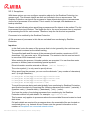
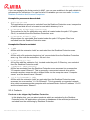
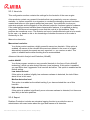
Avira Realtime Protection can send alerts by email to one or more recipients for certain
events.
Email alerts
If this option is enabled, Avira Realtime Protection sends email messages with the
most important information when a certain event occurs. This option is disabled as the
default setting.
Email messages for the following events
Avira Server Security - User Manual (Status: 23 Sep. 2011)
71