1
Reference: Configuration options
Shortcut
Description
Ctrl +
Tab
Inserts a tab. The current line is indented by several
characters to the right.
Ctrl +
Enter
Inserts a line break.
The message can include wildcards for information found during the search. These
wildcards are replaced by the actual text when sent.
The following wildcards can be used:
Wildcard
Description
%VIRUS%
contains the name of the detected virus or of the unwanted program
%FILE%
contains the path and file name of the affected file
%COMPUTER% contains the name of the computer on which the Realtime Protection is
running
%NAME%
contains the name of the user who accessed the affected file
%ACTION%
contains the action performed after the detection of the virus
%MACADDR%
contains the MAC address of the computer on which the Realtime
Protection is running
Default
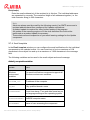
The button restores the predefined default text for an alert.
9.6.2 System Scanner network alerts
Enable network alerts
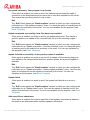
If this option is enabled, network alerts are sent. This option is disabled as the default
setting.
Note
To be able to activate this option, at least one recipient must be entered
under Settings > Alerts > Network.
Avira Server Security - User Manual (Status: 23 Sep. 2011)
69