1
A440 User Manual
1.0
PRODUCT DESCRIPTION
The ASeries A440 allows RS-232 serial devices to communicate with RS-422
devices. As well as transferring data, this unit also provides one pair of
handshaking lines, either DTR/DSR or CTS/RTS, for the control of the data
flow.
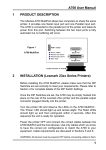
The following illustration shows the location of all the connectors, indicators
and switches of the A440:
RS422
DC Power
Jack
9-12V DC
Termination Resistor
Selection - DIP
Power
RS422 RD
DTE
RS232 RD
DCE
DCE<>DTE Selection
Slide Switch
RS232
Features
z Switch select the RS-232 port as either DCE or DTE.
z Switch select Termination Resistors on the RS-422 port.
z Transient protection using Transorbs.
z LED indicators for Data Activity and Power.
z Quality nickel plated metal case will withstand the most rugged application.
Using A440s as RS-232 Line Extenders
A pair of A440s may be used to achieve connection of RS-232 devices over
an extended distance. The A440s are connected via their RS-422 ports to
take advantage of the greater data transfer distances available using the RS422 Serial protocol. Please refer to Section 6.6 for cable details.
3