1
Built In Commands (reserved keywords)
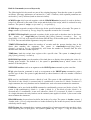
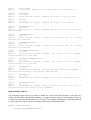
The following built in keywords are part of the scripting language. Note that the syntax is specified
as follows. Necessary parameters are enclosed in '<' and '>' brackets, while optional parameters are
enclosed in '[' and ']' brackets (both are shown in italics).
SCRIPT/script: this keyword (together with the HEADER/header keyword) is used to declare a
script. It is followed by the name of the script and the body of the script, which is enclosed in curly
brackets. The syntax is: script <script name> { <script body> }
SLEEP/sleep: suspends execution of this script for the specified number of seconds. The syntax is:
sleep(<number of seconds>);. For eg, sleep(10); suspends execution for 10 seconds.
SLEEPUNTIL/sleepUntil: suspends execution of this script until an absolute time in the future.
The syntax is: sleepUntil([year]:[month]:[day]:[hour]:[minute]:<second>); For eg,
sleepUntil(1:13:23:24); will suspend execution until the day of the month equals 1 and the time is
13:23:24. You can omit all the arguments except the seconds.
TIMEUNTIL/timeUntil: returns the number of seconds until the nearest absolute time in the
future that matches the argument. The syntax is: timeUntil([month]:[day]:[hour]:
[minute]:<second>); For eg, timeUntil(10); will return the number of seconds until the next
absolute time when the seconds equal 10.
TIME/time: loads the script's time register with a specific time. The syntax is: time([month]:
[day]:[hour]:[minute]:<second>);
PRECISION/precision: sets the number of decimal places to display when printing the value of a
floating point variable. The default is 0, the syntax is: precision(<num>); where <num> is the
number of decimal places.
NEWLINE/newline: used as an argument to the PRINT/print command to print a newline.
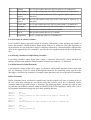
PF/pf: print function command is used as an argument to the PRINT/print command to print a
specific type of data. The syntax is: pf(<function>); where function is one of a number of defined
constants.
IF/if: used to conditionally execute a block of code. The syntax is: if(<conditional>){ <block> };
The block of code <block> is executed only if <conditional> is non zero. If <block> consists of a
single statement, the curly brackets can be omitted but a semi colon must terminate the statement.
ELSE/else: can be used with the IF/if command to conditionally execute two blocks of code. The
syntax is: if(<conditional>){ <block 1> }; else { <block 2> }; The block of code <block 1> is
executed only if <conditional> is non zero, otherwise <block 2> is executed. If <block 1> consists
of a single statement, the curly brackets can be omitted (same applies for block 2), but a semi colon
must terminate the statement.
HEADER/header: keyword used to define the header of a script. The syntax is: header <name> {
<header code> } Every script must have a header defined by the header keyword, but the header
code body can be empty.
PRINT/print: this command takes a comma separated list of arguments and prints out their values
to the scripts log file (or open pipes). The syntax is: print <arg 1>, <arg 2> … <arg N>; where each