1
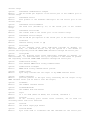
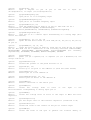
argument can be any expression, or a print function command, or a newline command.
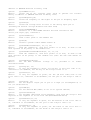
OPENPIPES/openPipes: this command is used to open a number of pipes for the script. The
script's output (through the print command) is then sent to all open pipes. The syntax is
openPipes(<pipes>); where the value <pipes> is a logical OR of all the pipes to open. The pipe
codes are defined as define constants.
CLOSEPIPES/closePipes: this command is used to close a number of pipes for the script. The
script's output (through the print command) is sent to all open pipes. The syntax is:
closePipes(<pipes>); where the value <pipes> is a logical OR of all the pipes to open. The pipe
codes are defined as define constants.
CLEARFILE/clearFile: this command is used to define a new log file for the script. The argument
is a comma separated list of arguments (as in the print command) that will form the file name for
the new log file for the script. If a file of that name already exists, it will be deleted. The syntax is:
clearFile <arg 1>, <arg 2>, … <arg N>; where each argument is as for the print command.
RESET/reset: this command simply resets the current script to begin execution anew. The syntax is
reset;
OPENFILE/openFile: this command is used to define a new log file for the script. The argument is
a comma separated list of arguments (as in the print command) that will form the file name for the
log file for the script. If a file of that name already exists, it will be appended to. The syntax is:
openFile <arg 1>, <arg 2>, … <arg N>; where each argument is as for the print command.
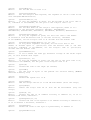
SERIAL/serial: this command is the same as the PRINT/print command, except the output is sent
only to the serial port pipe for the script (rather than to all open pipes).
NMEA/nmea: this command is the same as the SERIAL/serial command, except each character of
the output is added to a running transmit CRC (by repeatedly XORing the value) (the global
variable $$serial.TxCRC holds the CRC). The CRC can then be displayed at the end of the line
using the pf(#nmea) print function to add the CRC sequence at the end of the NMEA command.
This is useful for interfacing to NMEA compliant devices, such as a GPS module.
MATCHNMEA/matchNMEA: this command takes as argument a comma separated list consisting
of a match string for matching incoming NMEA packets on the serial port. On a match, the input is
processed. The string is made up of the following commands:
's' + literal string :match the literal string exactly (comma marks the end and can't be matched in the
string, use the 'c' option to match the comma)
'c' + char
: match the character exactly...
'$'
: match any character & store it...
'@'
: match any character but do not store the result...
'd' + n (n:1-9) : match up to n decimal digits and store the output...
'x' + n (n:1-9) : match up to n hex digits and store the output...
'\0'
: end the command string...
'f'
:
match a floating point number...
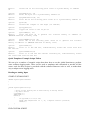
For example, the command matchNMEA “sGPRMC,d2d2f,cA,d2f,$,d3f,$,f,f,d2d2d2”; can be
used to match NMEA sentences from a GPS module in the format GPRMC.
FUNCTION/function: this keyword is used to define a local function. It can then be called from